

BSIMB 15.6 Inch Digital Calendar – Chore Chart, Meal Planner, Rewards System, Photo Display, Smart Electronic Calendar Touchscreen Interactive Hearth Display for Family Schedules, Seamless Scheduling White
$199.99
Related Products






Product description


 BSIMB Digital Calendar Your Command Center to Centralize Your Family’s Busy Life
Simplify family scheduling with BSIMB digital planner. Keep family life more organised with Rewards, Lists and Meals, Tasks, Photos.
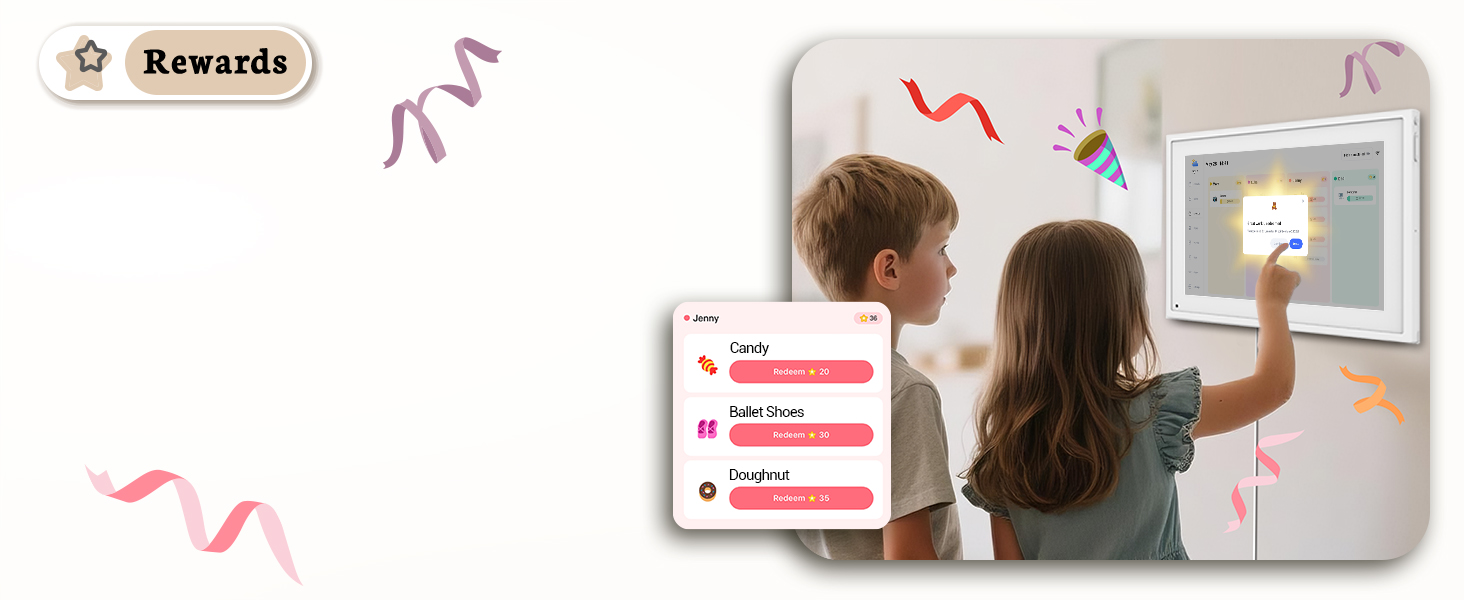 Turn Chores into Fun Games
Make everyday chores more fun with points and prizes. Assigning points for each chore on the smart calendar digital wall fosters a sense of responsibility and independence.
 Making the Most of Lists
Never forget to buy food with grocery lists. Create and share family event lists, packing lists, and more in BSIMB electronic calendar for wall!
 No More “What’s for dinner tonight?”
Ditch Meal-Time Stress. Plan family meals in advance on the electronic wall calendar and purchase the required ingredients.
 Customised Each Family Member
Create personal schedules that fit perfectly for everyone on the family calendar electronic, grandmothers, kids, and even dogs! Personalise avatars, nicknames and colours.
 Stay in Touch On-the-go
The ecalendar app syncs everything you can do on your digital family calendar. Create tasks at any time, get notified when to-do list is complete, and more.
 Showcase Your Family’s Story
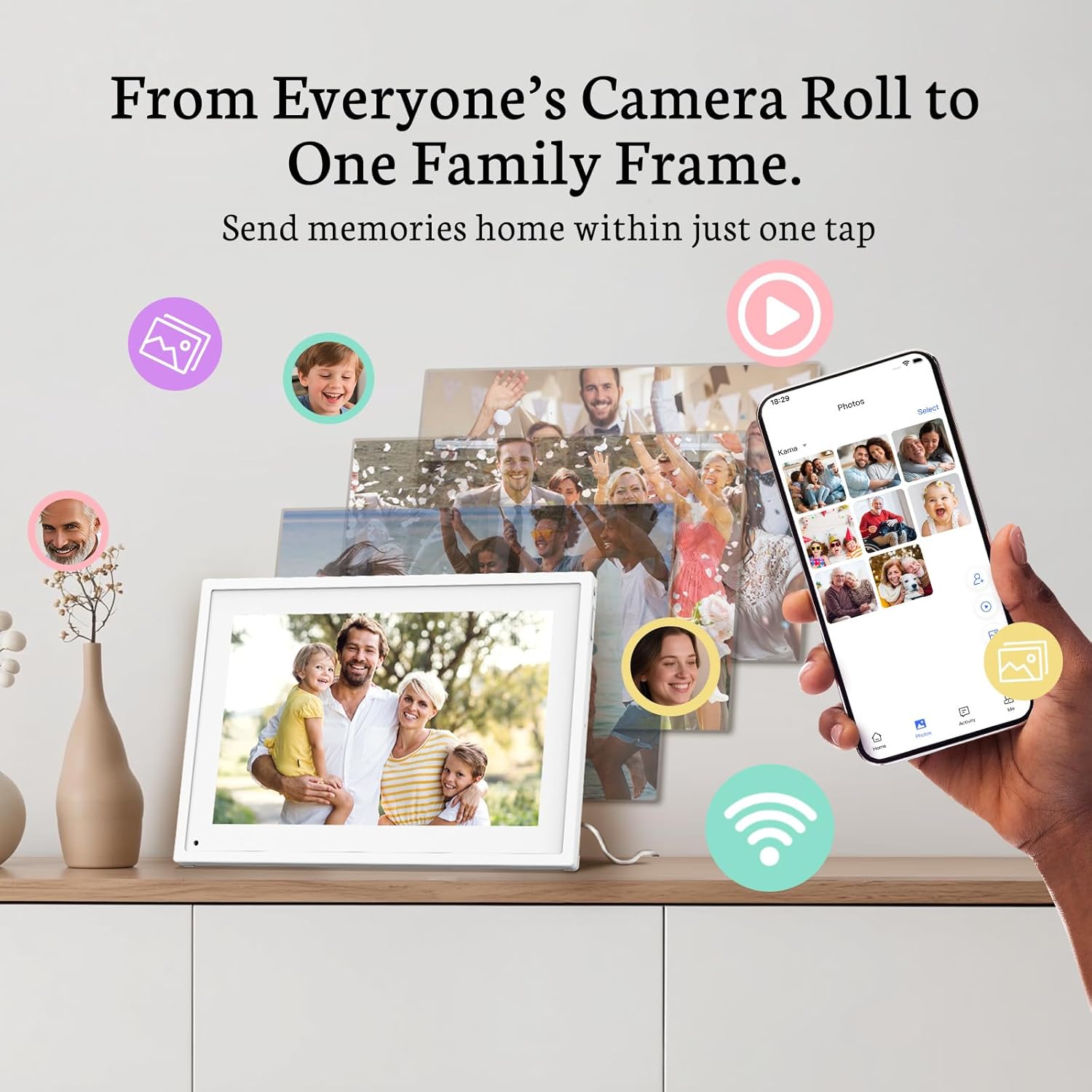
Turn it into a photo frame and display your artwork or precious memories in electronic calendar for wall.


Find the Perfect Size for Your Space
Add to Cart
Add to Cart
Customer Reviews
4.3 out of 5 stars 1,176
4.3 out of 5 stars 1,176
4.3 out of 5 stars 1,176
4.3 out of 5 stars 1,176
4.3 out of 5 stars 1,176
4.3 out of 5 stars 1,176
Price
$199.99$199.99
$129.99$129.99
$299.99$299.99
$369.99$369.99
$419.99$419.99
$499.99$499.99
Display Size
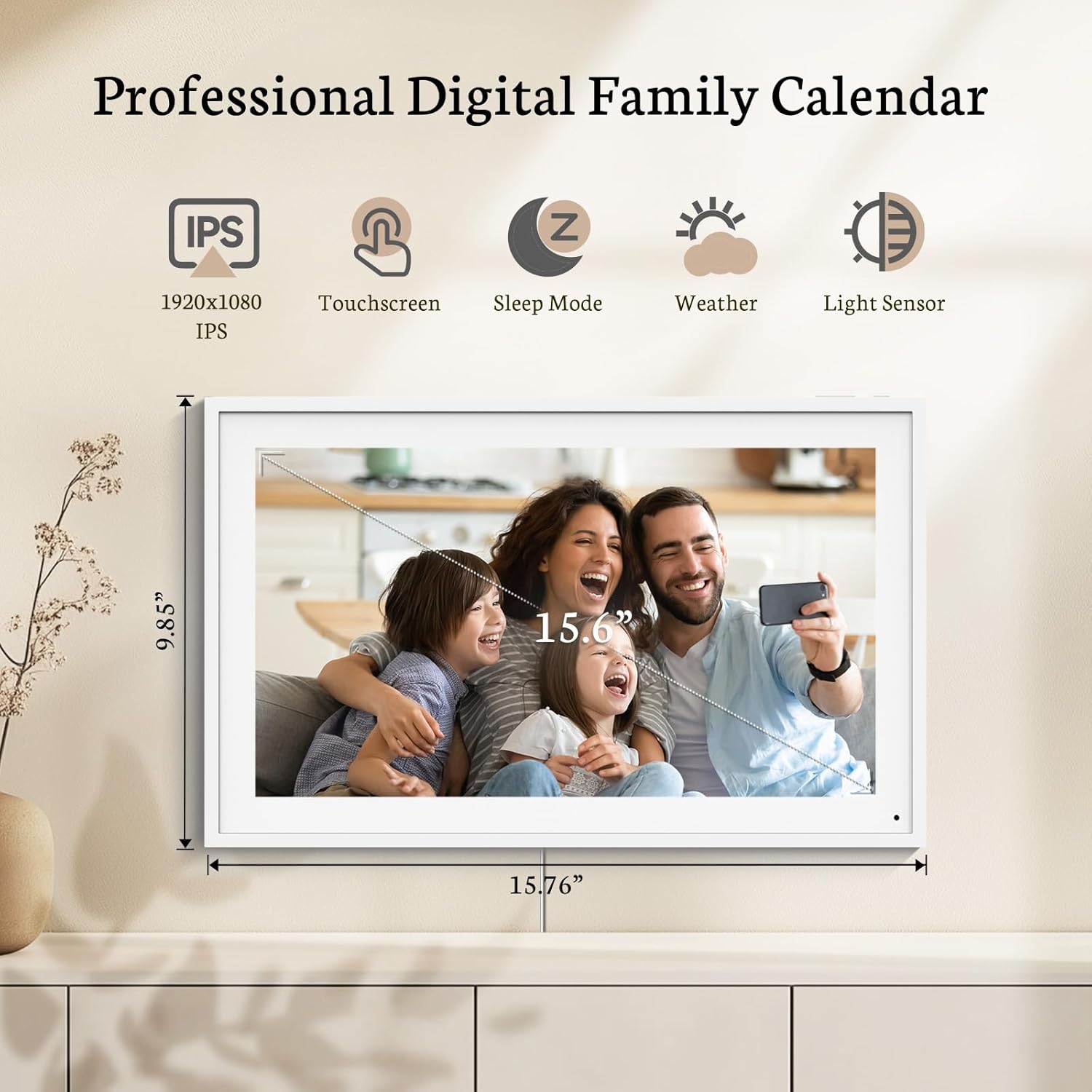
15.6 inch
10.1inch
21.5 inch
24 inch
27 inch
32 inch
Overall Size
15.7″x9.85″x0.9″
9.8″x6.8″x0.9″
19.9″x11.7″x0.9″
23.2″x14.13″x1.3″
25.98″x15.76″x1.3″
28.98″x17″x1.3″
Wall Mount
Yes
No
Yes
Yes, include swivel wall mount
Yes, include swivel wall mount
Yes, include swivel wall mount
Internal Memory
32GB
32GB
32GB
32GB
32GB
32GB
Resolution
1920 x 1080 FHD
1920 x 1080 FHD
1920 x 1080 FHD
1920 x 1080 FHD
1920 x 1080 FHD
1920 x 1080 FHD
Display Aspect Ratio
16:9
16:10
16:9
16:9
16:9
16:9
Recommended Placement
Entryway, Kitchen
Kids’ bedroom
Home office
Living room, Mantel
Kitchen, Mantel
Family room, Living area
Desk Stand
✔
✔
✔
✔
✔
✘
2.4 & 5GHz WiFi
✔
✔
✔
✔
✔
✔
Digital Family Calendar: BSIMB digital calendar wall touch screen puts an end to your chaotic life. Designed for busy families, the digital calendar keeps you organised and in step with your family. Assign different colours and tasks to each family member to make family scheduling easier and more intuitive.
Easy Setup and Auto-Sync: Plug in, connect to WLAN and auto-syn your electric calendar in minutes. Digital wall calendar compatible with Google calendar, iCloud calendar, Outlook calendar, Cozi calendar and Yahoo calendar. Add events directly on the device or through the ecalendar app. Electronic calendar stays current whether you’re at work or traveling—no manual updates needed.
All-In-One Home Assistant: Smart calendar builds habits and encourage independence with personalised chores. Display daily meal plan to reduce the daily ‘What’s for dinner?’ stress. To-do lists keep track of everything you want. Turning chores into valuable achievements with stars and rewards, making life easier and more enjoyable.
Manage Anytime Anywhere: BSIMB electronic calendar for family stay connected with the powerful ecalendar app. Access and manage your digital wall calendar anytime, anywhere with free features like stars & rewards, photo screensaver, chore charts, meals plans, to-do lists etc. Electronic planner paid features like Magic Import tailor advanced tools for users with special needs.
Stay in Touch with Loved Ones: Share photos or videos from your phone to electronic wall calendar with app, instantly update your life moment, and keep in touch with your family, especially those who are far away; you can also surprise your smart calendar digital wall by sending him a wish card; it’s also great for keeping tech-illiterate elders in touch with the youngsters.
Satisfaction Guaranteed: We offer 30-day money-back guarantee and 1-year worry-free warranty. Our customer service team is always here for you to make sure you are happy with your family calendar electronic.
13 reviews for BSIMB 15.6 Inch Digital Calendar – Chore Chart, Meal Planner, Rewards System, Photo Display, Smart Electronic Calendar Touchscreen Interactive Hearth Display for Family Schedules, Seamless Scheduling White
Add a review

$199.99
Ben B in Washington –
A great alternative to the name brand!
Great digital calendar, has all the features of the competitor at a lower price, and no subscription is required. Looks good on my wall, compatible with multiple Google calendars, and seems reliable and sturdy so far. Easy to use with the app and touchscreen.
Pequi –
Thoughtful gift, easy app
Purchased for Mother’s Day and my mama loved it! The app is also easy to use: photos can be transferred seamlessly.
Cynthia Hina –
Easy to set up and use
Best way to share pics with those out of town.
Matthew Atwood –
Excellent – after a bit of work…
Caveat: I am an engineer, and my review will read accordingly…The problem I was looking to solve was unlocking the tens of thousands of photos that are locked up on my laptop from the last decade, particularly my kids growing up. I started looking at digital frames, and found some of them more expensive than I wanted, and with many features (such as wireless/NFC capability) that I don’t think I’d ever use. I settled on this one based on reviews, price point, and the fact that it’s small/discrete/unassuming. Here are the steps that followed for me after receiving it:1) I first just tried to load ALL of the pictures I’ve taken in the last 10 years, realizing that exceeded the manufacturer’s “10,000 pictures” stated ability. Loaded 60k pictures onto an SD card and it crashed the frame. OK, that’s not gonna work… plus I have a lot of junk pictures mixed in there… so what’s a better approach?2) I used the facial recognition feature in Apple photos to select the 11k photos that contain my kids faces. I downloaded those to an SD card, and this time the frame could handle it. However, the “random” feature was missing from the frame in its as-shipped configuration.3) I contacted the manufacturer about new firmware and they sent me a link. I had to “unrar” the file they sent me, and the two files that I actually wanted on the SD card (in order to upgrade the firmware) were “fwimage.upg” and “SPF0164_8.2_1024768_20190401v2.fw”. Upon updating the firmware on the frame, the random display capability now was present.4) I simply turn on the frame every morning, and it does all the rest. It always shows the same first picture, but then after that I find the random algorithm to be quite good. I liked this setup so much that I purchased a second frame, got another SD card and loaded identical content (11k pics of my kids) onto it, and then turned them on at the same time, to do a side-by-side comparison of the random algorithm. I noticed no discernible overlap… i.e. I think the random algorithm works as it should – it randomly selects from the 11k photos that I have loaded on.I’m very happy with the frame at this point. And my kids love it too. Above is a picture of the settings that I have set on my frame, as well as a picture of how it fits into my family room decor. Another note: the frame turns on automatically when power is applied… so if one wanted to have it on a timer (or an Alexa smart device) one could just apply power to it and have it turn on automatically each day.I perseverated about giving it 4 stars or 5 stars. If it came with the random function out of the box I would certainly have given it 5 stars… the extra work required to get me there knocked it down one star, but in the end I’m very pleased with it, and would recommend it to anyone else looking to unlock their digital photo library in a cost-effective fashion.
nohemi –
Good
Pretty good and easy to set up
Stephanie –
So dang easy to upload pictures too
This thing is great. My phone was overloaded with photos and I wanted something easy to “zap” the photos to. It really is so easy once the app is downloaded onto your phone you basically just choose the photos—the max you can do is 50 at a time. But now when I get a new photo even if it’s via messenger, I just save it to photos and just zap it over to the frame.Really like you can choose how the pictures are presented. Lots of other tidbits of information that is viewable such as time and weather-which was neat but I don’t pay attention to.Definitely worth the money thinking about buying another just to use for the recipes that I save🤣.
Jacob –
Don’t buy it.. garbage
If I could give it zero stars I would. It’s cheap, definitely should have spent more for a better option. Operates poorly, kicks you out on the app before you can even set it up. Have to wait for a customer representative to allow me access to my own calendar? AVOID AT ALL COST! Piece of S***!!!!
Mr. Voorhees –
Very elegantly designed frame but terrible viewing angles
This 8″ 4:3 digital frame itself is very nice. Metal brushed design, very thin…overall beautiful design for a budget priced digital frame. Head on view of photos/videos is fine but look from the right or top down and the image turns all weird…yet looking from the left or bottom and the image looks fine just not as bright. I’m guessing it has to do with it being a TFT screen which are known for poor viewing angles…but its weird it only does it from the top and right. Don’t know if that’s a defect or not. Usually it should do it from all side angles and top and bottom.The screen itself has a very slight matte to it but more reflective than I’d like. Another frame I bought has a much more matte look to it with very little reflection. The other frame I bought also has an IPS screen as opposed to this TFT screen and the image quality from the sides is 100% better than this frame.I’m going to stick with the other 8″ 4:3 frame I bought.
AstiAsteria –
Wow, sehr schöner Bilderrahmen. Das Design ist in einem schönen schlichten schwarz gehalten. Man bekommt neben dem Stromkabel auch noch eine Fernbedienung dazu. Man kann verschiedene Medien an den Bildschirm anschließen. Die Bilder werden in einer sehr guten Qualität wiedergegeben. Mit der Fernbedienung kann man gut zwischen den Bildern hin und her schalten. Kann ich nur empfehlen.
Jackie Marchand –
It’s easy to load pictures
Uwe Busse –
Viele Funktionen, mit der Fernbedienung einfach zu bedienen, sehr dekorativ
GTP –
Great clear picture (depended on image download of course). Easy to set-up and transfer of pictures. On ‘random’ playback doesn’t always appear to go through images randomly (some duplicates appear). Overall, I’m very pleased.
Kerstin S. –
Die meisten Bilder werden in TOP Qualität angezeigt. Leider sind vereinzelte Bilder unscharf oder verpixelt, obwohl die Bilder eigentlich eine hohe Auflösung haben. Wir haben noch nicht herausgefunden woran dies liegen kann. Alles in allem ist der Bilderrahmen aber ein super Produkt mit vielen Möglichkeiten. Als Weihnachtsgeschenk mit individuell bespielten SD Karten hat er allen beschenkten Personen große Freude bereitet.