

10.1 Inch WiFi Digital Calendar, Smart Touchscreen Interactive Display for Family Schedules Chore Chart, Meal Planner, To Do List, Smart Sync Switchable Digital Photo Frame Desk-Standing
$129.99
Related Products





Product description
Organize Your Family Life with Tabwee’s Smart Digital Calendar 
Stop Hunting Notes. Start Living Organized. 
Spark kids’ independence and healthy habits with fun!


Getting Started with TABWEE: A Step-by-Step Guide to Organizing Your Life How to Activate the Calendar
Step 1: Download the eCalendar App and create an account. Step 2: Go to Settings to power on and activate your calendar.
The video showcases the product in use.The video guides you through product setup.The video compares multiple products.The video shows the product being unpacked. How to activate your ecalendar Merchant Video
How to Sync Your Calendar
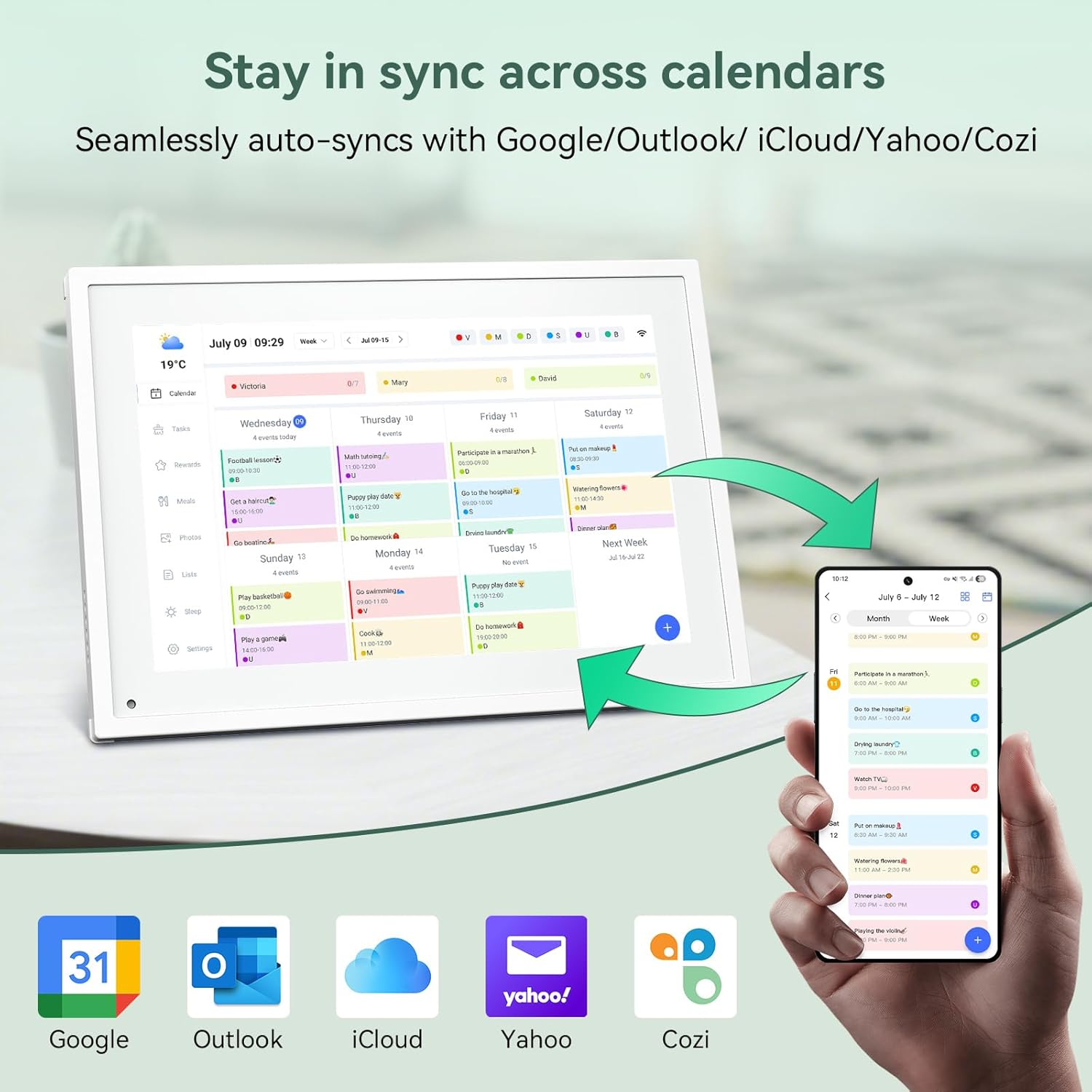
Sync Cozi/Google/Outlook/iCloud – Click “Cozi/Google/Outlook/iCloud” to sync dataSync Subscribed Calendar – Click “Sync Online Calendars”Sync Calendar URL – Click “Sync Online Calendars”
The video showcases the product in use.The video guides you through product setup.The video compares multiple products.The video shows the product being unpacked. How to Sync Your Calendar Merchant Video
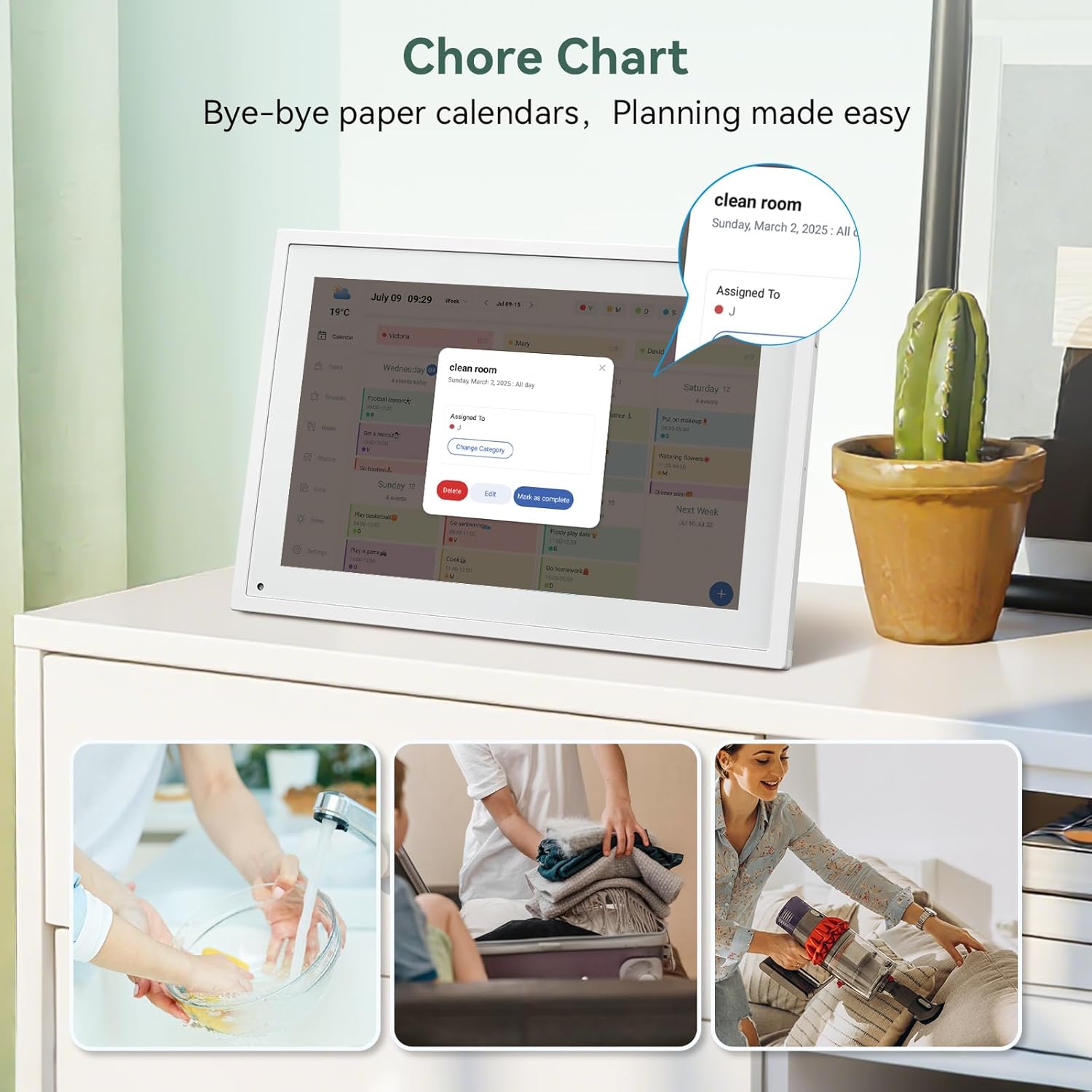
How to Set Up a Chore Chart on the Calendar
Click “Chores” and “+”Naming Chore-SaveSet Date & TimeSelect Category (Edit Ctategory Name &Pick color then click”Save)- watch for more step
The video showcases the product in use.The video guides you through product setup.The video compares multiple products.The video shows the product being unpacked. How to set up chore chart on the calendar Merchant Video
How to Create Events and Set Up Reminders
Turn on Device and click ” + ” at bottom of right Then press EventSet up Event-> Enter Event Title-> Set Start time &End time Or choose All day Select Catagory -> Set up Repeats-> Save
The video showcases the product in use.The video guides you through product setup.The video compares multiple products.The video shows the product being unpacked. how to creat events and set up reminders Merchant Video
How to Sync with Apps and the Calendar
How to Sync From App to Device
Open App–>Click to synchronize Electronic Calendar–> Click “List”–>Enter Content–>Sync successfully
How to Sync From Device to App
Click “Lists”–>Enter content to complete–>Click Add–>Sync successfully
The video showcases the product in use.The video guides you through product setup.The video compares multiple products.The video shows the product being unpacked. how to sync with apps and the calendar Merchant Video
Meal Planning with TABWEE Digital Calendar
How to Add/delete/edit dishes/plan on the device ?
Add: Click “Meals”–>Click on the breakfast/lunch/dinner/dessert–>Select or” + Add recipe” long press t o add more–>Sync to the Mobile AppEdit: Click “+ Add recipe”–> Clicking ” … “after–>Edit dish namesDelete: Click ” … “to delete
The video showcases the product in use.The video guides you through product setup.The video compares multiple products.The video shows the product being unpacked. meal planning with TABWEE digital calendar Merchant Video
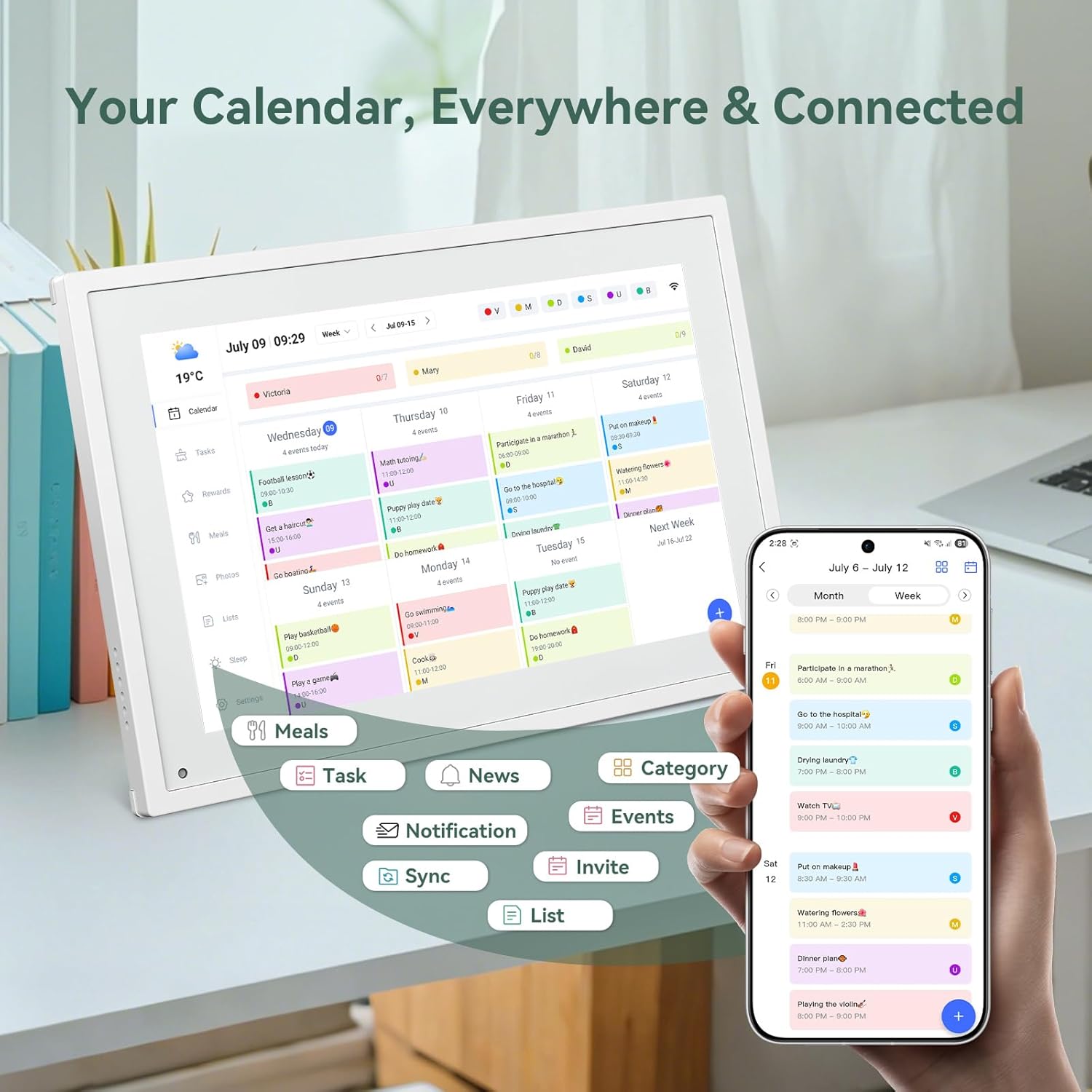
Everywhere You Need It. Always Ready.


🔹【10.1″ HD Command Center】Crystal-clear tablet-sized touchscreen shines even in sunlight! Perfectly sized for kitchen counters, desks, or coffee tables. Plan meals, sync family schedules, manage chores, or tackle work tasks — one versatile hub for every space. Say goodbye to scattered planners!
🔹【Real-Time Multi-Device Sync】Sync instantly across all phones (iOS/Android)! Changes on Google/Apple/Outlook calendars auto-update on-screen → Family events, meetings, or tasks added via app appear live. Never miss a beat, even on the go.
🔹【Stress-Free Weekly Meal Planning】End the “What’s for dinner?” struggle! Visually plan breakfasts, lunches, dinners, and snacks for the whole week. Upload custom recipes, generate grocery lists instantly, and display menus for all to see. Finally achieve kitchen harmony!
🔹【Chore Motivator with Rewards】Build responsibility via star-point rewards! Kids earn points for completed chores (set repeats/reminders!), redeemable for prizes. Assign colorful avatars + track progress together — healthy habits made fun!
🔹【Smart Display, Smarter Features】Beyond a calendar: ☀️ Live weather forecasts 🌙 Auto-brightness & sleep mode🖼️ Digital photo frame (upload memories via app!) 🔔 Alerts for events/holidays. Your always-on life assistant. Eco Savings–Replace paper planners/photo frames — cut clutter, save trees, enjoy 24/7 plug-&-play efficiency.
🔹【Desk-Only Design & Plug-in Power】Functions exclusively as a desktop display (not wall-mountable) and requires constant power connection via the included adapter; no internal battery is included!
13 reviews for 10.1 Inch WiFi Digital Calendar, Smart Touchscreen Interactive Display for Family Schedules Chore Chart, Meal Planner, To Do List, Smart Sync Switchable Digital Photo Frame Desk-Standing
Add a review

$129.99
danteduncan –
Recommend
This digital calendar is incredibly convenient. The touchscreen is responsive and the perfect size for our kitchen counter. It does so much: syncs our family schedules, manages meal planning, shows live weather, works as a digital photo frame, and even motivates the kids with chore rewards. It looks sleek, was a breeze to set up, and the screen is very responsive. Definitely recommending this to other families!
geyli –
Amazing Smart Calendar
I absolutely love this digital calendar! The screen is bright and clear, and the WiFi connection works perfectly. It was very easy to set up and sync with my family’s schedules. I use it to keep track of appointments, school activities, and reminders — everything stays organized in one place. The touchscreen is very responsive, and the design looks great in my kitchen. I’ve only used it twice so far, but it’s already become one of my favorite home gadgets. Highly recommend for families or anyone who loves staying organized!
Eric O. –
Keeps My Family Organized and Connected!
I love this digital calendar! The 10.1-inch touchscreen is bright, easy to use, and perfect for keeping track of family schedules, chores, and meal plans. Syncing is super simple, and it even doubles as a photo frame when not in use. It’s stylish, practical, and has made our daily routine so much smoother.
Josh Samples –
A practical tool for a busy life.
As someone with a packed schedule, I bought this to help organize family plans, work commitments, and social events. It makes it easy to track important tasks so nothing slips through the cracks. Setup was straightforward, and I’ve already loaded all our family schedules into it. I appreciate how it sends reminders to keep everyone on track. It’s been genuinely useful, and I’d definitely recommend it to others.
maryann moyer FNP -C –
Will not sync to google.
Not able to sync due to program being overwhelmed. Would like to return product due to not being compatible with other programs. Item description is not correct.
Amanda Reichardt –
Easy to use and stay organized
this item has been AMAZING in our household! From organizing everyone’s activities, plan, drs appts, etc. I LOVE the feature of each person having their own color and being able to add a picture SO helpful and worth every penny. Highly recommend this product! Oh forgot to add, this product is so easy to use (I went from a hand written calendar to this with no issues)
dovidTzipporah –
I really enjoy
I really love this me and my wife use it all the time. The only downside to it is you can’t attach it to your wall.And it doesn’t have a battery.So it needs to be plugged in constantly. But it is really cool that you can have a calendar tasks.And everything in one place and have a display screen. Good options for repeating tasks and it syncs well with other calendars like google. The instructions could be clear.But overall, it is really simple to use. I really like it
Kevin fortune –
Do the job
Serves its core purpose well: a centralized visual calendar for busy families. No frills, but reliable
lussato laurence –
Combine planification et partage de photos !Ce calendrier numérique a complètement changé la donne pour notre famille de sept personnes, déjà très occupée ! Gérer les emplois du temps de chacun était autrefois une tâche fastidieuse, et notre vieux tableau magnétique ne suffisait plus. Ce calendrier intelligent est tellement plus facile à gérer, et son écran tactile HD de 15,6 pouces rend tout parfaitement clair.Le plus ? Non seulement il permet à notre famille de s’organiser, mais il fait aussi office de cadre photo fantastique ! J’adore pouvoir facilement télécharger des photos depuis nos téléphones et les afficher instantanément à l’écran. C’est tellement réconfortant de voir les moments importants de nos vacances, de nos anniversaires et de notre quotidien en même temps que notre emploi du temps.J’apprécie aussi la fonction d’accès à distance : je peux mettre à jour les tâches, les rendez-vous et les rappels où que je sois, et toute la famille voit les modifications en temps réel. Chaque personne a sa propre section, ce qui permet aux enfants de savoir facilement ce qu’on attend d’eux.Depuis que nous l’avons installé chez nous, nous oublions moins de tâches, nos matins sont plus sereins et nous gardons de beaux souvenirs tout au long de la journée. Pratique, bien pensé et parfait pour les familles actives. Je le recommande vivement !
Giovanni –
Il prodotto è arrivato in tempi record, davvero ben curato per evitare qualsiasi danno.Ciò che colpisce subito è la gestione energetica: la batteria ha un’ottima autonomia e la ricarica è sorprendentemente veloce, permettendomi di usarlo intensivamente tutto il giorno senza patemi.Il display è un punto di forza: le sue generose dimensioni, unite a colori brillanti e un’ottima nitidezza, rendono la visione di video e foto un vero piacere.A livello di usabilità, l’interfaccia utente è snella e reattiva. Passare da un’app all’altra è un’esperienza fluida, senza quei fastidiosi impuntamenti che a volte si riscontrano in questa fascia di prezzo.Tirando le somme, si è rivelato un investimento azzeccato, che ha superato le mie aspettative. Anche dopo diversi giorni di utilizzo intenso, confermo che il funzionamento è impeccabile. È un dispositivo pratico, rapido e di facile utilizzo.
Ainhoa –
El producto me sorprendió gratamente, cumple con lo que promete y resulta muy fácil de usar. Me dejó una buena impresión desde el primer momento. Considero que tiene una calidad adecuada y que merece la pena. Lo recomendaría sin dudarlo y seguramente volvería a comprarlo otra vez.
Margaret Holzman –
Ich bin absolut zufrieden mit meinem neuen iPad! Die Verarbeitung ist hochwertig, das Gerät fühlt sich robust und dennoch leicht an. Das Display ist gestochen scharf, mit brillanten Farben und hervorragender Helligkeit. Die Geschwindigkeit ist beeindruckend – Apps starten sofort und laufen flüssig. Der Akku hält problemlos den ganzen Tag, selbst bei intensiver Nutzung. Besonders gefällt mir die Vielseitigkeit: Arbeit, Streaming, Zeichnen – alles in einem Gerät. Für mich ist es die perfekte Kombination aus Leistung, Design und Mobilität – klare 5 Sterne!
Billyarox –
Grand écran bien lisible, parfait pour afficher la date et l’heure de manière claire. Idéal pour la maison ou pour aider les personnes âgées. Simple d’utilisation et pratique au quotidien.