

WAVLINK DisplayLink Docking Station, Dual Monitor for Mac M1/M2/M3/M4 & Windows, 14-in-1 with 100W 2 DP/2 HDMI 4K, SD/TF, 5 USB Ports, Ethernet, Audio
$161.49
Related Products




From the brand


Wavlink Triple Monitor Docking
Wavlink Dual 5K dock
Wavlink AX3000
Docking Station Triple 4K60Hz
Docking Station 4K+Dual 2K
Docking Station 5K Monitors
USB WiFi Adapter for Desktop

14-in-1 Versatile Ports: Use WAVLINK docking station expand your laptop’s connectivity with 2 DisplayPort, 2 HDMI, 5 USB-A 5Gbps ports, RJ45 Ethernet, separate 3.5mm earphone and 3.5mm mic jacks, and SD/TF card readers.
Dual 5K Display: Easily connect two 5120×1440@60Hz or 4096×2160@60Hz monitors via 2 DP + 2 HDMI interfaces, ideal for multitasking, document editing, and web browsing. Dual display docking station supports various 4K/5K combinations, delivering sharp visuals. Note: Use only one video port (DP or HDMI) per “Display”; not suitable for gaming or intensive tasks.
Broad Compatibility: Works with Windows 10/11, Mac OS 11.x-15. x and later, Chrome OS, Ubuntu, Android, and HarmonyOS. Laptop Docking Station compatible with popular laptops like M1/M2/M3/M4 MacBooks, Dell, ASUS, etc. *Not compatible with Linux, Unix, iOS, iPadOS. Requires DisplayLink driver installation; not plug-and-play.
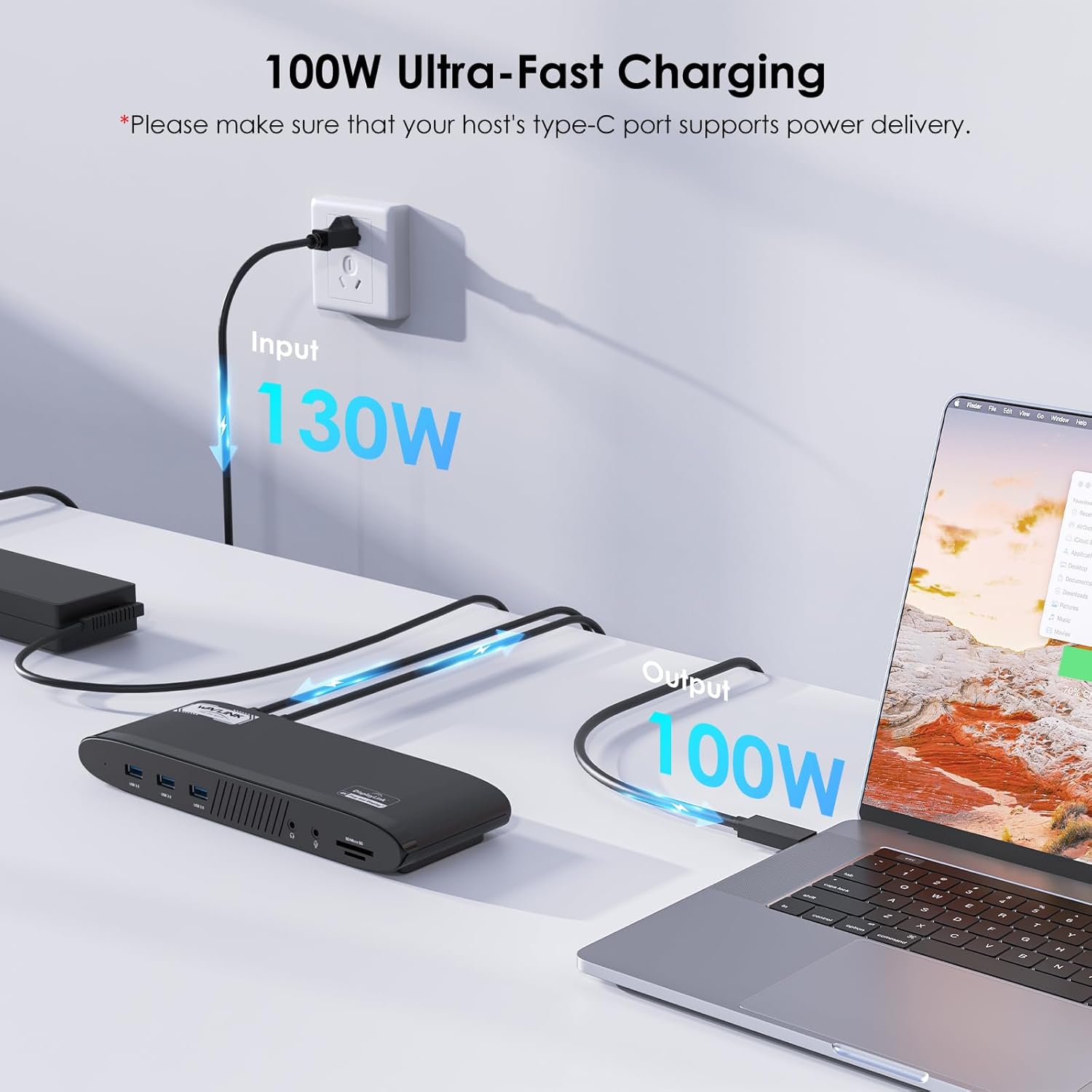
Reliable 100W Power Delivery: The host USB-C port, powered by a 130W adapter, provides up to 100W out for your laptop, keeping it running all day. *Please verify that your laptop’s Type-C port supports power delivery.
High-Speed Data & Connectivity: Transfer files quickly with 5 USB-A ports up to 5Gbps and SD/Micro SD v4.0 card readers up to 312MB/s. Enjoy stable 1000Mbps wired network via RJ45 Ethernet. The separate audio jacks offer stereo audio input/output for enhanced media experiences.
4 reviews for WAVLINK DisplayLink Docking Station, Dual Monitor for Mac M1/M2/M3/M4 & Windows, 14-in-1 with 100W 2 DP/2 HDMI 4K, SD/TF, 5 USB Ports, Ethernet, Audio
Add a review

$161.49
Bikerholic –
Great for 5K Video Editing on Dual Monitor Set Up
This WAVLINK Dual 5K Display Docking Station (WL-UG69PD11) is a powerful productivity hub that transforms a single USB-C connection into a full multi-monitor workstation—ideal for remote work, office setups, video editing, education/training, or everyday multitasking.Functionality is impressive with its 14-in-1 port array: it delivers dual 5K (5120×1440@60Hz) or equivalent high-res displays using the 2 HDMI and 2 DP ports (note: use only one video port per display—either DP or HDMI—not both on the same monitor for dual-output stability). This provides super-clear, vivid detail for spreadsheets, coding, design work, or content creation. It includes 5 high-speed USB-A ports (up to 5Gbps), Gigabit Ethernet (1000Mbps), SD/MicroSD card readers (up to 312MB/s), and a 3.5mm audio/mic combo jack for headsets—everything you need for a clean, cable-managed desk.USB 100W power delivery (upstream charging) keeps your laptop powered and charged during long sessions without needing a separate charger.Overall build quality feels solid and premium: sturdy metal/plastic construction with a sleek, low-profile design that’s stable on the desk and doesn’t feel cheap. Ease of setup and use is good once drivers are installed—connect via USB-C, plug in peripherals, and go. It’s straightforward for daily use, though not plug-and-play: it requires the latest DisplayLink driver (download from DisplayLink or WAVLINK site) for video output. This applies especially on Mac (macOS 11+), Windows 10/11, and limited support on Chrome OS/Ubuntu—but not compatible with Linux/Unix, iOS, or iPadOS in full video mode.Weight is reasonable (not featherlight but portable enough for home/office moves), adding to its desk-friendly feel without being bulky.At around $170 (as of January 1, 2026), it’s on the expensive side for a DisplayLink-based dock, but reasonable for what it offers: true dual high-res 5K support, generous ports, 100W PD, and reliable expansion for productivity-focused users.Important note: This is not suitable for gaming or intensive GPU-heavy tasks (e.g., 3D rendering, high-FPS gaming)—DisplayLink tech compresses video over USB, so expect some latency or reduced performance in demanding applications. It’s best for office/productivity, browsing, coding, document work, or light media consumption.If you’re building a clean dual-monitor workspace for work or creative tasks (and don’t need gaming-level performance), this dock delivers excellent value and versatility. Highly recommended for the right use case!
NalaGrace –
Feature Rich Dock With Good Performance But No Laptop Charging
This docking station offers a lot of functionality in a compact and clean design and has worked well for expanding ports on my desk setup. It handles external displays, high speed USB accessories, and Ethernet reliably with simple plug and play setup and no issues. Performance has been stable for everyday office work and multitasking, and it keeps everything organized with a single connection for peripherals. Build quality feels decent for the price, though it does not feel as premium as higher end docks and it can get a bit warm under heavier use. One important thing to note is that it does not provide USB C or PD charging for the Mac itself, so you still need to have your Mac plugged into its own power adapter while using the dock. From a value for money standpoint, it offers a strong feature set for the cost, and as long as you are aware of the charging limitation, it is a solid and dependable option that earns a 4 star rating.
Moni Chynnaaa –
A One Cable Dock That Turns Any Laptop Into a Powerful Dual Monitor Workstation
I purchased this WAVLINK DisplayLink docking station because I needed a dependable, all in one solution to support a serious multi monitor workstation for daily productivity. I wanted something that could handle dual external displays, power my laptop, support wired networking, and manage multiple peripherals without instability. After extensive daily use, this dock has proven to be a powerful, reliable centerpiece for a full desktop style setup.Design, Build Quality, and Desk Integration: The dock has a professional, understated design that fits perfectly in a work environment. The matte black casing looks clean and modern, and the unit feels solid and well weighted in the hand. It does not feel hollow or cheaply constructed. Once placed on the desk, it stays put even with multiple thick cables connected. The ports are laid out logically, making it easy to plug and unplug devices without crowding or awkward angles. Venting is well designed, and the dock never feels excessively hot during long workdays.DisplayLink Technology and Dual Monitor Performance: This dock excels at driving multiple external displays. Using DisplayLink technology, it reliably supports dual monitors at 4K resolution, even on systems that normally have native display limitations. The image quality is sharp and clear, with stable output and no flickering, tearing, or random signal drops. Switching between applications across multiple screens feels smooth and responsive, making it ideal for multitasking, document heavy work, spreadsheets, coding, monitoring dashboards, or general productivity. The experience feels like a true desktop replacement rather than a compromise.Mac and Windows Compatibility in Real World Use: One of the strongest points of this dock is its flexibility across platforms. It works very well with both Mac M series laptops and Windows machines, which is a huge advantage if you use multiple systems or work in a mixed device environment. Once the DisplayLink software is installed, the dock integrates seamlessly. After initial setup, it becomes fully plug and play, recognizing displays and peripherals almost instantly when connected.Port Selection and Connectivity Versatility: The 14-in-1 port selection is genuinely useful rather than just marketing. Multiple USB ports allow you to keep a keyboard, mouse, webcam, external storage, and other accessories connected simultaneously without needing additional hubs. The SD and TF card readers are convenient for quick file transfers and eliminate the need for separate card readers. The Ethernet port provides a stable, fast wired connection, which is especially valuable for work that requires consistent network performance. The audio jack works cleanly with no static or interference.Power Delivery and Single Cable Convenience: The 100W power delivery is a standout feature. It reliably charges my laptop while simultaneously running dual monitors and all connected peripherals. There is no noticeable slowdown or power fluctuation, even during heavier workloads. Being able to power everything through a single USB-C connection dramatically simplifies desk cable management and makes docking and undocking effortless.Performance Stability and Daily Reliability: In daily use, this dock has been extremely stable. Displays connect consistently, peripherals are recognized immediately, and there are no random disconnects or freezes. This reliability is critical for a workstation that stays connected for hours at a time. It performs the same at the beginning of the day as it does after extended use, which speaks to solid internal design and power handling.Setup Experience and Ease of Use: Initial setup is straightforward and well worth the short configuration time. Once the DisplayLink driver is installed, the dock works seamlessly every time it is connected. From that point on, it becomes a true one cable solution. Plugging in instantly restores the full workstation setup without needing to manually reconnect anything.Thermal Management and Long Term Operation: Even under continuous use with multiple displays and peripherals attached, the dock manages heat very well. It becomes warm but never hot, and performance remains consistent throughout the day. This makes it suitable for long work sessions without concern for overheating or throttling.Productivity Impact and Workstation Value: This docking station significantly improves workflow efficiency. It reduces desk clutter, eliminates adapter juggling, and makes transitioning between mobile and desk work effortless. For anyone running a multi monitor setup, it feels less like an accessory and more like essential infrastructure.Overall Value and Investment Justification: While the price reflects its professional grade capabilities, the value becomes clear once you factor in how many adapters and hubs it replaces. It delivers strong performance, broad compatibility, and long term reliability, making it a worthwhile investment for serious work setups.Final Thoughts: This WAVLINK DisplayLink docking station is a robust, dependable solution for anyone who wants to turn a laptop into a full desktop workstation with minimal hassle. It offers excellent display support, strong power delivery, extensive connectivity, and rock solid stability for daily use.I highly recommend it !!!!
Rickie A –
Got this for my M2 MacBook and it works fine after installing the DisplayLink driver. Not plug and play so don’t skip that step or you’ll be confused why nothing’s working. Running two 4K monitors off it with no issues, picture quality is clear. The 100W charging keeps my laptop topped up while everything’s connected. All the ports work as expected, USB transfer speeds are decent. The wired ethernet is more stable than WiFi which is nice for video calls.Takes a minute to set up initially but once it’s running it does the job, no more weird resolution issues.