
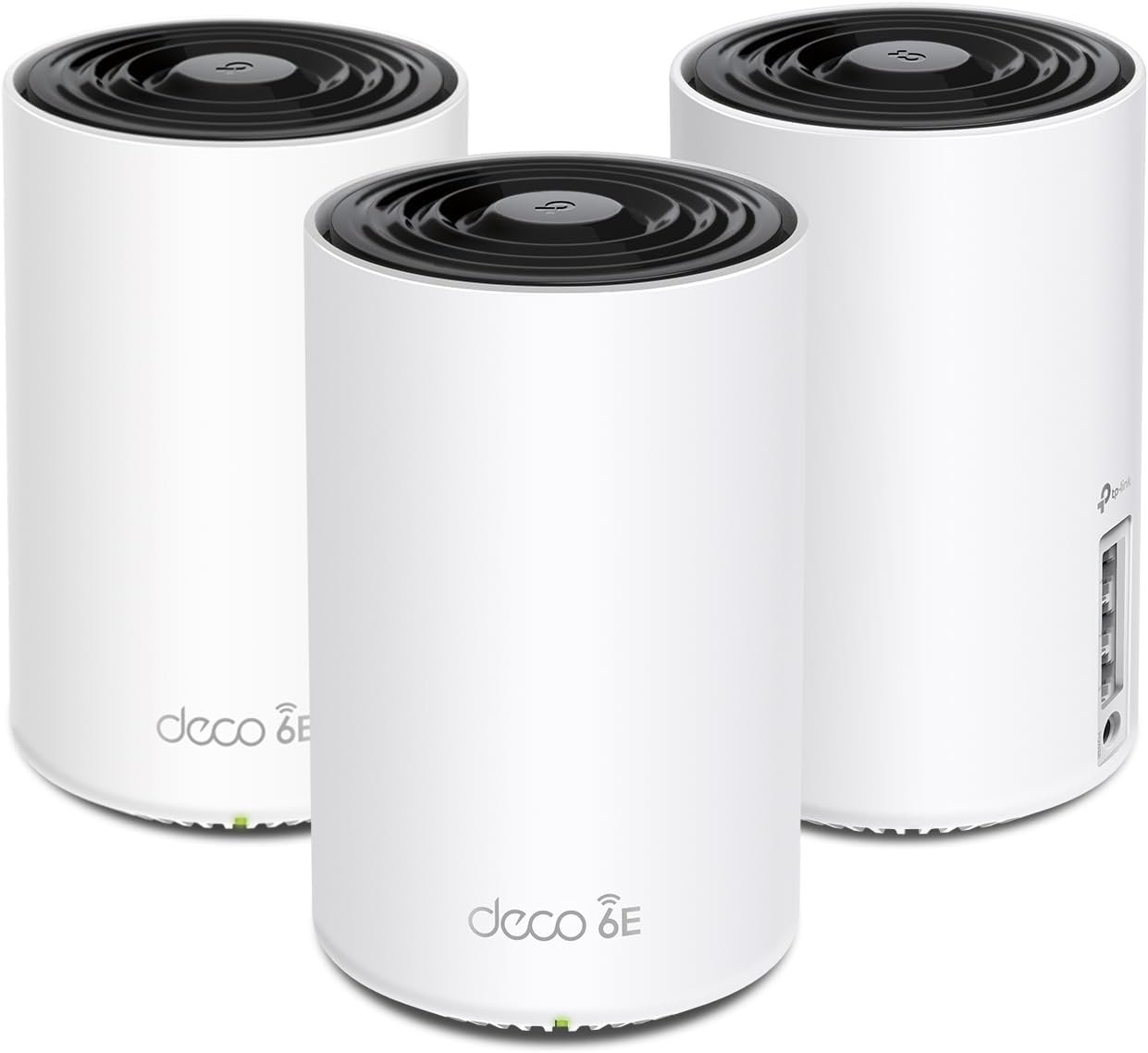
TP-Link Deco XE75 AXE5400 Tri-Band WiFi 6E Mesh System – Wi-Fi up to 7200 Sq.Ft, Engadget Rated Best Mesh for Most People, Replaces WiFi Router and Extender, AI-Driven Mesh New 6GHz Band, 3-Pack
$249.99
Related Products


TP-Link Deco AXE5400 Tri-Band WiFi 6E Mesh System(Deco XE75) – Covers up to 7200 Sq.Ft, Replaces WiFi Router and Extender, AI-Driven Mesh, New 6GHz Band, 3-Pack
**Works with all internet service providers, such as Comcast, Charter, AT&T, Verizon, Xfinity, Spectrum, RCN, Cox, CenturyLink, Frontier, etc.( a modem is required for most internet service providers)
Industry-Leading Support
TP-Link offers 24/7 technical support and 2-year warranty for most home products,1 more year than most networking brands.
Buy with Confidence
Founded in 1996, TP-Link is a global provider of reliable networking devices and accessories, involved in all aspects of everyday life. With a proven heritage of stability, performance and value, TP-Link has curated a portfolio of products that meet the networking needs of all individuals. Now, as the connected lifestyle continues to evolve,the company is expanding today to exceed the demands of tomorrow.
WiFi 6E Tri-Band Mesh WiFi – Cover up to 7,200 Sq.Ft with next-gen seamless WiFi and make dead zones and buffering a thing of the past¹ ²
Brand-New 6 GHz Band – Experience the latest frequency of WiFi, eliminating interference from all legacy devices. The 6 GHz band can work as a backhaul to ensure stable connections between nodes by default. You can switch it to Wi-Fi Network mode and connect your WiFi 6E-compatible devices to 6GHz Network³
True Tri-Band Speed – All three WiFi bands work together to unleash your network’s total speeds up to 5,400 Mbps for 200 devices(6 GHz: 2402 Mbps (HE160);5 GHz: 2402 Mbps (HE160);2.4 GHz: 574 Mbps)¹ ³
Our Cybersecurity Commitment – TP-Link is a signatory of the U.S. Cybersecurity and Infrastructure Security Agency’s (CISA) Secure-by-Design pledge. This device is designed, built, and maintained, with advanced security as a core requirement.
Unlock the Full Potential of WiFi 6 – Opening the 6 GHz band will change the game for WiFi 6. WiFi 6 brings about upgraded performance in network efficiency and capacity. Whereas the advantages of WiFi 6 are not fully realized while competing with transmissions from WiFi 5 (or other radios). The 6 GHz band is available only for WiFi 6 traffic, allowing WiFi 6 to meet its intended potential
AI-Driven Mesh – Deco XE75 delivers smart WiFi that follows you wherever you are, without interruption. It automatically learns your network environment, client quality, and user behaviors
Easy Setup and Management – The Deco app helps you set up your network in minutes with clear visual guidance and keeps you in control even when you are not home; Works with Alexa as well Turn on or off Guest Wi-Fi by simple voice commands
TP-Link HomeShield – TP-Link’s premium security service keeps your home network safe with cutting-edge network and IoT protection. Free features: 1. Basic Network Security including Security Scan and IoT Device Identification 2. Basic Parental Controls 3. Quality of Service 4. Basic Weekly/Monthly Reports. Visit TP-Link website for more information.
Works with all internet service providers, such as Comcast, Charter, ATandT, Verizon, Xfinity, Spectrum, RCN, Cox, CenturyLink, Frontier, etc.( a modem is required for most internet service providers)
7 reviews for TP-Link Deco XE75 AXE5400 Tri-Band WiFi 6E Mesh System – Wi-Fi up to 7200 Sq.Ft, Engadget Rated Best Mesh for Most People, Replaces WiFi Router and Extender, AI-Driven Mesh New 6GHz Band, 3-Pack
Add a review

$249.99
Dazed & Confused –
Great Router & Mesh System So Far
Replaced an older ASUS mesh system that was a daily headache to deal with for a 4,500 sq ft house on 3 levels. Decided to give this TP-Link Tri-Band WiFi 7 BE10000 Whole Home Mesh System (Deco BE63) a go. Based on my constant problems with my ASUS mesh system, I was expecting this to be a pain from the start. I was dead wrong. This took about 30 minutes (if that) to set up and get going, start to finish, and it works flawlessly in this 3 level house. Whole house is covered, about 70 devices, and it hums right along with no issues. I’m very impressed (and relieved from not having to deal with that ASUS fiasco every day). I’ve only had this now for a couple of days, but everything is going well so far.PROS:1. Setup was simple and straightforward via the Deco app2. It worked perfectly out of the box – no hassles or hiccups3. Enough flexibility to set your router’s address and the DHCP range – if you have a lot of static IP addresses this makes transitioning to the TPLink much easier4. Speed is great – I haven’t benchmarked it, but it no one has noticed any lagging on any devices, multiple 4k TVs, etc.CONS:There are a couple of things -1. What idiot designed these power adapters? First, they’re HUGE. The way it has to be plugged in it takes up 3 outlets on a power strip. There’s no reason a power supply has to be that large. Second, the flimsy power cord is way, way too short. Someone really dropped the ball in design of the power supply and cord, particularly for a $450 router.2. The router has a USB port on it. (in fact each of the 3 units has the same 3 RJ45 and USB ports, but the USB for the main unit (the first one you set up and go through the installation) is the only one that you can hang an external drive off of and access it.)) I plugged an external hard drive into the USB port and was able to share it via the Deco app – the one catch is that you can’t just create a share name, such as “backup”. The router adds a “G” so that in order to use the share, it must be used as \your.router.ip.addressGbackup …not really a big deal, but I have many computers that run backups and I had to go reconfigure them to add the “G” to the network path.Other thoughts – You’re forced to use the Deco app on a phone or tablet to manage the network. There is a webpage interface, but it’s basic stuff only. That said, I’m pretty impressed with the Deco app itself – seems to have all of the needed features without a lot of stuff I don’t really use or need that I had in the ASUS and have seen in other router setups.There is a basic level of security included for free, but TP-Link offers additional tiers of security. I ended up adding the Security+ … but they also have a tier that includes advanced Parental Controls, VPN, Password Management, and several other things, for more money of course.So far so good on all of my IoT devices too.If you’re looking for a router system with great coverage and speed that you don’t have to muck around with daily, this appears to be a solid choice. I’ll update this review if anything changes.
R. Precourt –
Very happy! Made a big difference in wi-fi performance
We have an AT&T gateway and have been using three older TP-Link routers as access points connected by ethernet using our home’s structured wiring and a TP-Link repeater to boost the signal to our two Ring doorbells.I’m embarrassed to say but we only have 50mb/sec internet because nothing faster is available where we live, even though communities right next to us have had fiber for years. That said, the speed we have actually works just fine for everything we do, which is quite a lot. We do streaming for all our TV watching, work from home, have many Ring cameras and doorbells, and lots of other devices. The problem was that our wi-fi seemed to get bogged down and wasn’t able to even deliver the 50mb/sec speed we have. This was especially problematic for our two Ring Doorbell Pros, where the video quality really suffered. Everything was blocky and blurry, I’m assuming because the cameras weren’t getting enough speed and/or strong enough connection. The construction of our house likely doesn’t help since the front is brick and stone.With this new Deco system, everything works and works well. We have a 3-story house, and I placed one unit on each floor. The first and third floor units are wired and the second floor unit is wireless, connected to the third floor unit above it. This configuration allowed me to place the second floor unit closer to the front of the house where the two Ring doorbells are, without the need for an extender.The system was very easy to set up and the app is great. It is easy to navigate, and settings are straightforward and easy to change. It provides lots of information on status, connected clients, signal strength, speed, etc. It’s not as ‘advanced’ as the typical web-based router configuration interfaces but seems to have everything I needed. I have these in access point mode also, since my gateway acts as a router. I may see if I can change that at some point, but everything works flawlessly, so I may not mess with it.The great part is that I now have full wi-fi speed everywhere in the house and everything loads much faster. Live feeds on the Ring doorbells take less than a second to start and video is crisp and clear. I’m also getting excellent signal strength readings from all our outdoor cameras and doorbells, with readings in the -40s. Streaming starts faster on every TV, and we haven’t had a single issue since we started using this system.Also, you can customize settings for every connected device, like which Deco you prefer it connect to and if you want to restrict it to a certain band (both default to ‘Auto’). This is useful in certain cases, like for our two Ring doorbells, I set them both to preferred connection to the second floor Deco because it’s the closest one. That way if it gets unplugged or there’s a power outage, this will ensure it always connects to the closest one. I left most everything else on Auto and that seems to work fine, and it seems to select the best (closest) Deco. I’ve also had no issues with 5Ghz devices connecting to the 2.4Ghz band. Our phones have 6Ghz capability, so I specifically connected them to that network, since it has a different SSID. Signal strength and speed on that network is also excellent everywhere.I made both the main and guest network SSIDs and passwords the same as our old system. Most 2.4Ghz clients connected to the new system automatically. Any clients we had on the 5Ghz band had to be reconnected because our old system had those networks separate. That wasn’t a big deal, and this new setup is simpler to work with, having both 2.4Ghz and 5Ghz combined.The guest mode works great. We use that network for my wife’s home-based business for her clients to connect to because it isolates connected clients from our main network and devices. You can easily turn it on and off in the app as well.I couldn’t be happier, especially given how affordable this system was. I know you can spend a lot more, but wow this one is awesome and a great price. When I bought it, the price was $269 for new, but Amazon also had one from ‘Amazon Resale’ in ‘Like New’ condition for $219, which I bought. It all works fine, but when I received the product, it had a sticker on the box stating that it was ‘Refurbished’, which was no disclosed in the listing, which stated it looks and works like new and included ALL original accessories and contents, noting minor damage to the product box. What I received did not include any instructions or manuals and included a slip that said these could be obtained on-line and were not included with refurbished products. It also stated that it had a 90-day warranty but the original warranty that would come with a new product did not apply. While I’m thrilled with the product and it does work, I feel this was a bait and switch situation on Amazon’s part.I highly recommend this system.
Enes Sefer –
Working fine but i cant connect my WIFI 7 devices to this, i mean our android phone is showing WIFI 6e and sometimes WIFI 6 but haven’t seen WIFI 7 yet
Fahad –
أضفتها الى نظام ديكو وتعرف عليها بسرعه
M. A. –
Love these things. I set these up as a mesh system for the ground floor, which doesn’t have any router signal. Just connect one of them by Ethernet, then let the rest repeat off of that. You’ll get great coverage for the entire ground floor. Also, setup is super easy as TP-Link has a great app for this.Thinking of buying another pack just to extend coverage even more.
Ashraf Makhlouf –
So far so good. Helped a lot with Network Quality and speed
Amelie Barbosa –
Te permite crear una red de 2.5 a 5GHz, una de 6GHz y una MLO de 5 y 6GHz, además de crear una red para invitados, aislar dispositivos de tu IoT.Con 2 cubre perfectamente 200m² y atraviesa paredes sin tanto problema. Se acabaron mis problemas con la disponibilidad de mis dispositivos.