

Portable Monitor 15.6 inch 1080P FHD 88% sRGB 60Hz, Travel Monitor for Laptop MacBook Surface PC Xbox PS5, HDMI Dual USB-C VESA Compatible Built-in Speaker, with Kickstand
$73.99
Related Products


![JSAUX FlipGo Pro 16″ Dual Portable Monitors, 2.5K Triple Laptop Screen Extender, Portable IPS Dual-Screen Monitor for Laptop[for Windows/Linux/macOS] One Cable to Dual/Magnetic Design/DisplayLink](https://everyday-tech.co/wp-content/uploads/2026/01/71iAduQ8LJL._AC_SL1500_.jpg)




Product description


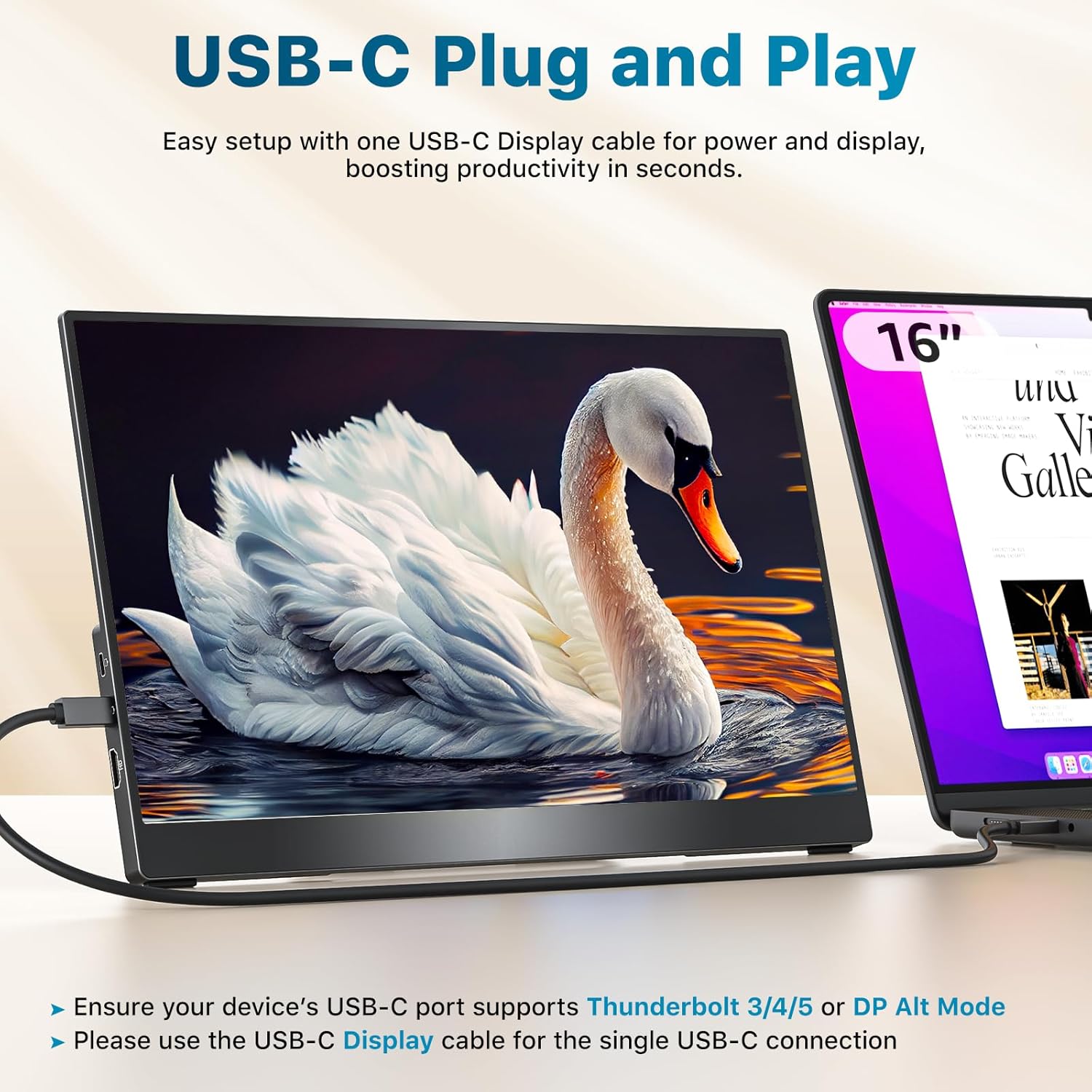
Single USB-C Plug & Play
Before connecting, check if your device’s USB-C port supports Thunderbolt 3/4/5 or DP Alt Mode.
You can find this information on the label next to the port or in your device’s specs.
The video showcases the product in use.The video guides you through product setup.The video compares multiple products.The video shows the product being unpacked. USB-C Connection- Plug & Play Merchant Video
HDMI Connection
Plug in both the HDMI cable and the power cable at the same time.
The HDMI cable only transfers the display signal, and the monitor needs power to work.
The video showcases the product in use.The video guides you through product setup.The video compares multiple products.The video shows the product being unpacked. HDMI Connection: HDMI cable and USB cable Merchant Video
Three Display Modes
The monitor supports three display modes: Extended Mode, Duplicate Mode and Portrait Mode.
It works for your various needs: a spacious workspace to juggle multiple tasks, easy screen sharing, or scrolling through long documents.
The video showcases the product in use.The video guides you through product setup.The video compares multiple products.The video shows the product being unpacked. three display modes Merchant Video
Monitor Flickering Troubleshooting
This issue is usually due to insufficient power supply. If it happens, try using a 5V3A power adapter, like the one we provide, to power the monitor.
The video showcases the product in use.The video guides you through product setup.The video compares multiple products.The video shows the product being unpacked. monitor flickering solution Merchant Video


1 Boost Productivity
2 Gaming Monitor
3 Elevate Teamwork
4 Entertainment
5 What’s in the box
What should I do if my monitor flickers?
Please make sure you’re powering the monitor by the original wall charger we provided in the package.
This monitor is compatible with NINTENDO SWITCH 2, but why isn’t it working when I connect them?
You’ll need to use the dock’s HDMI output to connect it to this monitor.
How do I connect my iPhone to the monitor?
1. iPhone 15/16 (Plus/Pro/Pro Max) works via USB-C with a USB-C display cable; also connect the monitor to power
2. iPhone before 15 with Lightning port needs Apple Lightning Digital AV Adapter
3. iPhone 16e doesn’t work with external monitors
My Android phone has a USB-C port, does this monitor work with my phone/tablet by the original USB-C to USB-C cable?
Only some series of Samsung phones(Galaxy S8/S9/S10/S20/S21/S22series; Galaxy Note8/9/10/20series; Galaxy Fold, Z Fold 2/3/4) work with the monitor by the original USB-C cable we provided. Other phones/tablets need an HDTV cable to work.
Why doesn’t it work when I connect the monitor to my devices with my own USB-C cable?
Please make sure the USB-C port on your laptop is a thunderbolt 3/4/5 port or supports display
There are two kinds of USB-C cables, USB-C charging cable and USB-C video cable (like the original one). Your own cable may be only a charging cable.
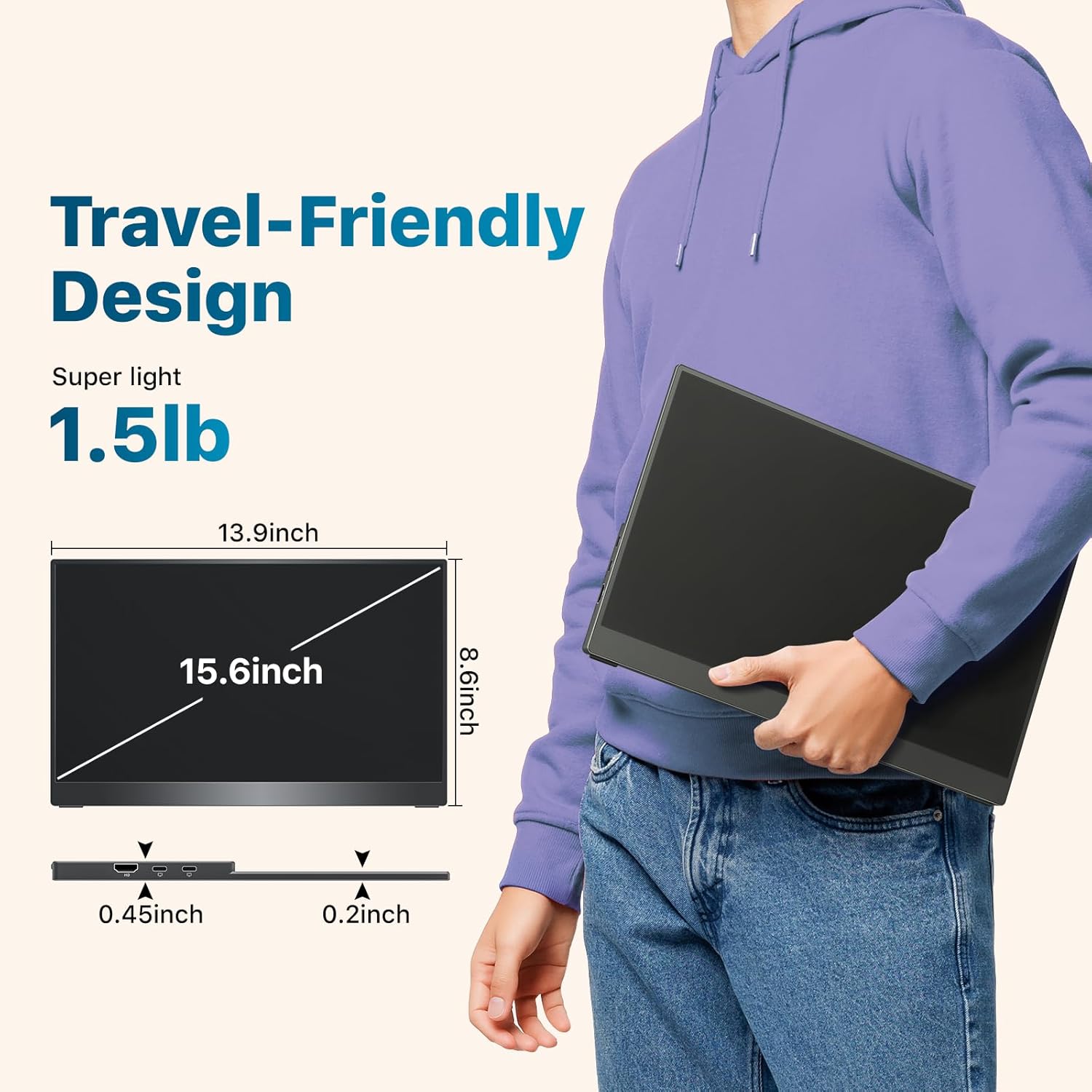
Lightweight & Travel-Friendly – At just 1.5lb, this ultra-slim, 3-side frameless monitor is easy to carry anywhere. Easily portable in a backpack and take it for work, gaming, presentations, or on-the-go entertainment.
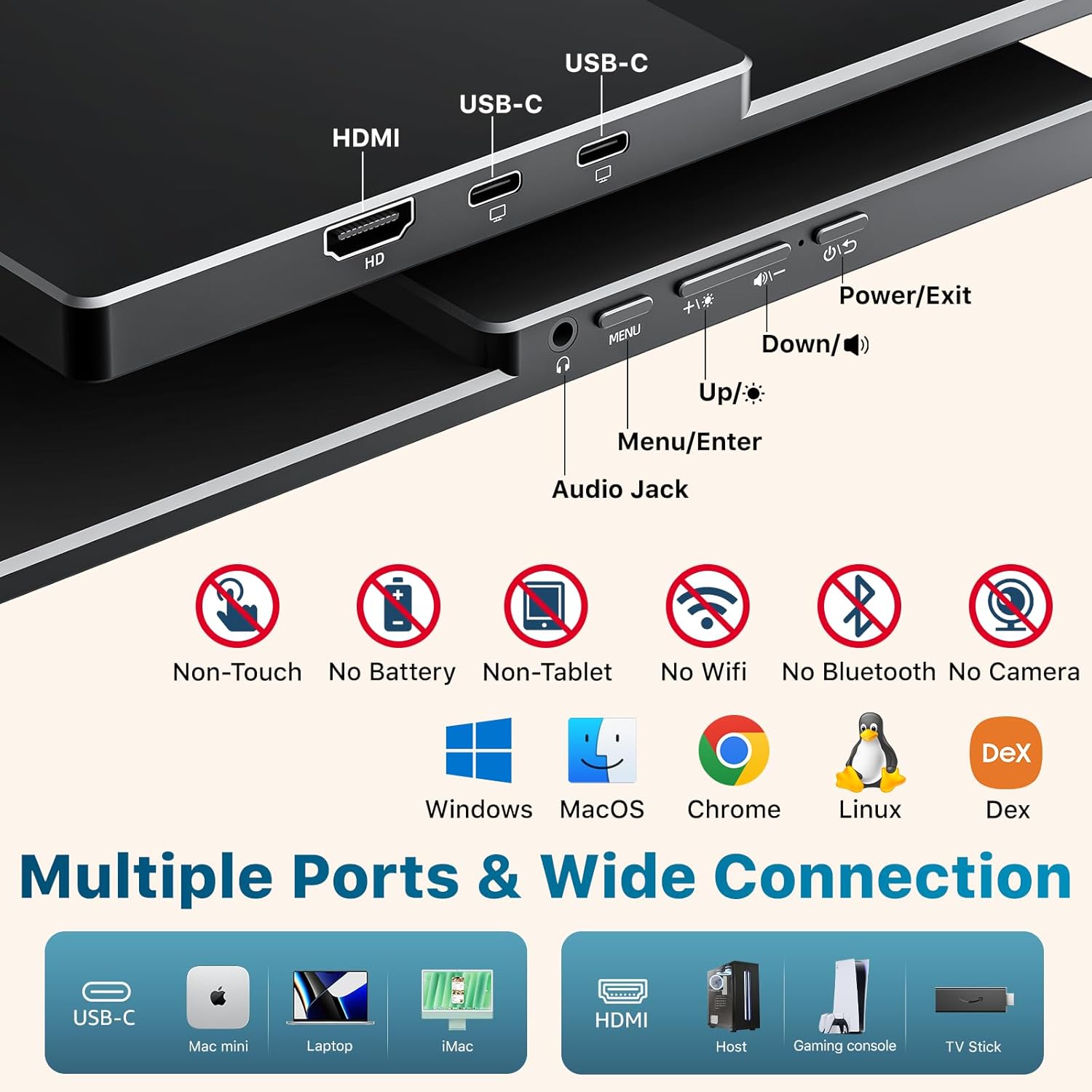
Broad Device Compatibility – Equipped with dual USB-C ports and an HDMI port, this portable monitor connects seamlessly to laptops, PCs, MacBooks, Surface, Xbox, PS4/5, and more.
Natural & Clear Display – This 15.6-inch portable monitor offers 1080P resolution with 88% sRGB and a 60Hz refresh rate. HDR support enhances clarity and contrast for everyday tasks, casual gaming, and media viewing.
Plug & Play – Get started instantly with a single USB-C display cable. (NOTE: Your device’s USB-C port must support Thunderbolt 3/4/5 or DP Alt Mode for this function.)
VESA Mountable & Integrated Kickstand – VESA-mountable for flexible mounting options or use the built-in kickstand for quick desktop setup.
11 reviews for Portable Monitor 15.6 inch 1080P FHD 88% sRGB 60Hz, Travel Monitor for Laptop MacBook Surface PC Xbox PS5, HDMI Dual USB-C VESA Compatible Built-in Speaker, with Kickstand
Add a review

$73.99
casasell –
Quality and great support
I recently received this monitor, and honestly, it’s been a fantastic experience.It comes with its own power supply. It’s as portable as a large iPad and incredibly easy to set up. It’s worth every penny. The display is incredibly vivid and sharp, delivering exactly the clarity I was hoping for. It works perfectly, just as advertised, and feels like a solid, reliable piece of technology. I’ve used it with both a USB Type-C cable and an HDMI cable, both of which are good quality and came with the monitor. Everything has worked flawlessly.What really impressed me was Kksmart’s customer service: they were incredibly friendly and responsive, and even offered me free support, which was a nice surprise.Overall, I highly recommend this monitor to anyone looking for quality and impeccable support.
William C –
Quality 2.5K Resolution Monitor
This is an awesome monitor! I was needing to duplicate my screen on my Surface Pro that runs 2.8K resolution so I bought the monitor with 2.5K resolution and it works great. I took the monitor out of the box, plugged in the supplied USB-C cable and it automatically came up. The only adjustment I had to make was to dim the monitor because it is so bright.Love the fact that the monitor came with a nice zippered protection sleeve as I will be using it for work/travel. I also love that it includes 2 USB-C cables capable of sharing power/video along with an HDMI cable and a wall charge plug (should I ever need to use with another device that cannot supply power directly).Happy with the screen resolution, the support stand (not flimsy) and the super light weight! Would definitely recommend to others!
LovesCoffee –
Easy, quality portable monitor – amazing purchase
Took this monitor in my carry-on flying, so light, and the provided case protected it! Setup in a workspace out-of town, and the monitor plugged into my laptop and worked perfectly, just like in my home office (it’s part of a 3 screen setup). The self-stand is a great portability addition for ease anywhere I work. Monitor has zero delay, plug and play made my tech setup easy. Highly recommend this monitor, couldn’t be happier.
Susan A. Friedman –
Great product and great customer service
I cannot say enough good things about this monitor. The prior model impressed me so much that I wrote my first-ever Amazon product review. The new model is every bit as good and adds a built in, infinite-position stand and a carrying case.The screen is sharp and the colors vibrant. Set-up is a breeze. The screen comes up instantly when connected via a USB-C or HDMI cable. If the monitor is plugged into power, it charges the connected device. If the monitor is not plugged in, the device powers the monitor. I use the monitor with my iPad Mini and a keyboard, a set-up that converts my Mini into a full-fledged, large screen computer.Customer service is incredible. My question elicited a comprehensive response the same day. I highly recommend the monitor and the company that stands behind it.
EAT –
Excellent product
Plug and play. Good video quality. Bright. Light and portable. Great screen size.
Marc G –
All the qualities of a high end desktop monitor, but extremely portable!
I purchased this portable monitor on a whim so far have been very impressed!I was reluctant at first to spend over $200 on a portable monitor, but the quality and portability of this monitor makes it well worth it.I work in video production, so need lightweight gear that I can fly with constantly, and this monitor has checked all of the boxes for me. It’s extremely portable, bright & color accurate, and easy to use with any HDMI or USBC device. I use it for my own work on the go, and it’s now my go to reference monitor for clients when i’m on shoots.PROS:- Advertised 4K HDR is accurate, and non-comparable when it comes to any other portable monitor under $300, especially with it being 15.6″.- Both SDR and HDR color appears clear and free of any distortion or artifacts, with many adjustable settings on the menu.- Dual USBC and HDMI work seamlessly, with either USBC ports capable of running power to the monitor as well as the device (charges my phone while displaying). Multiple devices may be plugged in at once with no issues.- No apps or programs are needed, just direct connection from any USBC or HDMI Device. I was able to display my phone and laptop instantly with no issues.- Built in speaker is nice to have, especially if playing anything off your phone. Not amazing quality but that’s standard for most computer monitors.- The monitor has the screw holes for attaching to a TV mount or monitor mount.- Kickstand is metal and is high quality. I’m not worried about the monitor slipping for falling over.- Monitor is incredibly slim and lightweight, and comes with a carrying case with space for a 14′ laptop. The top pouch has space for all of the cables needed as well. I installed a divider so I could use this with my laptop as my go bag.- Two year warranty comes with the purchase. I have not had to use it yet, but it is nice to have if needed.CONS:- I wish the kickstand supported the monitor in a vertical position, but thats easily fixable by leaning it up against something.The price is more than most would pay for a portable monitor, but you could honestly use this as your computer monitor equally, and I think that makes it well worth the price. The only question would be if the quality holds up over time and extended use.Highly recommend!
0602 –
軽くて、持ち運びに便利です。極細ベゼルも、PCの拡張モニターで視界の邪魔にならなくて見やすいです。typeC1本でPCに接続可能なのも重宝してます。
Amazon カスタマー –
画質が良く、コンパクトで軽量。持ち運び用としてとても便利です。
Arthur –
The display is 16:10 (2560×1600), and that extra vertical space makes it great for productivity.It’s a perfect companion to a 13″ Macbook Air. With the utility SwitchResX (paid) you can add scaled HDPI resolutions so that everything is displayed at exactly the same size as on the Macbook screen, even though it has a different native resolution. With the utility MonitorControl (free) you can adjust the brightness with your Mac keyboard.The build quality is nice for a product in this price range. It is very thin and light. The screen is non-glare, bright, and has good color reproduction. Power usage is low and it supports pass-through charging. The sound quality is not good, but that’s not important for the intended use. The OSD menu button/wheel is somewhat inconvenient and fragile because it sticks out. Watch out when cramming it in a tight bag or sleeve.It has one unfortunate defect for other uses such as connecting it to a Switch gaming console: it stretches 16:9 input to 16:10. Instead of black bars at the top and bottom, the image gets stretched out vertically by 11%.From what I gather, all 16:10 (2560×1600) mobile displays currently offered on Amazon share this issue.If you’re looking for a screen for media consumption and gaming, it’s better to go for a 16:9 FHD or 4K screen, but for productivity 16:10 is better, and I believe this is the best option.
さなぎ –
満足度は高いです。机の棚からサッと近くに動かせる気軽さがあり、持ち運び前提のモニターとしてはサイズ感もちょうどよく、取り回しが良いです。スピーカーも音が少しだけ小さい気もしますが個人的には思ってたより良かったです。デザイン面では、ベゼルが良い感じで見た目がスッキリしているのが好印象。机に置いたときのまとまりが良いです。
kshiro-nkm –
右からLenovo x13 yoga、本製品、kksmart 2k16インチを並べた画像です。元々16インチを愛用しているのですが、持ち運びがやや嵩張るのと、もう一台欲しくなったので、悩んだ結果、13.3インチを追加購入しました。正直、他の格安モニターも検討したのですが、kksmartの16インチが2年以上何も問題なく使用できているので、安心感も含め同じメーカーにしました。結果としては大満足です。13.3インチだとノートpcとほぼ同じサイズで、持ち運びしやすく気軽に持って行けます。2.5k画質でこの値段なのでコスパ抜群です。これからも愛用したいと思います。