

Penstar eNote 2 Paper Tablet Bundle, 10.3″ Pen-Only Screen Writing Tablet, Electronic Notebook Digital Notepad, 300 PPI 4GB 128G E-Ink Reader with Folio Cover & Two B5 Pens
$399.00
Related Products


Product description


1 Handwritten Notes
2 Convert to Text
3 Docs Annotation
4 Home Widgets
5 Eye-friendly


Is Penstar eNote 2 left-handed friendly?
Yes, Penstar eNote 2 boasts a gravity-sensing feature that automatically adjusts the screen orientation, making it comfortable for both left and right-handed users.
How to install third-party Android applications?
You can side-load the applications. Simply transfer the .apk file to internal storage and then click “Install.” You can download .apk files from Android app marketplaces or contact Penstar Support (Go to penstardeal.C/O/M, remove the slash) for help.
Can I sync notes between my Penstar eNote 2 and my phone, tablet, or laptop?
Yes, all content is synced via the Penstar Cloud service. Download the Penstar App for iOS, Android, iPadOS, Windows, or macOS (M1/M2 chip or later) to access and sync your notes anywhere, anytime.
What types of files does Penstar eNote 2 support?
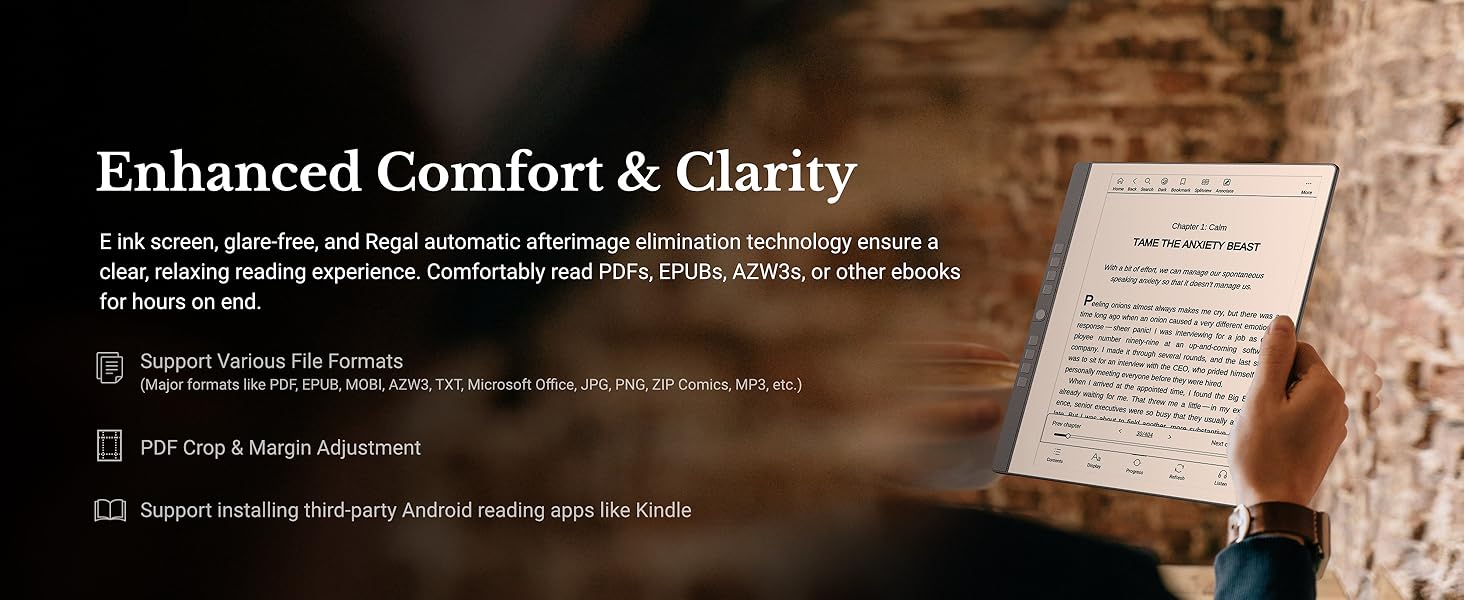
Penstar eNote 2 supports over 35 file formats, including common docs like PDF, EPUB, MOBI, AZW, AZW3, TXT, DOC, DOCX, RTF, PPT, PPTX, XLS, XLSX, HTXT, HTM, HTML; images like JPG, PNG, BMP, GIF, PIC, JPEG, ZIP Comics; and audio files like AMR and MP3.
Is split screen available on Penstar eNote 2?
Yes, you can easily split the screen, allowing you to take handwritten notes while simultaneously reading ebooks. You can capture key points or analyze information directly alongside your reading material.
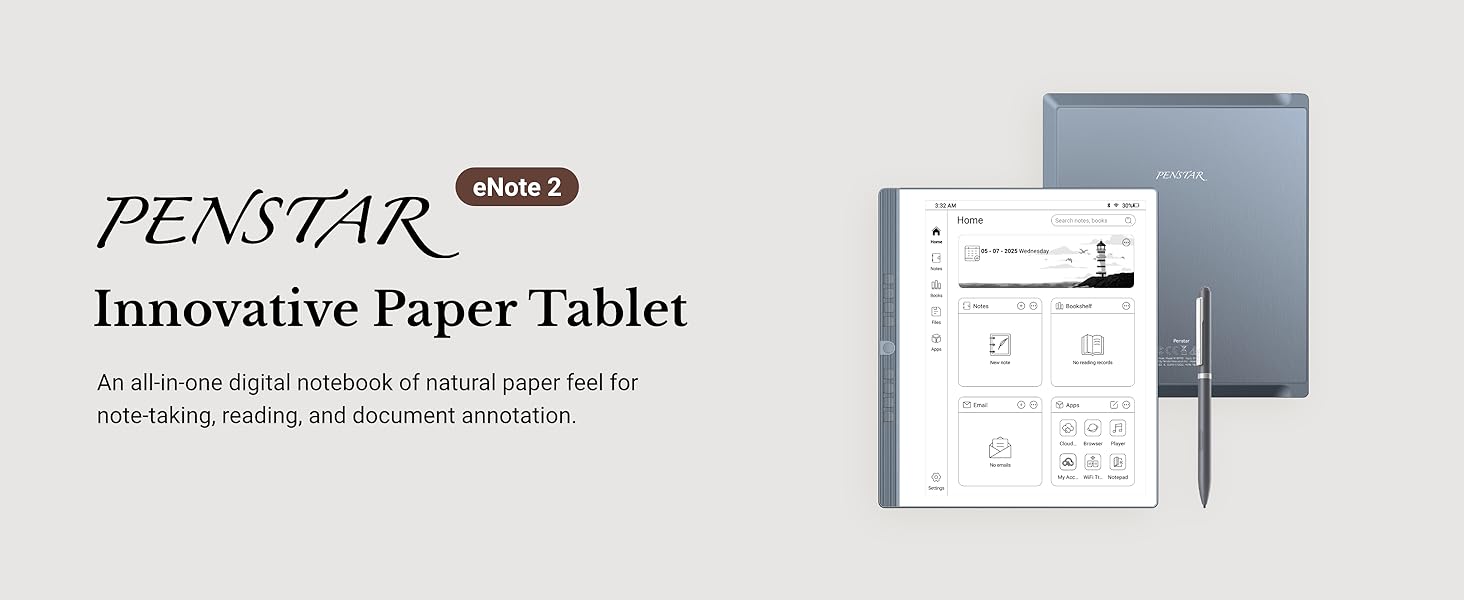
Paper-First E Ink Experience with PureView Display: Enjoy an authentic writing experience with our exclusive Penstar PureView screen technology, offering superior clarity and comfort without touch distractions or backlighting. The 300 PPI 10.3″ pen-only ePaper display mimics real paper, creating an immersive space for natural handwriting and focused thinking.
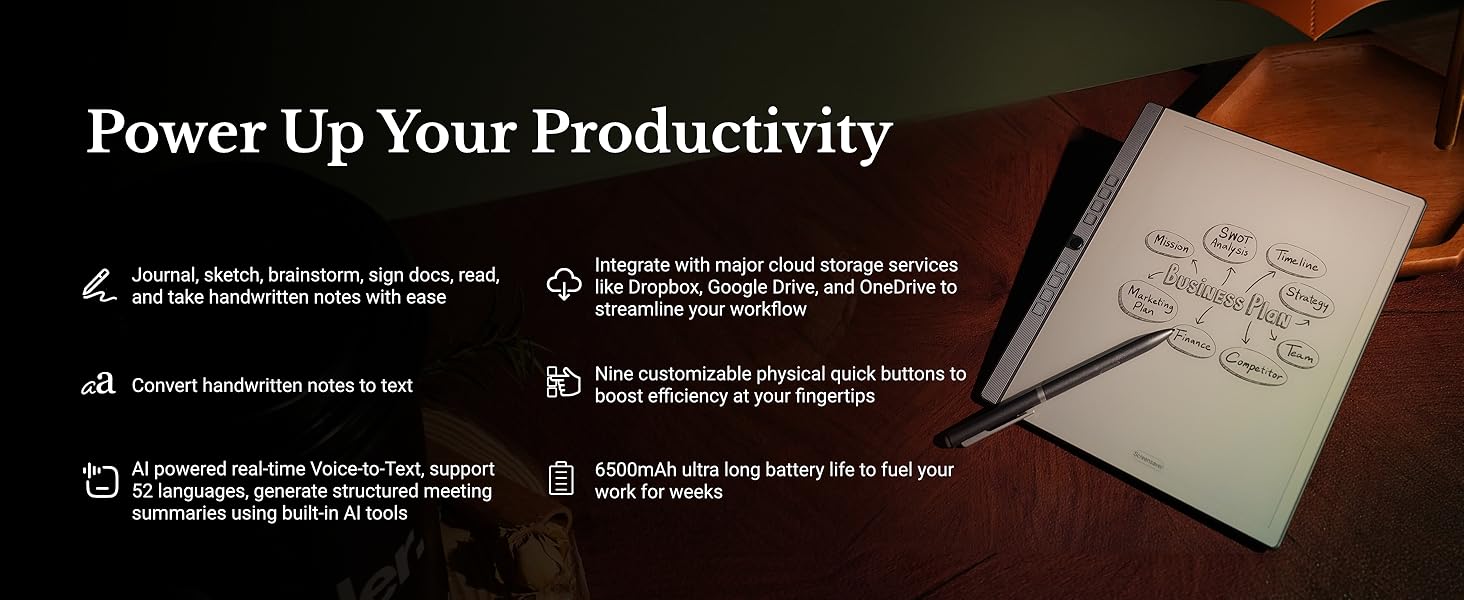
Smarter Handwriting, Powerful Note Conversion: Powered by MyScript industry-leading technology, your handwritten notes are instantly convertible into editable text. Organize and search your ideas efficiently—perfect for professionals, academics, and creative thinkers.
AI Powered Real-Time Voice-to-Text: Effortlessly convert speech into text in real time with support for 52 languages under a network connection. Automatically generate structured meeting summaries using built-in AI tools, making it the perfect digital notebook for business meetings, academic conferences, and brainstorming sessions.
Custom Controls for Ultra-Fast Navigation: Optimize your productivity with 9 physical shortcut keys—each reprogrammable to your preferred tools or workflows. Create tailored profiles for writing and reading to save time and reduce taps.
Flexible Format Compatibility & Rich Toolset: Open, edit, and annotate more than 30 document types including PDF, EPUB, Mobi, and TXT files. Use the advanced stylus with 8192 levels of pressure sensitivity to sketch, brainstorm, and markup without limits. Take your workflow paperless.
Cloud-Connected and Always Synced: Securely sync your files via Google Drive, OneDrive, or Dropbox. Share notes via email or direct PDF file. Sync notes via the Penstar app on your phone, laptop, or iPad. Whether you’re working from your office or the coffee shop, your work is always within reach.
Offline-Friendly for Private Workflows: Working in a sensitive environment? Penstar eNote works fully offline without requiring sign-ins or subscriptions. You stay in full control of your documents—ideal for businesspeople, officers, lawyers, therapists, educators, and others handling private material.
Everything You Need, Right Out of the Box: Your Penstar eNote 2 bundle includes TWO!! high-precision Digital Stylus B5 (each with 4 built-in nibs + an extra 10 nibs kit, total 18 spare nibs), a magnetic folio cover, a USB-A to USB-C cable, and a quick start guide. You’re ready to create the moment it arrives.
12 reviews for Penstar eNote 2 Paper Tablet Bundle, 10.3″ Pen-Only Screen Writing Tablet, Electronic Notebook Digital Notepad, 300 PPI 4GB 128G E-Ink Reader with Folio Cover & Two B5 Pens
Add a review

$399.00
Alex –
Helps me keep organized and off my phone constantly
My new favorite device. It’s great for reading and taking notes along with other useful life and schedule apps. Battery life holds up great and the paper display makes it alot easier on thr eyes.Only problem i have is how thin the device is and how little thr folding screen would really protect it. Had to buy a padded carrying case but I consider it worth the investment.
Antonio Rivera –
It is a great Product and the Price is Right!
The Penstar E Note is a great product! It is easy to use and the display looks clear and bright. The characters on the display pop out and are better than the Boox Go 10.3 that I returned. The Penstar E Note is simple to use but yet has so many features. And it is light and solid. The Stylus works very well. The Penstar has eveything you need. And the half case and stylus come with the Penstar E Note. The price was very good making it affordable. I reached out to Penstar with a question and they responded quickly. Penstar is a company with a bright future. Hopefully they will come out with more procducts. Would love to see a smaller version of the E Note. I am so glad i purchased the E Note and use it to take notes for courses and for church. I HIGHLY recommend it!00
Ashley chumley –
Excellent note taking capabilities
This is a really good e-ink notebook if you can get past a few things.First, the writing experience is excellent on this. I honestly enjoyed writing on this more than my Supernote.The pen it comes with is pretty good quality and it comes with a pack of nibs and there are also 4 more inside the pen. I did notice I wore down the felt tip really quickly, but most of the tips for these types of pens wear quickly. And, the pen has an eraser on the bottom or you can press the button on the pen.You can install apps by downloading the apk. I couldn’t get the Kindle app or Adobe Acrobat to work, although I did install other apps that did. Honestly, I may have needed to look for an older version of those apps since this isn’t running the newest Android.This also has a ton of built in templates for notes, but you can also make your own .You can also record while taking notes and it has split screen functionality. They really did add a lot of extra features to this device.But, the few things I didn’t like ended up being a deal breaker for me. The touch screen only works with the pen. And it only uses the pen it comes with. I had hoped that I could adjust to this, but I just couldn’t. If it’s not something you’d be bothered by, then you probably would really like this tablet. Other than those issues, it really worked perfectly.
J. Thomas –
Excellent B&W ink tablet for the
Excellent device, though I wish I had waited another month as they brought out a “Pro” version with touch input.This device has an excellent screen, very solid and mature software with great functionality. Once you get used to the stylus-only input for most functions, it becomes quite useful.For the money, I consider it one of thebest e-ink tablets on the market.Avoid the color screen unit. It uses the Kelido-3 color screen, which is a major downgrade from the B&W screen this device has. It is one of, if not the whitest and brightest e-ink screens on the market currently.
allen mccready –
Good product
Good weight. Screen is easy to use. 2 pens with extra tips included along with the screen cover is a huge bonus. Seems to be functioning great at this time. Looking forward to really seeing how good this is
Joe M –
Has potential if updated
I have several e-ink devices and decided to give this one a try.Packagingshipping: It was packaged very well. Packaging had a premium look and feel to it and the device was well protected. No delay in shipping. I had the device in a week going coast to coast.Size: Size wise, similar to a Scribe so it didn’t overpower the desk at 10.3 inches.Build quality: The device itself had a decent build quality, meaning it did not feel cheap to me. The cover felt like vinyl and was a half cover, only covering the screen leaving the back of the device exposed. The cover was easy enough to remove and re-attach, but I wondered how long the cover would hold up.Hardware specs: Not the newest or the most robust compared to others. Remembering what this device is for, it works. This is a non-touch screen device. Your “inputs” are the buttons or the pen itself. It does not have a backlight. 227ppi screen.Pen: Plastic with an average feel. No issues with writing and came with extra nibs. This is where I had my first “issue” with the device. Their pen is the only pen that can be used with the device. If I get up from my desk and leave the pen elsewhere, the device is useless. I can’t grab another digital pen on my desk and use that. Something I am not in the habit of doing, but I have misplaced pens in the past. This would turn into an expensive mistake. Same if the pen breaks, the device becomes useless.Buttons: This is a different take for an e-ink device. You have to remember what each button does. These can be programmed, and the top button gives you a peak at what the others do.Writing feel: This was by far the “scratchiest” device I have used. Reminded me of using a pencil on rough paper. Didn’t have any negative impact on writing though. I didn’t mind this as it certainly felt better than writing on glass. (I’m not a fan of the glass writing feel)Interface: I thought the interface has a decent “flow” to it. Everything was easy to find and navigate to. I did not notice any real noticeable lag or pixelization issues with writing. The screen refresh was adequate with not a lot of ghosting while writing on this particular device. If I was using a blank page to jot down ideas and move them around for some assemblance of an order you would notice more ghosting, but in line with other devices. Refresh rate is adjustable. I was able to get email through the device. Side loading apps may prove an issue with Android 11. You can use split screen and record. However, no Gmail or Outlook calendar synch. This was an absolute dealbreaker for me and the reason I returned the device.Customer support: I will say, PenStar’s customer service is top notch. Very friendly and they answer any and all questions you have in a timely manner. I had an accessory that I purchased, and they issued a credit before it was even on the way back to them.Summary: I purchased this device through Amazon. At the time, Amazon had a longer return policy than buying it direct. This was on sale when I purchased. For their standard price point, there are others out there for less with better features. Overall, a decent device if you are going to use it for just note taking and journaling. At this time, I think it has limited functionality, compared to others on the market. The pen and the lack of calendar synch need improvement. Hopefully, future updates will improve the device.
Johnny 5 –
Great eink tablet!
Been using for a couple of months now, and absolutely love it. Only being able to navigate with the pen is actually quite great, you can grab and handle like a real notebook without fear of exiting. Battery life is excellent, can go weeks without a charge – and since it’s eink, you can have a page open all day showing your note without using ANY battery. Also love not needing to charge yet another thing with the battery free pen. The physical buttons are great to have, too!Would definitely recommend, and I suggest the POM pen nibs – they hold their point a bit longer.
ELINEI MARIA DE LARA –
O produto chegou bem e rápido.O único problema que o menu está em chinês ou Japonês, não sei a diferença. Tem umas coisas em inglês, não domino. Ainda não consegui usar.
HP –
I have had this for 2 weeks and it has more than lived up to my expectations so far. Highly recommend that you read the manual before using. Set up was easy following the steps in the manual. I like that there is no touch screen functions on it. It is easy to load documents using Google drive or OneDrive. Email function is nice as well. The note function is what I was primarily after and it is excellent. It is very close to a paper like feel and the writing to text feature works well. The recording function works very well to. I have not used the voice to text feature yet. It comes with 7 hours worth of that after that you have to purchase more time. There is no colour but I am fine with that. Anyone looking for a paper like electronic note taking function I would highly recommend the eNote 2. The price point is good when compared to other enote devices on the market.
lukas balter –
This is one of the best things I have bought. I have both Scribe and Scribe 2 (absolute waste of money, referring to the apparent upgrade; only brightness seems better). Remarkable 2 is a nightmare with no software or proper link with devices. THIS IS LIKE MY iPad Pro but a notepad. First of all, when it arrives, it arrives beautifully packed. It comes right away with a folio which is magnetic and beautiful leather. The brand is not stingy about pencils because you receive two right away, and there are so many tips, some of them inside the pan just in case you need them right away, and there are many extra. The screen is amazing. I love the fact it’s only Penn operator because the hand doesn’t disturb, so it creates this feeling that it’s really like a proper note, but unless you write something, it’s not going to do anything. So it doesn’t confuse you with other tablets, in case you have one. My mind unconsciously now recognises the iPad in my hand and this device, and I don’t get confused for touching and scrolling with my finger. It comes with such huge storage memory. All the apps you want to have, you can. Microsoft, Amazon Kindle, you name it. It’s super fast, and there’s a speed option so you can sacrifice 300 MB of the memory, and it will be switching and speeding around the screen so fast, just like the iPad does. So you don’t have this flickering sensation, like Kindle, for example, or the other paper-like notepad. So many options for templates, notebook, calendar, web browser. The buttons on the side are a brilliant idea. It actually comes with little built-in speakers; you can listen to music. The pencil is brilliant too. You can open it and you can start with pencil tips inside. Responsiveness is just spot on, not even comparable to anything else. And I’m really wondering why this is so underappreciated, because it really is, absolutely, the best from all of them. I can surely guarantee this to everybody. It can transcribe for you very well, and comes over is of minutes for free first of all, and then later we can buy some, but they are very cheap compared to other ones. The transcription mode is brilliant and perfect. It’s super slim. The design is beautiful and feels expensive in your hands. You can read your books. You can have your email. You can have everything you wish. The best is probably how many options you can have in terms of sharing, downloading, or exporting files. The best one is the Wi-Fi option, which takes split seconds to take something off your Mac or Phone into the pad, or the other way round. You can connect it to your Mac too very quickly. You can start photos, no movement. The settings are extensive options. I really have no word because it’s so much good stuff, but it’s actually super clean, easy to navigate. It’s not cluttered. It’s super cool, friendly, and I really, really recommend it to everybody. The battery is like never ending. It is one of those products that are so perfect , priced etc that makes you wonder how much we get ripped of on other things just for the brand name.
Bryan –
Great product. Does away with the many stacks of loose paperwork. Easy to use. Great customer support. Would recommend.
James A. –
A very functional device. Met my e-ink/e-reader needs.