

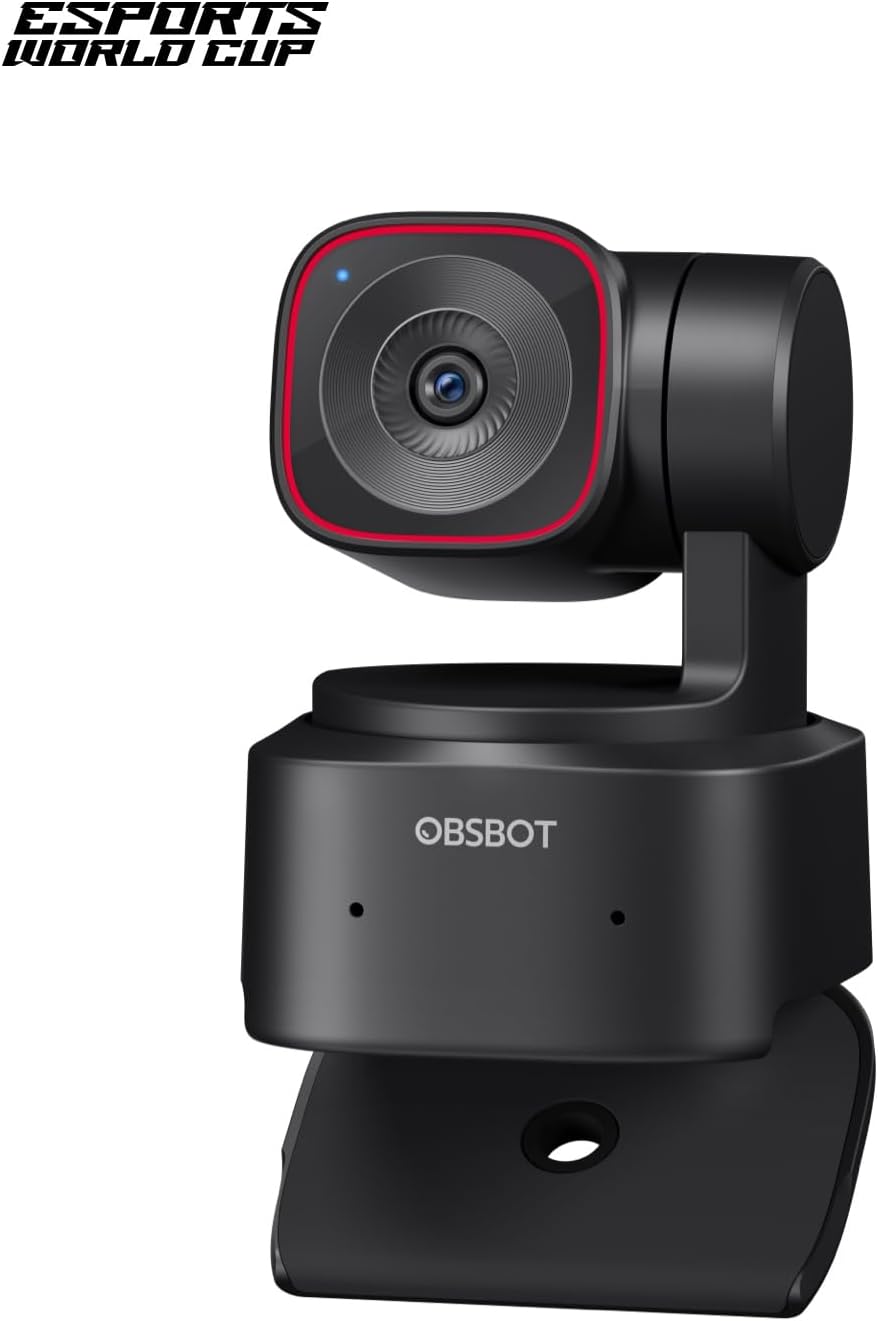
OBSBOT Tiny 2 Lite 4K Webcam for PC, AI Tracking PTZ Streaming Camera with 1/2″ Sensor, Gesture Control, 60 FPS, HDR, Microphones, Web Camera for Desktop Computer, Laptop, Meeting, Video Calls, etc.
$139.00
Related Products


![NEEWER 55W 18″/45cm Ring Light Kit [New Version], 5600K Dimmable LED Ringlight Tripod Stand Phone Holder for iPhone Selfie Makeup Lash Tattoo Studio Photo Video Recording Photography Lighting, RL-18](https://everyday-tech.co/wp-content/uploads/2026/01/61RYOzlCVZL._AC_SL1500_.jpg)




From the brand


Connecting You to The Future
With the artificial intelligence as the core, OBSBOT focuses on the application research of new technologies in the field of videography. It hopes to use revolutionary technology and innovative products to innovate the way of public records and image creation, and to change people’s social way.
OBSBOT Tail 2 PTZR Live Camera
OBSBOT 1080P@100FPS Webcam
OBSBOT Pro Streaming Camera
OBSBOT Budget-Friendly Webcam


【OBSBOT × EWC 2025 Official Partnership】OBSBOT is thrilled to be the 2025 Esports World Cup (EWC) Official Camera & Webcam Partner. Leveraging cutting-edge AI camera tech, OBSBOT will deliver immersive live broadcasts, capturing every epic moment of elite gamers. Also, OBSBOT provides content creators and streamers with the same pro imaging solutions, empowering global players to record esports highlights via EWC-approved AI camera tech.
【Stay Pro, Stay Productive】The new version Tiny 2 Lite webcam 4K streamlines some streaming features (whiteboard mode and voice control) to prioritize teaching and meeting scenarios. Reasonable price, uncompromised quality. The inherited 4K resolution & 1/2” CMOS sensor and easier operation make it a more professional business shooting partner.
【Your Tracking Mode,Your Rule】The web cam boasts multiple tracking modes (e.g. upper body& hand tracking), to cater to a broader audience with diverse tracking needs. Beyond just these features, the PTZ camera also allows you to customize tracking areas and Non-tracking area, offering unparalleled freedom for personalized tracking.
【Customizable Preset Modes】The webcam for PC newly upgraded Preset Position function not only can set multiple preset positions, but also customizes separate parameters and AI tracking modes for each preset position. Even when the scene switches, it reduces adjustment time while still ensuring that every frame is shot at the optimal setting.
【Dynamic Gesture Control】 Along with the 2.0 dynamic gesture control, our streaming camera says goodbye to cumbersome manual operation. Simply face the web cam, make an “🖐” gesture to lock the portrait tracking target, and make an “👆” gesture to control the zoom easily.
【Multiple Shooting Modes】The web camera not only supports horizontal, portrait, upside-down shooting modes, but also automatically adjusts the screen according to the machine’s placement without sacrificing image quality. No matter which mainstream live broadcast platform, or any environment you want to shoot, it can easily cope with.
【Apps for Novice and Experienced】Simple plug and play to use our computer camera, no need to download APP, friendly to newcomers. If you are a professional camera enthusiast, great news! Tiny 2 Lite webcam supports SDK, OSC, Stream Deck, and Global Hotkey functions, allowing you to customize your own 4K Webcam experience.
11 reviews for OBSBOT Tiny 2 Lite 4K Webcam for PC, AI Tracking PTZ Streaming Camera with 1/2″ Sensor, Gesture Control, 60 FPS, HDR, Microphones, Web Camera for Desktop Computer, Laptop, Meeting, Video Calls, etc.
Add a review

$139.00
Amazon Customer –
Best camera
This is the best webcam I have ever owned, I love the video quality, the ease of setup, the human tracking, and hand gestures. I use this camera for my business web meetings and for my new streaming ventures, it is easy to mount on my monitor or tripod. Currently I’m using it with my Mac mini and I haven’t had any issues of any sort, it was very easy to get going. I love that it’s on a gimbal, the sound quality is good for this very small package. I would highly recommend this camera.
King –
Amazing webcam — super clear and easy to use!
I bought the OBSBOT Tiny 2 Lite 4K for streaming and video calls, and I’m seriously impressed. The picture quality is super sharp, even in low light. It’s 4K, so everything looks super crisp.What I love most is the auto-tracking—it follows me around smoothly, which is perfect when I’m moving or showing things on screen. The gesture controls are fun and actually work, and setup was super simple—just plug it in and go.Definitely worth the price. Great for creators, meetings, or anyone who wants to look pro on camera without any hassle.
VS –
A Professional Webcam That Delivers
I’ve been very happy with the OBSBOT Tiny 2 Lite 4K Webcam. It’s a well-designed and highly functional device that delivers excellent image quality. Setup was quick and straightforward, and the camera integrates seamlessly with my PC.The 4K resolution at 30Hz provides sharp, clear video, making it ideal for video calls, streaming, or presentations. The autofocus is responsive, and color reproduction looks natural without requiring much adjustment. Its AI-powered tracking is a standout feature, keeping me centered in the frame effortlessly even when I move around, which adds real value during dynamic meetings. Overall, this webcam offers a combination of functionality, premium image quality, and ease of use. It’s a great choice for anyone who needs a reliable camera for professional or personal use.
James Bond –
High end Video Web Cam with AI functionality
The OBSBOT Tiny 2 is indeed tiny and a powerful webcam for professional presentations, recordings, and even for use as a content creator on YouTube. The price may seem steep for something this small; however, this camera delivers on several fronts while failing to provide in other areas.Right out the box, you get a camera and a cable, making setup as easy as plugging this into your computer and downloading the OBSBOT app family (There are several, but the one you really need is the OBSBOT Center – formally known as OBSBOT Webcam).Once you are up and running, you can connect UVC to any platform that allows you to take in video feeds: Zoom, Google Meet, etc You can also use it in OBS video studio and, of course, to record via a host of other apps I won’t mention here.The camera delivers stunning 4K video, but beware that this is native and not many apps – especially ZOOM deliver 4K resolutions, so you may be disappointed when you hook it up to that app. Some podcasting and livestreaming platforms will have 4K, so just understand that just because you have a 4K camera, it won’t be used everywhere.I feel that the camera has a weak point in its microphone, not fully capturing a quality signal, despite huge advancements in AI signal improvement out there, OBSBOT has not caught up in this department – Their much more expensive Tail2s don’t even have microphones. But there are reasons for that, which I also will not get into.When it comes to the TINY 2, this is a very solid AI tracking, crisp capture, gymbal camera that will definitely upgrade your built-in camera on your computer. The simplicity of operation is not overstated here – it really is an easy camera to set up and get going with. The camera comes with a ¼ inch screw hole for attaching tripods, table or otherwise – it has a base that can latch to your computers monitor for eyelevel views and the app provides a series of refinements that range from picture quality, AI behaviours such as tracking your movements, autofocus and exposure and a beauty feature that smooths skin and other “funny” embellisments you would not be caught dead using in a buisness meeting.There are a couple of things that could make this camera better – wireless connectivity would be a huge upgrade, although I am not sure if a larger, more expensive camera in this range may have that feature. The Tail2 does, but in comparison is $1200! Bluetooth capability would be welcome here, as you could connect a microphone, use it with a phone or tablet, and even wirelessly operate a software joystick for the PTZ functions.In the accessories department, the camera does have a remote (sold separately), but it can only be used with a PC as it requires a USB wireless dongle to be attached for receptivity. This seems unnecessary if only they incorporated a BT radio instead. All these decisions are often what decides the size and price of the device, and I am sure the manufacturer may have ended up with this product version for those reasons.All in all, the unit is a GREAT webcam, the audio is passable, if you like “room tone” and “Reverb,” but you can bypass this with another audio source on most software applications you would use this.The camera can’t really be used on its own. I plugged it into a video hub and got a signal; however, there is no way to control the camera’s gymbal or other functions without having a PC connected. It would be very useful if OBSBOT could make cameras this small that can operate independently, making for video production case scenarios, in a multi-cam setup up thanks to its VERY small footprint.
Joseph Barboza –
Great camera, great value, great price!
Excellent quality! Great AI tracking ability, and it’s so darn cute. This webcam for a PC works great for Zoom or team calls and has excellent AI tracking capability for if you’re giving a presentation and walking around the front of a room. The microphone is really good, and I don’t think you can find something better than this especially at this price point. And it’s so compact!
Steve K –
The Lite does pretty much what the other does
It’s hard for me to see really any measured differences between the “Lite” version of and the full version that is $100 more. This has been a lot of fun to play with since taking it out of the box this week.It’s got all the features you would need/want. 4K resolution. Cool tracking features. Great quality. In fact, in most cases you probably won’t even need the 4K, so it might be overkill unless you using it to film something.I have heard people say the built-in mic isn’t the best, but the plan for me is to incorporate this into my podcasting setup, where I have a dedicated mic, so it really doesn’t matter. I know the mic works well enough for quick video chats with my daughter at college, so I’m not to concerned about it.The only issue I have been having is I have yet to figure out how to get the effects that work in its own software to work with Facetime. A big selling point of the camera was those effects worked seamlessly with Facetime and other 3rd party platforms.Not so much, so far. I have watched YouTube videos. Mades sure all the permissions were given to it in my settings. Still will not work. with Facetime on the retouching options. everything else seems to work fine.I think for what this camera does, the Lite version seems like an incredible value. Would recommend.
ぬぃぬぃ –
今まで安いWebカメラを使っていましたが、移動しても追いかけてくれるのはありがたい。フィルター機能も面白いし、画質も綺麗だし、細かく設定もできるのでいい買い物ができた。
Client d’Amazon –
Excellent produit
Carl Stafford –
Astonishing quality from a little tiny web cam!Bought this after looking for something to stream/make videos with, whilst watching YouTube etc one name kept popping up “OBSBOT”.£149 for a “webcam” seems expensive but you really need to look at the quality and the features, real AI tracking using the ptz, really fast focus, loads of options not just in the app but natively to change things such as colour, sharpness, hue and so much more. Usually I wouldn’t have dared spend that on a webcam but im glad I did and don’t regret it.Image quality is superb but if your wanting the full 4k experience please make sure your computer is capable enough as 4k streaming and editing is demanding but the camera its self is very capable.Although this is the lite version I have to say the quality in some aspects are better than the expensive versions.When your setting up there are 2 options to chose from, either simple or advanced, if you just want to use the camera without the fan of changing settings etc then use the simple setup it makes it simple and easy to use. If your like me and like having full control of everything then choose advanced.As for the built in microphones, personally for me there not great BUT absolutely acceptable for video calls and light streaming use.There are too many features to go through but they all work and are great, physal build quality is great feels like a premium product.So far I have used it on pc and a mini mac m4 worked flawlessly on both even in a virtual machiene on the mac for windows. Works with tiktok live studio, OBS, youtube live (via OBS) and is detected by everything I’ve got.All in all its a great purchase for budding streamers, video callers or content creators without spending a fortune on a dslr.Oh yeah if you have a stream deck there is a plug in which enables you to use virtually every feature on the camera so you can break away from the mouse.
Omar Gawad –
Real value for money
Calum –
The webcam delivers nice quality, especially for desktop use. The lite version works well if you’re looking for a good desktop webcam. However, for studio-quality recording or higher-end performance, I’d recommend skipping the lite version and opting for the Obsbot Tiny 2. (not the lite version!)