

Nitho Gaming Controller for PC, Switch 1, Android & iOS, Windows | Wireless RGB Gamepad with Detachable Phone Clamp, Customizable Triggers, Vibration, Multi-Platform Joystick for Windows PC, Mobile
$13.99
Related Products


Product description
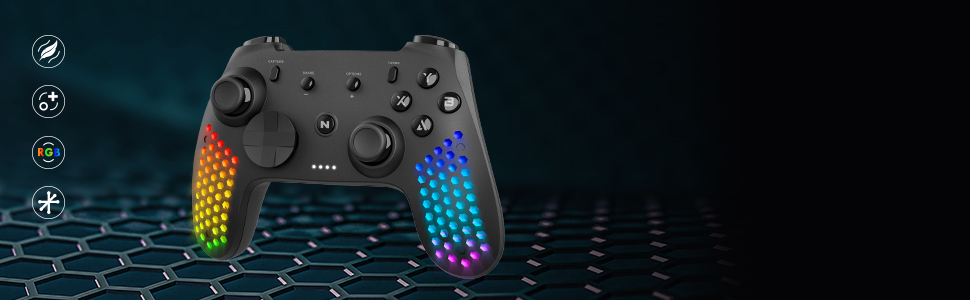
HEXAGON MULTI-PLATFORM CONTROLLER
Light Weight Hexagonal DesignCustomizable ComponentsRGB LED Light
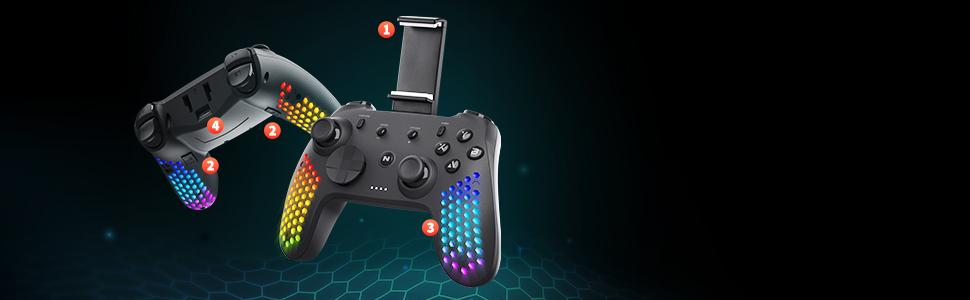
Adjustable Phone ClampBuilt-in SpeakerRGB LED LightsUSB Port
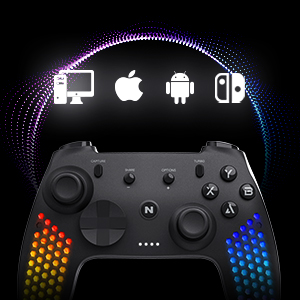
MULTI STANDARD COMPATIBILITY Compatible with Switch/Switch Lite/Switch OLEDCompatible with PC, Android, iOS
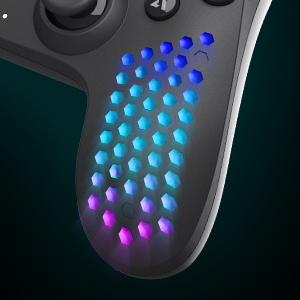
LIGHTWEIGHT DESIGN & RGB LED LIGHTS
The hexagonal lightweight design relieves fatigue during long gaming sessions. RGB LED lights provide cool effects in vivid colors
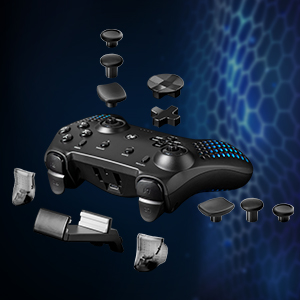
CUSTOMIZABLE PARTS Detachable extended triggers allow switching between racing and shooting mode2 interchangeable D-Pads and 3 sets of mini-sticks of different shapes
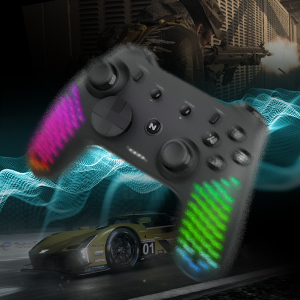
VIBRATION MODULE
Ultra lightweight HD vibrating motor delivers realistic in-game feedback
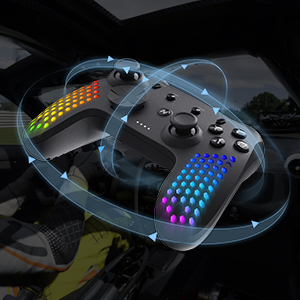
MOTION SENSOR
A highly sensitive built-in accelerometer and gyroscope detect the motion, tilt and rotation
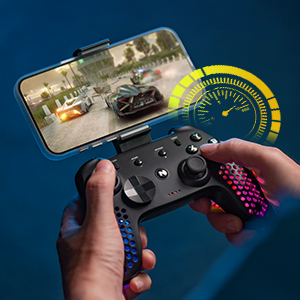
HIGH CAPACITY BATTERY
Built-in battery supports 9 hours non-stop playing time
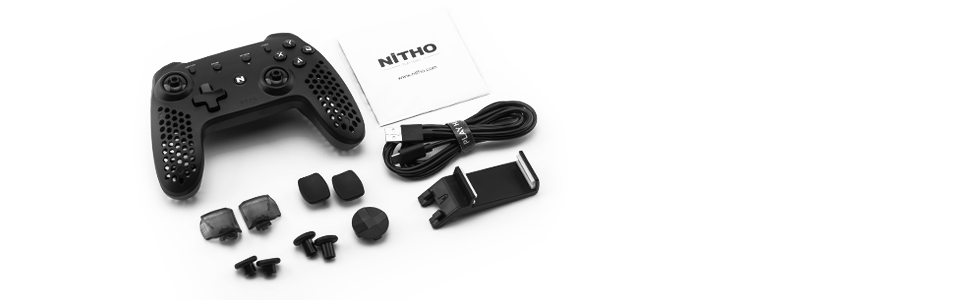
CONTENT OF PACKAGE
ControllerUSB cable2x Triggers2x D-pads6x Mini-stick caps
Multi-Platform Compatibility: Compatible with Switch, Switch Lite, Switch OLED, Windows PC, Android, and iOS devices
Accurate Motion Control: Features a built-in 6-axis gyroscope for responsive motion sensing, delivering smooth control and enhanced precision during gameplay
Adjustable RGB Lighting: Includes 8 selectable colors and 4 lighting modes. Players can adjust the brightness and effects to match their personal preference or gaming environment
Interchangeable Components: Comes with 3 replaceable mini joysticks and 2 D-Pads to suit different game styles, improving comfort and control customization
Long Battery Life and Fast Charging: Built-in rechargeable battery provides up to 9 hours of playtime and supports USB-C cable charging for consistent, uninterrupted gaming
13 reviews for Nitho Gaming Controller for PC, Switch 1, Android & iOS, Windows | Wireless RGB Gamepad with Detachable Phone Clamp, Customizable Triggers, Vibration, Multi-Platform Joystick for Windows PC, Mobile
Add a review

$13.99
gausscone –
Weird macros and “Hall-effect” where you least expect.
PSA review. The manual for this product is rather bad, and in fact, it’s inaccurate. So the manual describes the procedure where you pair the controller, choosing which input method you want. The first button registers as an Xbox controller, the second as a Dualshock, the third isn’t mentioned at all, and the fourth as a Switch Pro controller. These all seem to work as expected as far as I can tell. What is strange is the third button–this mode causes the controller to register as an “L&AL PC” which if you search hard enough yields a manual for an extremely similar-looking product. That manual is the superior manual for this product. Otherwise I haven’t been able to test it much.Features that are better described in that manual:- Controller has 2 turbo modes: on-press turbo and autoclicker turbo.- Method of choosing Xinput or Dinput. There is one, allegedly. I don’t care to try it yet but go wild.- Back-button mapping is actually not strictly for remapping but is in reality a rudimentary macro recorder which supports simultaneous or sequential inputs, notably ignoring joystick movements and any time modulations the user might try to perform, and feeling generally janky.- “Hall-effect” triggers. Don’t know about the sticks. Don’t know about anything to be brutally honest.- Supposedly the third “L&AL PC” mode is for Android devices. It does seem to work for this but is redundant from what I can tell.This isn’t even in the manual but I have no idea what the Capture button does. In Dualshock mode it works as a touchpad click. Attached to a Switch, it does what it’s supposed to.Last thing, the controller seems to forget what it’s paired with if you change the mode, and these faulty pairs will stick in the paired devices’ lists, requiring extra work to fix. This is not really important but it will be extremely annoying if you’re hoping for a panacea. So, don’t count on changing the mode too often. Otherwise I think it’s an awesome controller with a slightly-stiff, tall-ish d-pad.
Michael Q. –
Works with Tesla.
I bought this for my Tesla Model 3. I had no problem connecting to Bluetooth for wireless play. No noticeable lag either. Works great. And I really like the LED lights and hexagon pattern. It goes perfectly with my car.
Chad Dean –
Not Working properly
Don’t waste your money I can’t even get it to charge properly
Gymrat1970 –
Using for windows 11 pc
Decent controller. the instruction from the online manual are horrible. If you hardwire to the pc it works as designed, but if you are using bluetooth you have to download DS4Windows and install the virtual driver and run DS4Windows or the controller wont work. it detects is as a dual shock controller. i had to setup for my phone to find that out. hope this helps some people. i spent hours trying to get windows to get it work.
Kevin Saunders –
great gamepad but not so great for phone
I bought this because it was inexpesive and it is now my favorite blue tooth controller! its nice and works great, one caveat is that when you use the included phone clip it doesnt feel balanced in your hand so I think it’s only good on a rare occasion. if you are want to play games on your phone get a sliding controller
Diaz –
Originality and quality of the product is important to me
The product is original in original box and delivery was friendly fast and professional. thank you. everything that was advertised with the product came in the box.
Boby –
Pretty good
Light and correct layout for pc and Android
Darius –
Very Lightweight
It doesn’t come with a manual. If you need one to figure out what combinations work to turn on Bluetooth mode or Nintendo switch mode, you will have to get it on their main website.The controller itself is very lightweight which is good to improve comfort while attaching a cellphone with the cellphone holder. comes with extra thumbstick and triggers to customize your preference which is great.The hexagon shapes provides a unique lighting detail even if lighting seems basic. I love the handling of the controller which makes this really fun to play for FPS games for me.I tested on PC, Android, and Nintendo Switch and they all work well. I didn’t try mobile games on Android but rather Steam link and again it works great.One gripe I had was the layout of the controller I wish the start and select buttons were placed more out than inner, as I end up pressing the turbo button thinking it’s the start button.The vibration of the controller can use some improvements as well as it sound is kind of annoying.
Cliente Amazon –
Lo compramos para jugar a la nintendo switch en grupo y va genial, al niño le encanta y es muy facil de configurar.
bergmann –
Dachte mir eigentlich, da er als 2er Controller nur selten gebraucht wird tut es schon en etwas günstiger, muss aber zugeben das ich jetzt mittlerweile schon lieber mit ihm als mit dem original zocke!!Preis/leistung 👍👍👍
Albert van Zomeren –
Uitstekend materiaal en doet prima
David Alpi –
Ho iniziato recentemente a giocare a vecchi titoli PS3 su PC tramite l’ottimo emulatore RPCS3, ma per avere l’esperienza completa avevo bisogno di un controller PS3 a tutti gli effetti, con tutte le funzionalità compreso l’accelerometro a 6 assi. Il sito dell’emulatore consiglia vivamente un Dualshock 4. Esclusi i controller originali che costano un capitale, mi sono rivolto a questo.E’ assolutamente perfetto! Costa poco ma offre molto, i materiali non sono così “cheap” come altre recensioni hanno messo in evidenza, funziona molto bene, le funzionalità di un controller originale ci sono tutte, ed è esteticamente molto carino. Non ho applicato le placche “camo” aggiuntive perchè sinceramente mi piace così in colorazione nera, e lo trovo comodo, senza necessità di migliorare il grip.L’unico piccolo problema, se proprio vogliamo cercare il pelo nell’uovo, è che il pulsante “start” è un po’ scomodo da premere perchè si trova un po’ troppo sotto la levetta analogica destra, ma le casisitiche in cui va usato sono talmente rare che non rappresenta affatto un problema!Su PC va usato cablato USB e non funziona in modalità wireless (almeno per ora non ci sono riuscito), serve un cavo con connettore microUSB (peccato non usi l’USB-c), ma per il resto funziona perfettamente come un controller PS3 (anzi… PS4!!!) originale Sony!Lo proverò anche con qualche gioco nativo PC. Ottimo acquisto!
praful k. –
Product us good but no warranty and user manual inside package