
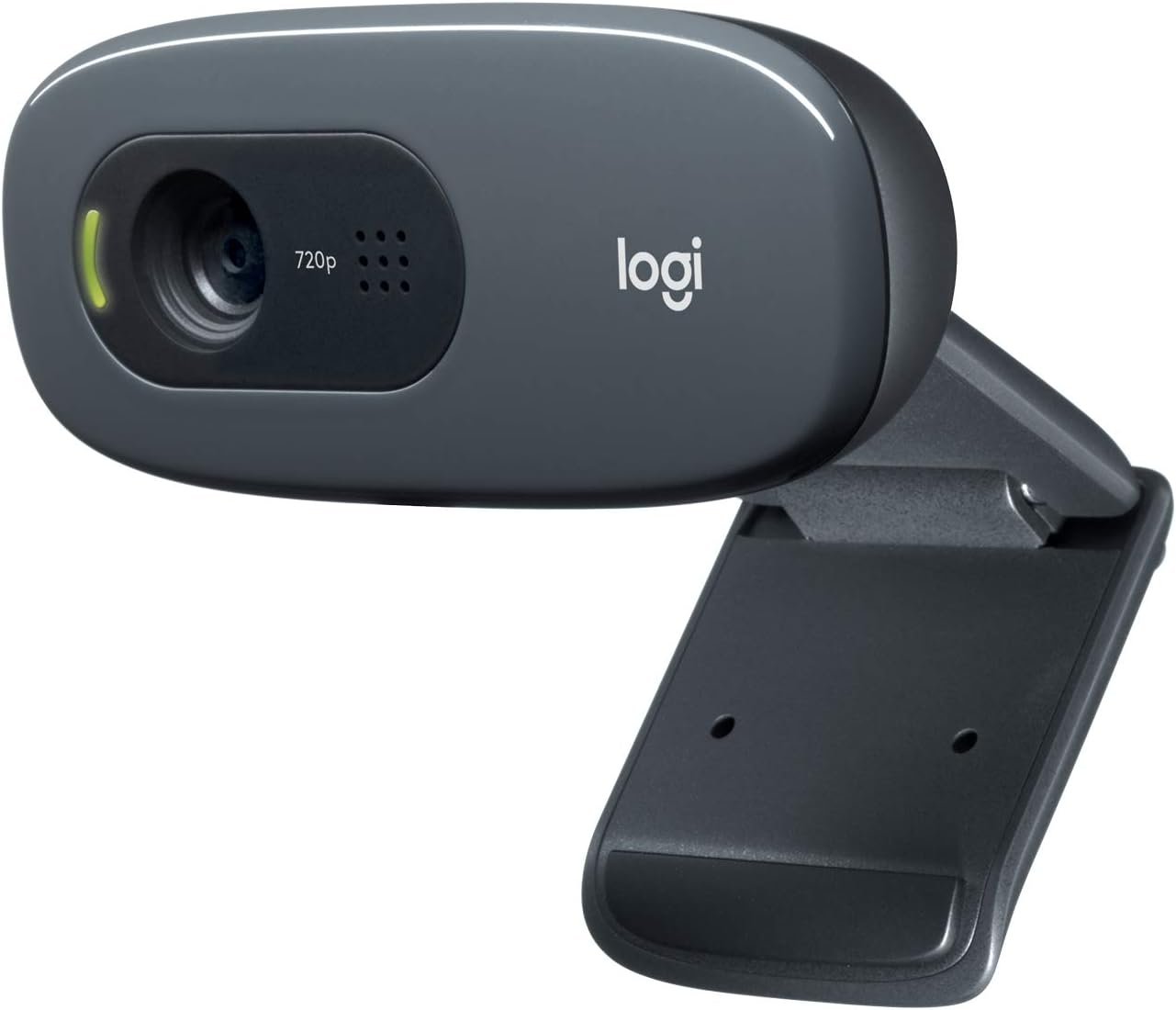
Logitech C270 HD Webcam, 720p, Widescreen HD Video Calling, Light Correction, Noise-Reducing Mic, Works with Zoom, Nintendo Switch 2’s New GameChat Mode, PC/Mac/Laptop/MacBook/Tablet – Black
$24.99
Related Products


Features
Enlarge Hi-Def Yourself. Logitech HD Webcam C270—making HD video calling simple.
Say it bigger. Say it better. High definition 720p video in widescreen for picture quality that’s simply amazing.
Self-expression knows no bounds. It’s not just about video calls anymore.
Video blog, stream, share, rant, rap, sing and dance with ease. Plus it works seamlessly with your favorite applications. The term ‘webcam’ doesn’t quite do it justice.
HD Webcam C270
Noteworthy Features • Fluid HD 720p video calling and recording in 16:9 widescreen • Crisp 3 MP photos • Easy HD video calling on Skype, Windows Live Messenger and Logitech Vid HD • Automatic light correction • Integrated noise-cancelling microphone
Enlarge
Stay connected in widescreen HD 720p


- The smoothest HD video calls with more video frames per second than other HD webcams
- Show friends more of you in 16:9 widescreen
- Easy to stream video, share your recorded videos or vblog
Enlarge
Video calling made easy
Enjoy fluid HD 720p calls on Skype, Windows Live Messenger and Logitech Vid HD—the free, fast and fast easy way to see your loved ones face-to-face.
Learn more
Enlarge
Simple to snap and send photos
Take vibrant 3-megapixel snapshots with just one click. Enlarge
Comes with good lighting
With automatic light correction, you’ll get the best possible image—even if you make a video call in dim light.
Enlarge
Sound clear even in a noisy room
The built-in mic reduces background noise so the person you’re calling hears you loud and clear.
Logitech Fluid Crystal Technology
Now it’s in every Logitech webcam, giving you:
- Smoother video motion, without annoying choppiness, in real-world conditions
- Sharper video with more true-to-life detail
- Richer, more natural colors
- Clearer sound
Learn more
Enlarge
Sleek universal design
- Clips securely to any laptop or LCD monitor
- Flat panel design looks great with the latest laptop styles
Compatibility
Package Contents
- Webcam with 5-foot cable
- Logitech webcam software with Logitech Vid HD
- User documentation
- 2-year limited hardware warranty


Works with
- Windows XP (SP2 or higher), Windows Vista or Windows 7 (32-bit or 64-bit)
Basic requirements:
- 1 GHz
- 512 MB RAM or more
- 200 MB hard drive space
- Internet connection
- USB 1.1 port (2.0 recommended)
For HD 720p video calling on Logitech Vid HD and HD video recording:
- 2.4 GHz Intel Core 2 Duo
- 2 GB RAM
- 200 MB hard drive space
- USB 2.0 port
- 1 Mbps upload speed or higher
- 1280 x 720 screen resolution
For other video-calling clients, please check the recommended
Compare
Which Logitech HD Webcam is right for you?
Good Better Best Good Better Best What to look for HD Webcam C270 HD Webcam C310 HD Webcam C525 Webcam Pro 9000 HD Webcam C615 HD Pro Webcam C910 Video + Photo Quality HD resolution HD 720p HD 720p HD 720p HD 720p Full HD 1080p Full HD 1080p 16:9 widescreen Photo resolution 3MP 5MP 8MP 8MP 8MP 10MP Focus type Always focused* Always focused* Auto Focus Autofocus Autofocus Autofocus Lens type Plastic lens Plastic lens Plastic lens High-precision Carl Zeiss glass lens High-precision Carl Zeiss glass lens High-precision Carl Zeiss glass lens Auto light correction Audio Quality Built-in mic with noise cancellation Dual mics for stereo audio Special Features 1-click HD upload to Facebook, Twitter and YouTube** Video effects Standard Premium Premium Premium Premium 360-degree rotational camera Portable design Fold-and-go webcam Fold-and-go webcam Tripod Ready Base Face Tracking
(PC only) Compatibility Works with Windows XP, Vista, 7 Works with Mac OS X 10.5 or higher
* 40 cm and beyond .
Compatible with Nintendo Switch 2’s new GameChat mode
Crisp HD 720p/30 fps video calls with diagonal 55° field of view and auto light correction. Compatible with popular platforms including Skype and Zoom.
The built-in noise-reducing mic makes sure your voice comes across clearly up to 1.5 meters away, even if you’re in busy surroundings.
C270’s RightLight 2 feature adjusts to lighting conditions, producing brighter, contrasted images to help you look good in all your conference calls.
The adjustable universal clip lets you attach the camera securely to your screen or laptop, or fold the clip and set the webcam on a shelf. You’re always ready for your next video call.
13 reviews for Logitech C270 HD Webcam, 720p, Widescreen HD Video Calling, Light Correction, Noise-Reducing Mic, Works with Zoom, Nintendo Switch 2’s New GameChat Mode, PC/Mac/Laptop/MacBook/Tablet – Black
Add a review

$24.99
CNA –
Good webcam
Works great and the image is clear. Easy to setup.
davepool –
Simple to install, Easy to use, Great price!
Arrived as expected. Plugged into USB port and it instantly worked. Resolution is great. Software is integrated into Win 11 and can be downloaded from Logitech. Microphone works better than I ever expected. When doing Zoom meetings it captures every word I say. Need to make sure I’m using the mute button when necessary.
Deke –
Good webcam but a couple trade-offs
Works well (plug and play setup). Picture quality is good and will work great for Microsoft Teams calls.The only minor quibbles I have (and why I’m giving it 4/5 stars) are:1) If you have a monitor with a thin bezel, the camera will overhang a little of the screen. It would be nicer if the mounting point was on the bottom of the camera instead of the middle of the back which would help it sit higher atop the monitor, preventing any screen obstruction (however minor).2) As some others have noted, it feels a little too zoomed in.That said, it does exactly what I need for my work desk, and I believe it’s a good product for the money from a reputable company.
Amazon Customer –
Great bang for your buck!
Honestly was great quality and the picture is really good especially for the budget pricing. Didn’t expect it to be as good as it was but truly is worth the price and highly suggest to purchase. Note that it is not studio perfect quality but good enough quality to stream, record or do work with. Perfect for Zoom, OBS and Camera applications. Really worth it and highly recommend to anyone on a budget.
Krystal –
Easy to use and works great!
This webcam is excellent! I was looking for a plug and play style webcam that had good quality. I chose this and it’s amazing. The quality is great, and it only takes plugging it into a USB slot to connect. Once it’s plugged it, you can use it right away. So, the connectivity is simple and solid. It has a little camera cover that it comes with to give you added privacy when you aren’t using it. The quality of the audio is good, I haven’t had any issue with it. However, I do often use a headset that has a microphone instead. The webcam mounts on a monitor or other surface very easily, by adjusting the base to hold onto the surface.
Amazon Customer –
Very Good Product and Purchase Value
Easy to install and works extremely well.
Rick W. –
An excellent camera for use on video conferences
This is a very nice efficient very cool camera. I operate a two monitor over-under set-up, and this camera fits very nicely between the upper and lower screens. It does not obscure any of the working screen on my system, covering only the frame of the monitors. The color rendition is excellent, and it provides a sharper, clearer image than did the camera that this replaces. The only drawback I can comment on is that it shows every wrinkle, crease and blemish on my face. Still, I’m still very happy with the whole experience.
DH –
Works well but a little annoying. Blocks screen, can’t aim.
Camera and microphone both works well. No software needed and simple to set up. I like the physical camera block for privacy. There is no physical mute though.Nitpicky stuff:I wish you could adjust the zoom as it shows a little too much of my background than I prefer. My desk is in my bedroom and the camera angle shows my bed which is annoying. You can’t always rely on the meeting software to blur or cover the background.Doesn’t sit nicely on my monitor. I’ve had a couple of monitors, and it varies based on how the monitor is made. My Alienware had a triangular shape when looking from above and it never sat well. It always wanted to aim the wrong direction.My current monitor is rectangular shaped so the camera sits better, but you can’t aim the camera, it only points forward. My monitor is on an arm so I can angle it, but then I’m looking at my monitor from a weird angle when I’m in meetings to avoid showing my bed in the background.The camera also blocks a portion of the screen. It’s just annoying to have to duck to see under it or move it to read a browser tab.Finally, what’s with the price? I don’t understand why webcams (this one is $40) cost nearly 3 times as much as a 2k security camera with microphone, zoom, Wi-Fi, Bluetooth, SD card reader, and a smart software suite that works on web and mobile ($16).
Hamza Betouar –
The Logitech Brio 101 is a very good webcam with clear Full HD 1080p video quality. I use it for meetings and streaming, and it works perfectly with Zoom and Microsoft Teams. The built-in microphone is clear, and the privacy shutter is a great feature. The best part is that I don’t need to open my laptop anymore—I can keep my laptop closed and still get great video quality using my external monitor setup. It’s easy to plug in, works instantly via USB-A, and feels well built. Overall, a reliable and high-quality webcam that does exactly what I need.
Nicolas Puentes –
Excellent image. Easy to manage. Has a built in speaker and a cover for the camera. I would say the focal length is around 35mm. Could be a little wider. Lets you turn 90° and 180°.
RSL –
I’ve been using this webcam for a while, and it works really well for everyday calls and meetings. The image quality is sharp, and it handles lighting nicely even when the room isn’t very bright. Setup was quick and easy — just plug and go. The only downside is that it’s not the best fit for frameless monitors since it covers a small part of the screen. Other than that, it’s a solid, reliable webcam for the price.
Sat2k5 –
This is my default camera that I use daily for work meetings and it’s been working without issue for about an year.Unlike my previous one, it doesn’t get overly hot. The camera quality is good enough for work purposes, better than the standard laptop camera. I also haven’t had any connection issues and has been reliable when using Teams or Zoom.If there was something I didn’t like about it, the mounting bit required a bit of improvisation to make it stick in place on top of my monitor. As a camera though, it’s been reliable on a daily basis.
Nikelles –
Got a new PC and needed a webcam for meetings. This works great. Its design is a little odd and it doesn’t really fit my monitor? But I’ve DIY’d a little something that helps it stay balanced on the top of my screen. I haven’t really used the built in mic, but the camera quality is amazing. Lots better than my Macbook’s. The picture settings seem sorta basic, I can’t figure out how to adjust for overexposure without just lowering the brightness/saturation. And the lens cover is manual so you gotta remember to shut it after you’re done. But worth it for the price, I think!