

BIGASUO 10.1″ Digital Calendar, Smart Touchscreen Interactive Display, Electronic Organizer for Monthly, Weekly & Daily Agenda, Chore Chart, Meal Planner, To Do List, Family Schedules, Picture Frame
$159.99
Related Products






Product description


BIGASUO Calendar: Function and Operation Tutorial How to create an event using the BIGASUO calendar? Event Creation Guide
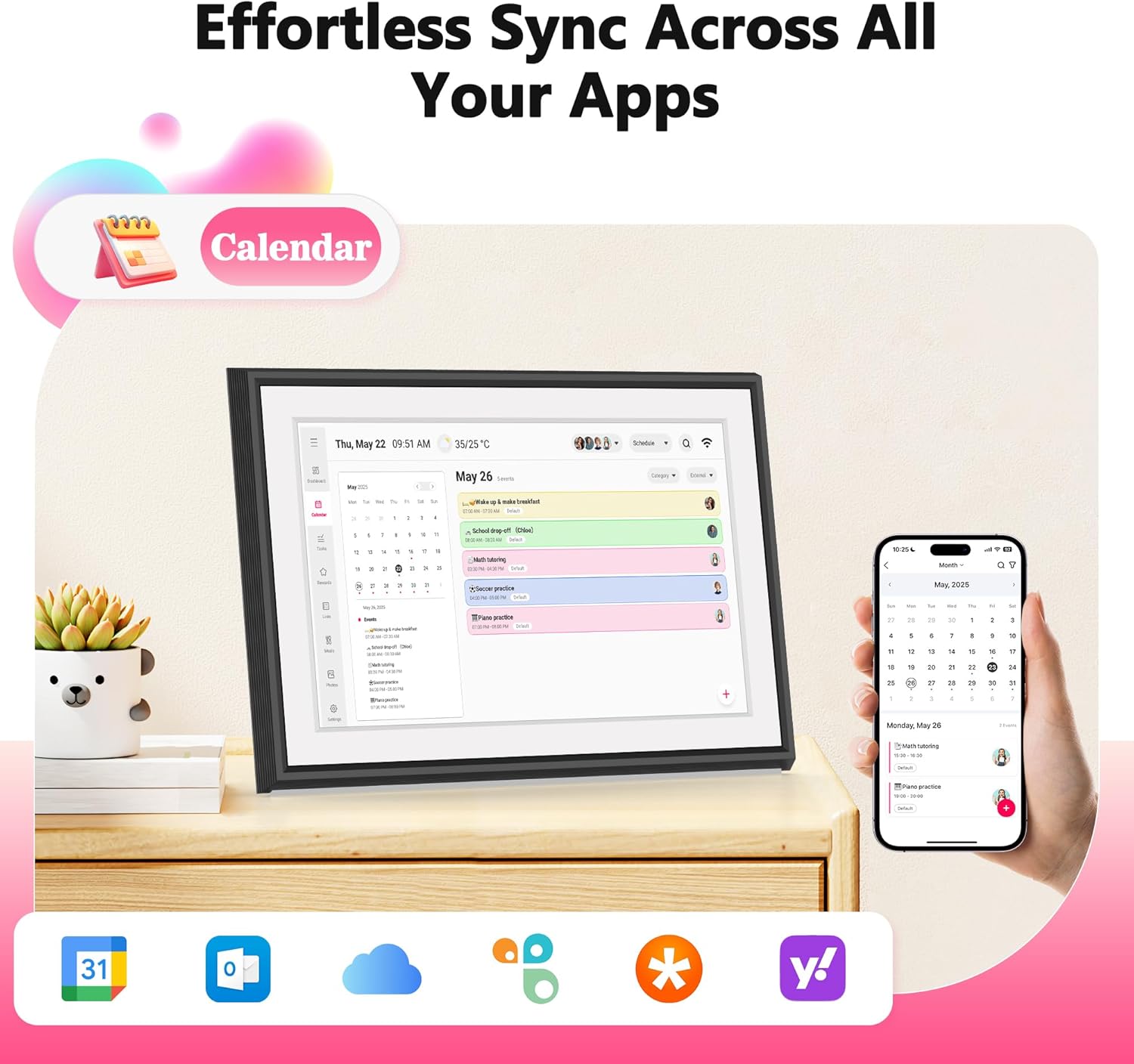
Master your time. Our Schedule Planning turns your chaotic calendar into a clear roadmap for your day, week, and month.
The video showcases the product in use.The video guides you through product setup.The video compares multiple products.The video shows the product being unpacked. Schedule Creation Guide Merchant Video
How to add a task in BIGASUO calendar? Task Creation Guide
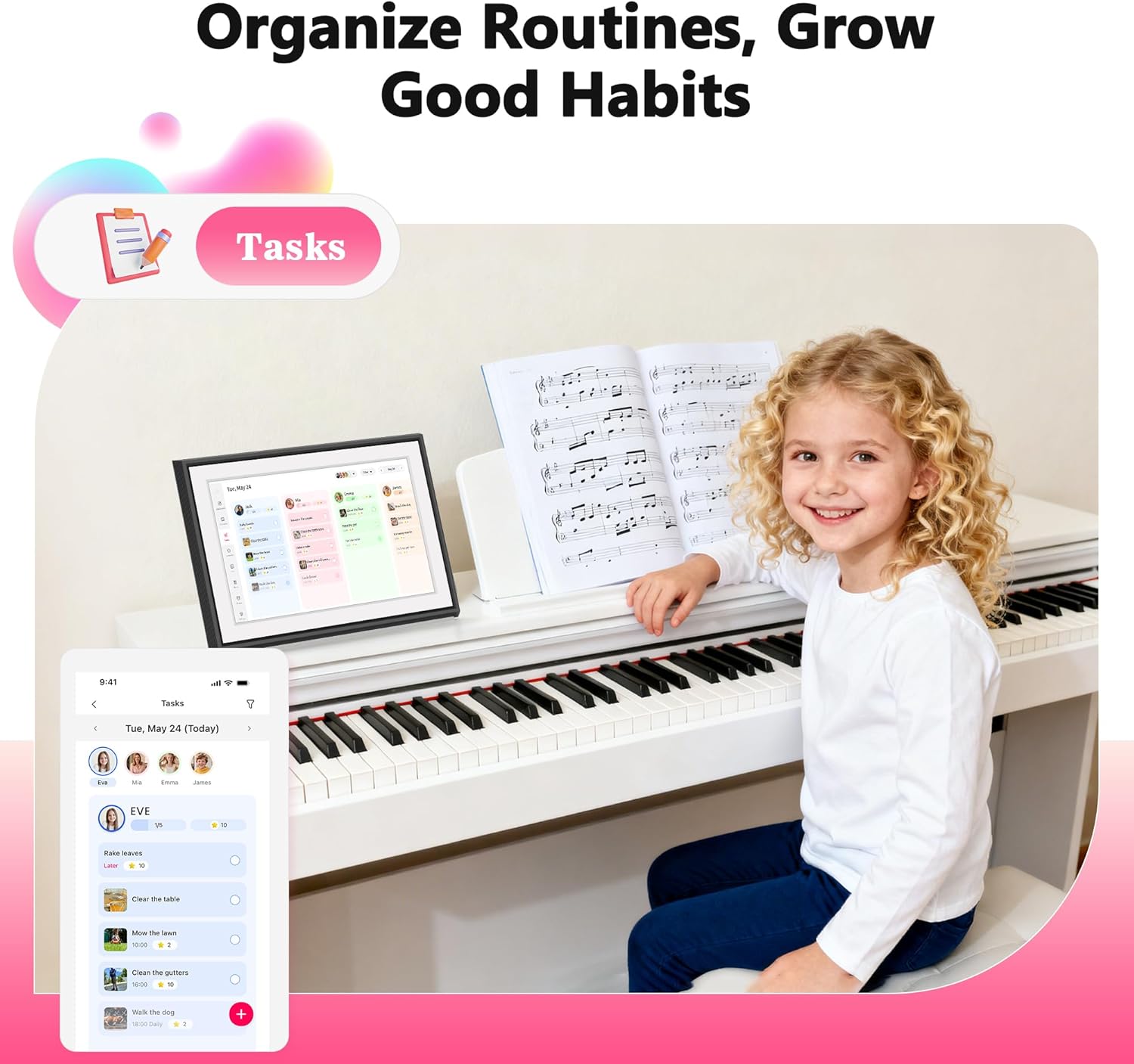
From goals to done. Break down any project and track your progress with satisfaction. The Task Function ensures you achieve more, daily.
The video showcases the product in use.The video guides you through product setup.The video compares multiple products.The video shows the product being unpacked. Task Creation Guide Merchant Video
How to add a reward in BIGASUO calendar? Reward Creation Guide
You achieved it, now celebrate it. Set personal incentives with our Reward Function. Stay motivated with game-changing rewards.
The video showcases the product in use.The video guides you through product setup.The video compares multiple products.The video shows the product being unpacked. Reward Creation Guide Merchant Video
How to create a list using the BIGASUO calendar? To-Do List Creation Guide
Your world, organized. Grocery runs or grand projects, the Checklist Function brings the serene satisfaction of everything checked off.
The video showcases the product in use.The video guides you through product setup.The video compares multiple products.The video shows the product being unpacked. To-Do List Creation Guide Merchant Video
How to plan meals in BIGASUO calendar? Meal Planning Creation Guide
Simplify your meals, simplify your life. The Meal Planning function saves time, reduces stress, and fuels a healthier you.
The video showcases the product in use.The video guides you through product setup.The video compares multiple products.The video shows the product being unpacked. Meal Creation Guide Merchant Video
How to send photos and videos in app? Photo Frame Function User Guide
Your Why, On Display. Keep your favorite memories front and center as you plan for what matters most.
The video showcases the product in use.The video guides you through product setup.The video compares multiple products.The video shows the product being unpacked. Photo Frame Feature User Guide Merchant Video


【Now Available: Version R-1.5.0】: Access new and enhanced features — including Tasks, Rewards, Meals, and Photos — by updating to our latest software release.(Upgrade Instructions: If your device is not yet on R-1.5.0, please go to: Settings → More → Upgrade → Check for new version)
【All-in-One Digital Family Hub】: Simplify your family’s scheduling with this BIGASUO WiFi-enabled smart digital calendar. Effortlessly color-code tasks and assign them to family members for smooth, visual coordination. More than just a calendar, it also helps you plan weekly meals and transforms into a digital photo frame—displaying your favorite family memories around the clock. (Note: Not designed for wall mounting.)
【Easy Setup & Auto-Sync】: Just plug it in, connect to Wi-Fi, and sync your calendars—your events will automatically load and stay up to date. It syncs with internet time servers for precise timekeeping. Easily add events or chores right on the device, or through the free mobile app. Compatible with Google Calendar, iCloud, Outlook, Cozi, and Yahoo Calendar.
【Chores Chart & Meal Planner】: Use the interactive chore chart to build responsibility and healthy habits in your children. Plus, display your weekly meal plan to keep everyone in sync and end the daily “What’s for dinner?” for good.
【Smart Photo Frame & Live Screensaver】: Turn moments into memories. Share photos and videos directly from your phone using the free app—no matter where you are. Transform your cherished memories from hidden files in your phone into a dynamic display of family moments for all to enjoy.
【Give the Gift of an Organized Day】: End the chaos and simplify your family’s life. This BIGASUO smart calendar display is your all-in-one command center for a more organized, stress-free home. It even doubles as a beautiful digital photo frame to showcase your favorite memories. The perfect gift for any busy family.
13 reviews for BIGASUO 10.1″ Digital Calendar, Smart Touchscreen Interactive Display, Electronic Organizer for Monthly, Weekly & Daily Agenda, Chore Chart, Meal Planner, To Do List, Family Schedules, Picture Frame
Add a review

$159.99
Nick Kubinski –
A game changer to help me become more organized
I’m honestly very impressed with this digital calendar. I felt the need to get one to make my organization better as I have many tasks to do in a day. The touchscreen has been super responsive and easy to navigate. It feels just like using a tablet and was quite easy to start up at the start. I love how I can see my full month, week, and day all in one place. The size is great for my room and I’m able to keep it near my computer on the wall. It stays bright and allows me to read it from across the room, I thought it would be difficult to read but it’s not at all! Being able to sync schedules has been a plus, I did not expect that to be such a useful feature. I’m excited to see how this organizational calendar will make me more productive and motivated to stay on task.
cici –
a digital calendar, easy to use for the whole family
I love this digital calendar, which allows to consolidate each family member’s schedule to one. It is easy to pair with my iPhone. I downloaded their app to sync my calendar, to do list, and pictures. The gadget can also serve as digital photo frame as I can upload my favorite photos and videos to the app to display those as screensavers.
Jash –
Easy to use! I like it
I recently bought another calendar, and between the two, I like this one more. The smaller size is a plus for me, and its ease of use is similar to other models I’ve had. Since it’s a digital calendar, the learning curve isn’t bad at all. The value for the money is decent—though the price feels a bit high. Overall, if you’re looking for a good calendar, this one is a solid choice. It’s functional, keeps me organized, and that’s really the main thing you want from a calendar.
Mark –
Great digital calendar and digital photo album!
Excellent digital calendar and digital photo album! The touchscreen works great. Good quality and looks elegant. Wi-Fi connectivity is a plus, and the setup was quick and easy. Definitely recommend.
Eunice YU –
Easy to use digital calendar, good for family efficacy
This Christmas, I bought this digital calendar as a Christmas gift for our whole family. We have a big family with many children, and everyone has different schedules. Even though each person has their own personal calendar, we usually need a lot of communication to plan our weekly activities.We decided to get a digital calendar so everyone in the family could easily and clearly see each person’s daily schedule. It has saved us a lot of time and communication.This is the first digital calendar we have ever bought, and we are very happy with it. The display is very clear. It shows both the full month and the important events of the day at the same time, and it also allows us to add a separate to-do list.Connecting the digital calendar to our phones was very easy. It took about ten minutes to download the app and connect it to the calendar by scanning a QR code. Once connected, we could start adding events right away. The process is simple and easy to use. Even my 9-year-old and 6-year-old sons can add their own schedules directly on the screen.I also really like the automatic sleep mode. The screen turns off at a set time every night and turns back on in the morning. With the help of this digital calendar, my children are now learning to organize their own time and responsibilities better. Our whole family really loves this calendar.
Bako –
Good Calendar, rapidly improving.
This calendar is essentially a single-program dedicated 10″ tablet that only runs one app. As far as the calendar app itself, it does sync with most other calendars. Getting my Google calendar to show up on it was quick and easy.Physically, the calendar is quite nice. It has a clear display and hard-plastic backing. It is a few inches thick at the bottom and will stand on its own. It can NOT be mounted on a wall. The brightness is great and the screen is easily readable.The problem with this calendar is that all of the features are tied to this one app that, and that app is missing many niceties that I would like. For example, my wife and I were both able to add our google calendars with this calendar, however the calendar shows it as “User4817294” and “User43829578.” As far as I can tell, there is no way to actually put our names on there. Another issue, the calendar has a whole tab for meal tracking, which is great! But the only way to add anything to this is through the “whaleframely” app on your smartphone. Similarly, rewards for completed tasks can only be added in the phone app. Many of the features just require that you use your smartphone instead of the $200 calendar you just bought.There is also very limited customization. On the dashboard, I would love if I could also get it to show what I have coming up tomorrow. I can of course see this if I leave the dashboard and go to the calendar tab, but if we have a dashboard, we should have that minimal level of customization of what appears there.As an added bonus, you can add photos to the calendar, and it will function as a digital photo frame. Ironically, this part IS quite customizable, and it does a GREAT job at being a digital frame.On the plus side, it does seem that the software for this is rapidly improving. Since I got this calendar a week ago, there have been three updates that have added entirely new features. At the rate that they are working on it, it wouldn’t surprise me if most of my complaints weren’t fixed in the coming weeks.As it stands right now, I would have a hard time recommending this at the current asking price. If it improves further, that might change, but we can’t write reviews on what might be.
MARK E –
Good value, but some functions not easy to use
Merging the calendar from my phone wasn’t too bad, and uploading photos worked as well. But switching from calendar to having pictures display wasn’t that easy. first you get it to picture mode, then within, you have to find the right menu to haver the pictures display and rotate. It should be a simple switch from calendar to having the pics display and rotate. Especially since I bought this for my older folks, it should be an easier transition.the price was good, but it seems they get access to whatever you load, so be cautious what you load on the device.
Ginnie Lee –
Amazing Smart Display for Busy Households
I’m impressed with how much this digital calendar can do. It functions as a planner, chore chart, and organizer all at once. The screen is bright and easy to read, and setting up tasks is simple. It keeps things on track and looks great on the counter.
Scarlet Dong –
I recently started using this digital calendar, and it has made organizing our family schedule so much easier! The bright, clear display is easy to read from across the room, and the adjustable brightness means it works well both during the day and at night.Setup was incredibly simple — plug it in, set the date and time, and it’s ready to go. I love that it clearly shows the day of the week, full date, and time, which is especially helpful for kids learning the calendar and time concepts. Even grandparents find it very user-friendly!The design is modern and sleek, so it fits nicely in our kitchen and could easily work in an office or a child’s study area. It also has great features like multiple language settings, standby mode, and automatic updates for daylight savings.Overall, this digital calendar is practical, stylish, and reliable. A great purchase for staying organized at home or work — highly recommended!
Bella –
Great family organizer! The screen is clear, setup is easy, and the app sync works perfectly. Helps keep our schedules, tasks, and chores organized.
linda –
I’ve been using this smart digital calendar and notebook for a few days now, and I really love it. It’s perfect for daily family schedules and planning, making it incredibly easy and convenient to list things out. You can even add your favorite photos to it – it’s truly a great product.
Kenny –
Very good products . Easy to use. Just installed apps . Then you can connect to your phone . Shows all your note and reminders . Also shows the weather.
JW –
This digital calendar is a game-changer for family organization! The vibrant touchscreen seamlessly manages our schedules, meals, and to-do lists. It keeps everyone synchronized and doubles as a lovely picture frame. Highly recommended