

Beelink SER5 Pro Mini PC, AMD Ryzen 5 5500U(7nm, 6C/12T) up to 4.0GHz, Mini Computer 16GB DDR4 RAM 500GB NVME SSD, Micro PC 4K@60Hz Triple Display, Mini Gaming Computer WiFi6/BT5.2/HTPC
$289.00
Related Products


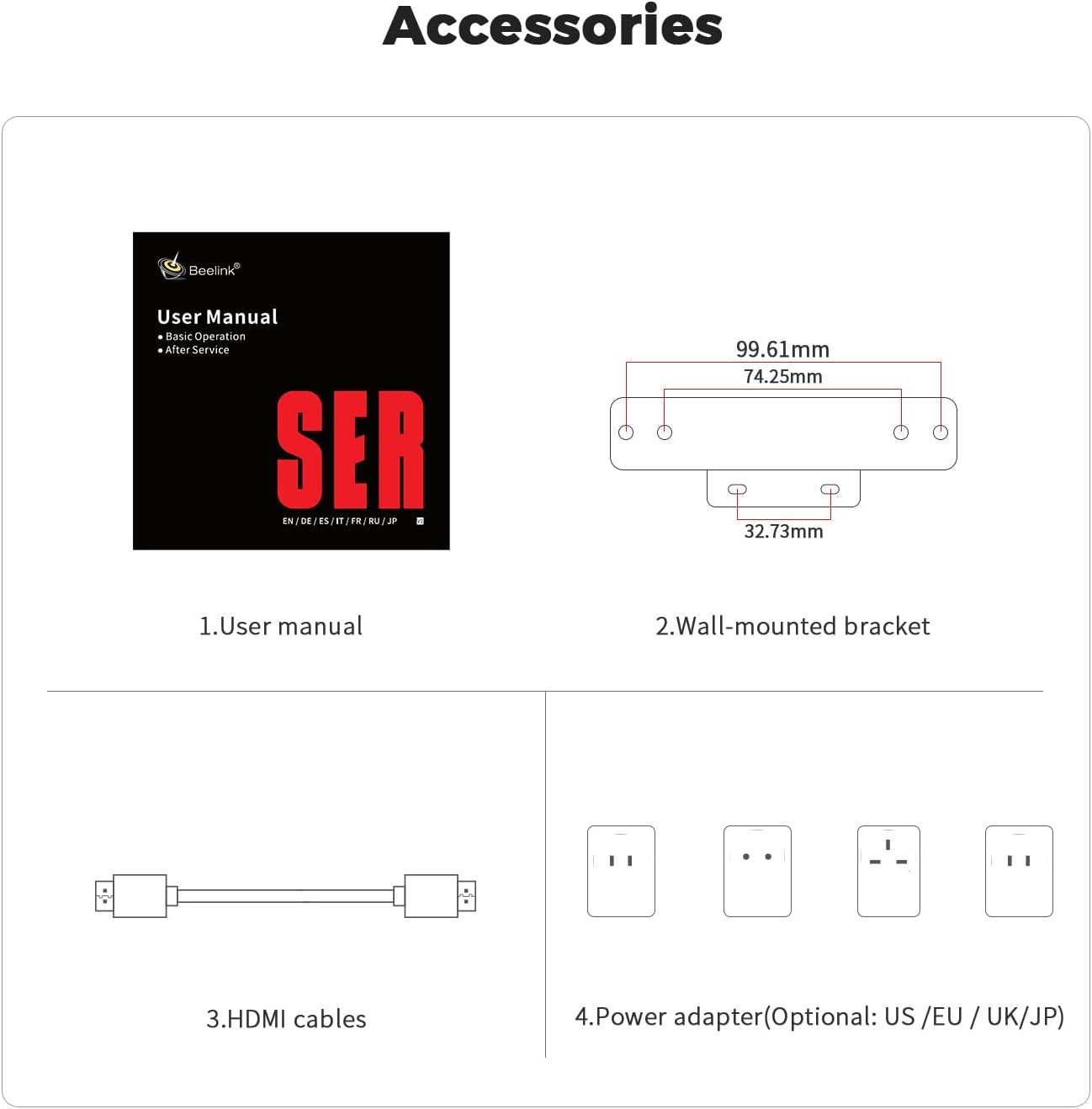
From the brand

Our US power supply is wide input voltage range between 100V and 240V, although it labels 100-120V, it is safe to work with power source ranging from 120 to 240V.
Beelink Mini PC
Beelink Mini PC
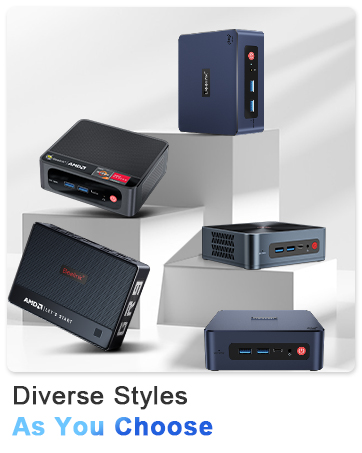
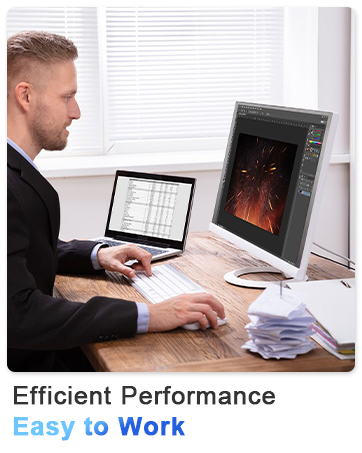
🎈【Excellent Performance】 Beelink SER5 equipped with AMD Ryzen 5 5500U (up to 4.0GHz), which adopts an 6-core/12-thread. The base frequency is 2.1GHz / Max turbo frequency can reach 4.0GHz. Ensure seamless multitasking and no-delay switching at work, provide the next generation of multitasking experience, and bring processing speed, energy efficiency, productivity, and all-around performance to new heights.
🎈【Capacity Storage】Beelink Mini PC driven by the AMD 7nm Processor and 16GB DDR4 3200MHz Memory(can upgrade to 64GB, 2 x 32GB), 500GB M.2 2280 NVMe SSD, this High-Performance Mini PC designed by our talented European designers delivers enough power and storage for you to play, create and enjoy all day!
🎈【HD Graphics & Dual Display】Beelink 5500U integrates AMD Radeon Graphics 7core 1800 MHz GPU to deliver powerful graphics processing power to easily handle the demands of complex design software, 4K@60Hz UHD video editing, and playback, or light gaming. And it can connect 2 screens efficiently handle your tasks, and meet your specific needs.
🎈Multiple Interfaces & Wireless】Mini Desktop PC equipped with a 2.5G LAN (RJ-45, supporting Gigabit file transfer speeds), Dual-band 2.4G 5G WiFi (802.11ac, stronger capacity of resisting disturbance), and built-in Bluetooth, high-speed wireless connection makes you step ahead. And 3*USB3.2 ports, 1*USB2.0 ports, 1*HDMI ports, 1*Type-C port(Data&Video) and 1*Audio Jack (HP&MIC), 1*DC Jack, thus offering the user even greater versatility in use.
🎈【Lifetime After-Sales Service】Beelink has been dedicated to R&D Mini PC for many years. All Beelink Mini-PC have passed strict inspections before shipping. If you have any questions, please don’t hesitate to contact US. We are 100% guaranteed to solve your problems. We offer lifetime technical support, a 1-Year-free warranty, and 24/7 after-sales service. All of our products obtained FCC, RoHS, and CE Certifications.
9 reviews for Beelink SER5 Pro Mini PC, AMD Ryzen 5 5500U(7nm, 6C/12T) up to 4.0GHz, Mini Computer 16GB DDR4 RAM 500GB NVME SSD, Micro PC 4K@60Hz Triple Display, Mini Gaming Computer WiFi6/BT5.2/HTPC
Add a review

$289.00
Thorick56 –
The best mini-computer for the next 3-5 years!!
I have been working with computers since 1975 my first one was at my high school “Digital Equipment Company PDP-10E” so for 50 years now I have watched the computers evolve and get smaller and more efficient but I had to write a review on this one because it transcends our time and opens the door to the following future and you are already in it.“neuromorphic computing is expected to play a significant role in the future of research by integrating GPU, CPU, and neural network processing into hybrid, heterogeneous systems”Yes mimicking how the human brain actually works. I’m not joking this is where we are with technology. This is the technology where GPU NPU and CPU come together and is a technology multiplier. We are at the corner stone of combing each processor working together with minimal energy.This computer has all three…,amazing!!!Beelink SER9 Pro AI Mini PC, AMD Ryzen AI 9 HX 370(80TOPS,12C/24T,5.1GHz), 64G LPDDR5X 8000MHz 2TB PCIe4.0 x4 SSD, AI PC AMD Radeon 890M NPU 50 AI Tops, Built-in MIC/Speakers/USB4/WiFi6/BT5.2/2.5GI bought this computer last June 2025 I am retired but wanted to wait to do a review there is a lot to go over but I wanted to condense my review for you so it would help your learning curve with this computer.The computer is built for AI, Gaming and a work horse while being quiet and with minimal power consumption.I’m running/testing an AI version OLLama gpt-oss: the 20B and the 70B versions, the 20B runs great. The 70B gives better answers but takes considerably longer. (Seconds vs minutes) for an answer they also have a 120B version which I have not tried but is too big anyway. TheOllma gpt-oss.:20b is the best choice for simple installation and a free program to start your journey into AI.Other programs I’m running on the AI 9 370HX:Fortect – Performance/security/Privacy/Driver updates and virus monitoringAMD Adrenaline 25.11.1 updates computerAMD Chipset Drivers version 7.06.02.123Microsoft PC ManagerWindows 11 Pro 64bitSteam call of Duty Warzone/ Plunder for Gaming run 60-130FPS on Warzone depending on the connection.My computer was a semi-early version and there was a lot of issues with the security TPM 2.0 protocols and chipsets but those issues are behind’s us now with the new chipsets are highly secure.The computer is a brute and with the 64GB RAM which is available for AI and the microprocessor it Kicks “Things” into high gear very quickly while only using 35-50 watts power (imagine a 35 watt light bulb) the power supply is a 200 Watt power supply but you will never use that much power even with a monitor also it has the 890 NPU and shares Graphics card on the motherboard which also shares operations with the processor. The computer is amazing quite even when playing all out. The fans are barely noticeable. This is the next generation of computers here today and is worth ever penny. I’m rating this five stars because it also starts-up in less than a second!! So if you want the best mini-computer for the next 3-5 years this is the best one on the market. Great value solid workmanship and great design you owe to yourself to buy the best do it for you. If you do buy one set sometime aside or a vacation because you will dive into this headfirst. Hoped you liked my review and “Happy Computing.” AI too you too!!!!
T. Woods –
Early Review, Will Update [UPDATED] or
————UPDATE ON WINDOWS 11 COMPATIBILITY:I was running a System Update for Windows earlier this week and the updater told me that my system wasn’t compatible with Win11. Trigger brief moments of rage/panic/confusion. I reinstalled the new PC Health Tool that Microsoft is publishing to run a compatibility test. It came back as OK for the upgrade. Today, the Windows Update started pushing the update to Windows 11 (offered as an optional upgrade as I’m enrolled in the Windows Insider Program on the Early Access Channel). So if you get a Windows Update message indicating incompatibility, it’s probably inaccurate and you can relax. A screenshot of the results is attached to this review.———-ACTIVATING TPM2.0:For those curious about BIOS changes to ensure compatibility, I did the following to turn on TPM. Before you go on tinkering with your system BIOS, remember you can mess things up. The machine does have a CLR CMOS button which should fix any obvious mistakes, but any issues you may cause are on you.To start, I recommend a shutdown and power-on over a reboot/restart, but it should work either way. Start pressing
as soon as you power on, as the default delay is quite brief. On the main BIOS screen, use the arrow keys to navigate to the “Advanced” tab at the top, which should highlight in white. Highlight the top item, “Trusted Computing”. Press ENTER to proceed to the TPM20 screen. On the top line, “Security Device Support”, press ENTER and select the “Enable” option. Press F4 to save and exit, which will reboot the machine.Again, press or as soon as it starts rebooting. This time, you want to go back to the “Advanced” tab and select the “AMD fTPM Configuration” just below the “Trusted Computing” one you just used. This gives you the option to select the TPM mode. The options here are “AMD CPU fTPM”, Disabled or Enabling the motherboard TPM module. I’m using the AMD module with no issues, but the motherboard (SPI) module should work as well. Once you’ve selected your TPM module, press F4 again to save and exit, and your machine should now reboot into Windows as normal. That’s it.———-ORIGINAL REVIEWThis is my first-impressions review, having received and set up my system yesterday. I will update it if I have any issues that contradict or reinforce my initial impressions. I paid for the device myself and received no compensation or incentives from the seller/manufacturer. This review reflects only my experience.To start, this is meant to replace my primary laptop as my personal workstation at home. The laptop it replaces was purchased in 2013, and had similar specs in terms of processor, memory, and storage but would not be eligible for the Windows 11 upgrade. I made the change to add a bit more future-proofing and a moderate bump in performance.About the Windows 11 concerns, according to the Microsoft-published upgrade tool, this system is eligible for the upgrade to Windows 11. However, by default, the TPM module is not activated (at least in my case). You’ll need to go into BIOS at boot and activate it. BIOS reports the module as TPM v3.36. After activation, the Windows tool (from Microsoft) reports the system as eligible for the upgrade. On with the review…This was packaged nicely, with adequate protection, and included several accessories. These include the power brick with integrated cable, which is a bit short, but more than sufficient for my application. Also included were 2 HDMI cables, one 10-12 inches and the other about 24 inches in length. If mounting to the VESA mounts on your monitor, these should be sufficient. A small mounting plate (incl. screws) attaches to 2 of the 4 VESA mounting points on the monitor (not used by me). Also included were a couple of internal components, one a small ribbon cable marked “GTI-SATA” and a small circuit board with a SATA connector for a 2.5-in SATA SSD/HDD.Upon opening the case, it is not immediately clear how the small circuit board would connect to the mainboard, but there is a metal plate to mount a drive, which I don’t plan to do (also another connected “GTI-SATA” is inside). Looking further inside, removing the mounting plate gives access to the M.2 slots and SO-DIMM slots. The M.2 slots are for (1) NVMe and (1) M.2 SATA. The NVMe slot is taken up by an NVMe SSD, which Windows shows as 512GB (I didn’t remove it to check brand or model yet). Memory is via 2 SO-DIMM slots (marked for DDR4 2400MHz modules). Mine has 2 Crucial modules, each of 8GB. I plan to add 1TB to the open M.2 SATA slot and replace the memory with (2) 16GB SO-DIMM modules.Setup was no different from the typical Windows 10 setup from a recovery drive or the like. I did not have the “Finder’s International” screens that others have commented on, nor was there any bloatware to be found (other than the typical stuff Microsoft includes in retail images). I initially set up a local account and ran all of the Windows updates before loading up my primary user account. In adding all of my desired apps and some of my peripheral drivers, I have seen only a vanilla Windows build.From a performance perspective, one of the key features I wanted was improved graphics support. I do some CAD design and 3D modeling for my hobby projects, which was causing headaches with the integrated graphics hardware on my laptop (Intel i7 integrated chipset). Having set up Fusion 360, the performance warnings are all gone, and navigating viewports is smother and stutter-free, without the freezing and lag I was experiencing before. I have yet to render a model yet, but I’ll do so this weekend and amend this section if the performance isn’t similarly improved.One note on the memory, however, is that the AMD Radeon graphics system on this system reserves 2GB of system memory for its use, so the system will only have 14GB available to Windows out-of-the-box. This is one reason I plan to upgrade the memory. Also, the clock speed of the memory is somewhat less than would be available for discrete graphics solutions, but at this price-point and in this form factor, it’s an acceptable compromise. There may be ways to tweak these settings, but it’s not something I’ve delved into yet.I haven’t tried any local gaming yet, mostly because I’ve been using Stadia (quite happily) for the past 9 months. While streaming games is less resource-intensive, it does have high networking demands, which this machine meets without issue. This is an area I’ll try to update if I have time, but with this chipset, gaming is hardly a priority or an area to expect great performance.In all, I’m quite happy with the purchase, and I haven’t seen any of the initial issues that have led to complaints from others. As in all things, YMMV, but my experience has been a positive one.AmazonCustomer1234567890 –
Fast and small, light gaming on ultra wide hi res monitors
This flies… Ubuntu rocks! No issues with drivers. Just wish it came with a bit better GPU… The upcoming big brother of this one does have an better GPU but that’s more $$$$
this is fun –
Its great.
This mini pc does everything I need it to do. And doesn’t take up alot of space. Great pc, great price.
Mohammad Yahyan Alhazmi –
جهاز محمول خفيف وقوي وجودته ممتازة.عملي بالنسبة لي .الغيت عملية الارجاع وجالس استخدمه .يستاهل كل ريال.
Melwinrebello –
Super
Gabo –
Estoy satisfecho con el producto, funciona como lo esperaba que lo hiciera.
mohd –
وصلني جهاز الكمبيوتر ولكن لم يوجد بها فلاشة usb 16 GB ما السبب في ذلك
PTR –
Computers are varied and complicated. Knowing this, I spent a long time analyzing my needs before searching for a good fit and ultimately buying this EQR5 Mini PC. After a month of thorough testing and gradual transition from my 2017-era Windows laptop to this new mini desktop, I am quite satisfied. I did run into a series of random crashes and almost sent this box back to Amazon, but a few hours of diagnostic assistance from Grok A.I. helped me narrow the crash problem to being caused by an obscure AMD GPU driver software bug that is easily avoided. Crashes have stopped, and I leave this thing running 24×7.My primary selection criteria were: (1) silence in routine operation, (2) unobtrusive size on my desktop, (3) lots of modern input/output ports, (4) good snappy performance of Windows 11 user interface and YouTube 4k video playback at 2x speed, and (5) probable usability for at least the next 5 years.I mainly use this box for Windows 11 and Microsoft 365 + Copilot, but I also have the box configured with a dual boot option for Ubuntu Linux for occasional techie tinkering. This box was intended to be a sidekick to my two Apple M1 Macs that I use more often. But the EQR5 is such a pleasant improvement over my old Windows laptop that I am finding it to be almost competitive with the Macs for my daily driving.