

65 Inch 4K Smart Board – Google EDLA-Certified Interactive Whiteboard, Android 14, 50-Point Touch, Wireless Casting – Digital Whiteboard for Classrooms & Hybrid Offices (Board Only)
$1,899.99
Related Products





Product description
NewBoard 65E: Powered by Google
The video showcases the product in use.The video guides you through product setup.The video compares multiple products.The video shows the product being unpacked. NewBoard E Merchant Video
Why Choose NewBoard 65E? 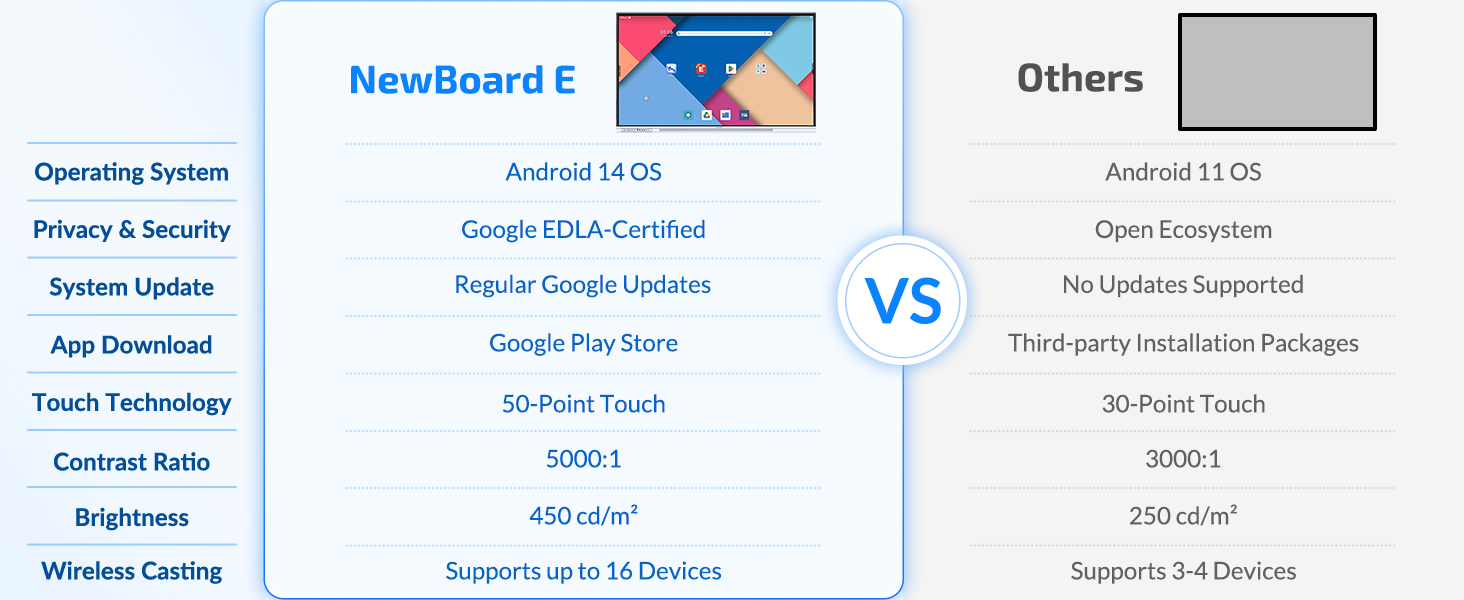
Explore the Powerful Digital Whiteboard Extensive Compatibility
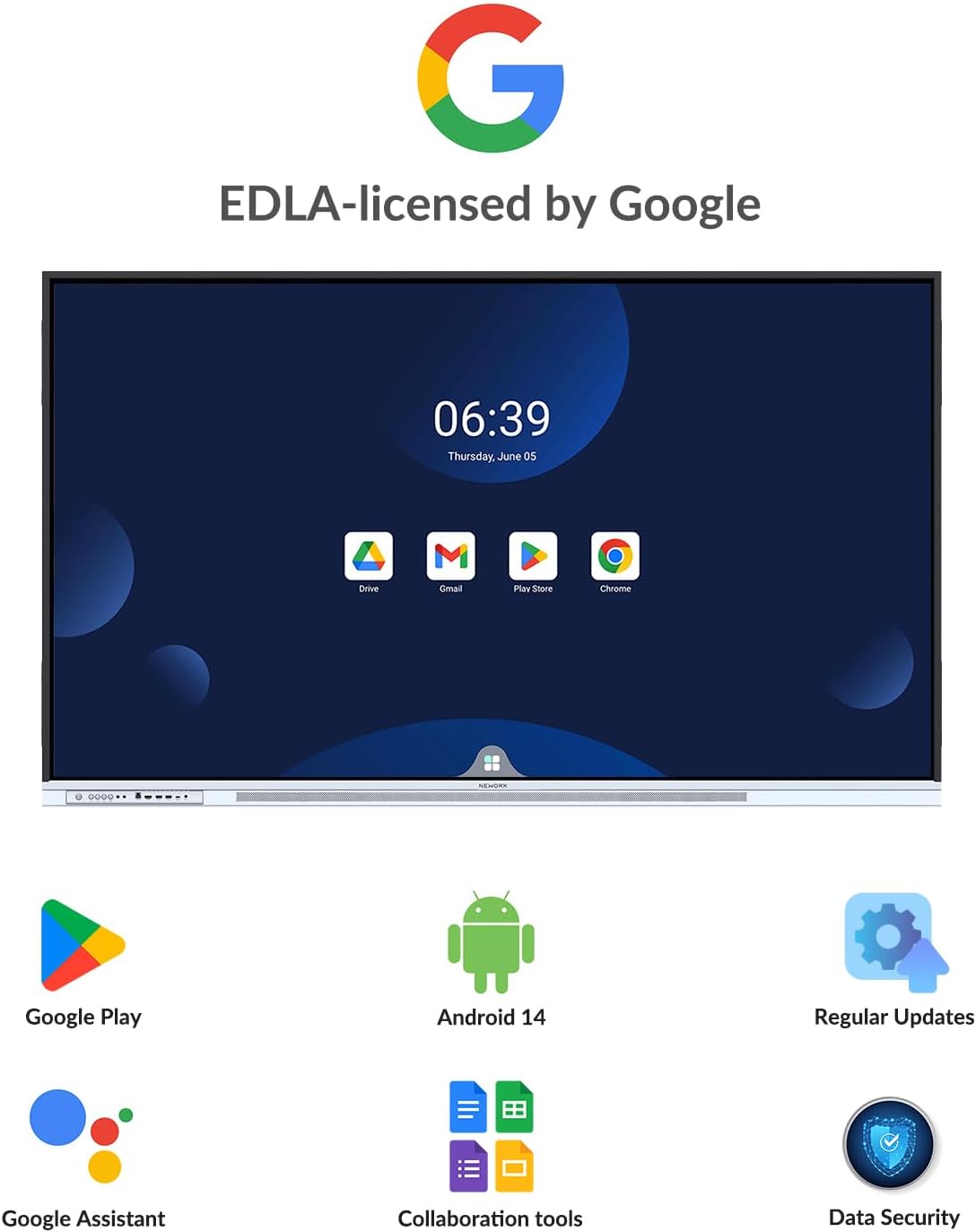
Based on the latest Android 14, NewBoard E-series is Google EDLA certified, users can install extensvie range of apps via Google Play Store. Teachers and students can access thousands of educational and entertainment apps.
The video showcases the product in use.The video guides you through product setup.The video compares multiple products.The video shows the product being unpacked. google Merchant Video
Intelligent Writing
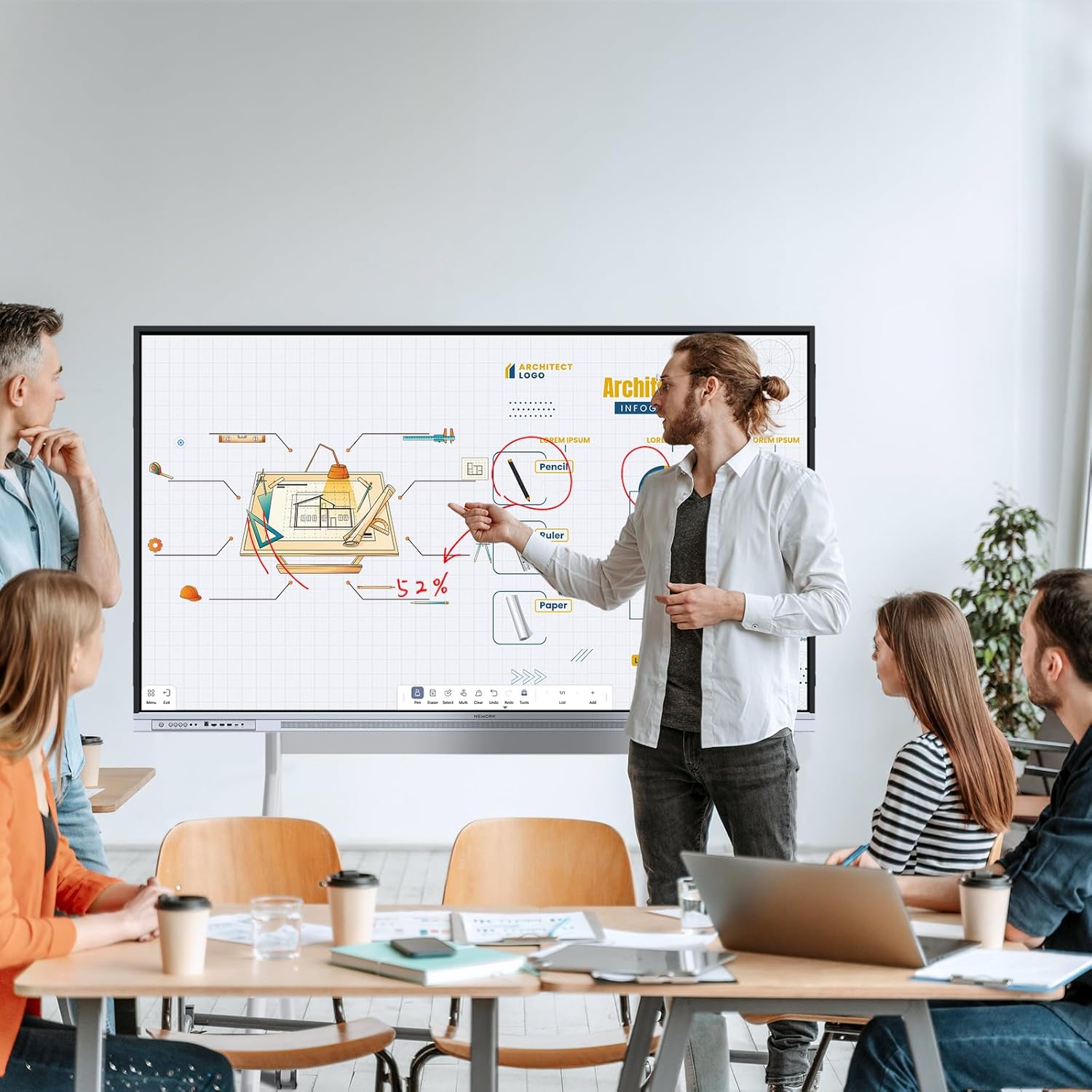
Our advanced e-writing technology enable near-zero latency writings and annotating on our samrt baord, delivering a smooth and natural writing experience. Ten students and teachers can write and interactive simultaneous.
The video showcases the product in use.The video guides you through product setup.The video compares multiple products.The video shows the product being unpacked. whiteboard Merchant Video
Floating Toolbar
Simply press and hold with two fingers for 3 seconds, the floating bar will fly to your finger positions for quick acess to predefined function shortcuts.
The video showcases the product in use.The video guides you through product setup.The video compares multiple products.The video shows the product being unpacked. Floating Bar Merchant Video
Split-screen Operation
You can split the smart board into two screens and run different applications separately, which makes it easier for you to annotate and explain, and also allows the audience to understand the information you convey more intuitively.
The video showcases the product in use.The video guides you through product setup.The video compares multiple products.The video shows the product being unpacked. split-screen Merchant Video
Easy access and sharing
You can open files directly from your local folder, Google Drive, Dropbox, or OneDrive; add annotations online; save your work locally or to cloud storage; and share annotated files seamlessly.
The video showcases the product in use.The video guides you through product setup.The video compares multiple products.The video shows the product being unpacked. google drive Merchant Video
Use it, Enjoy it 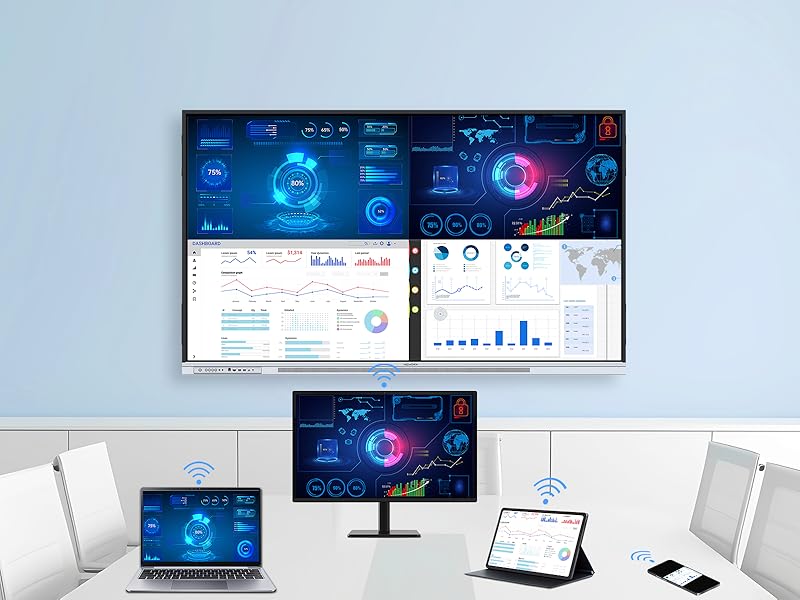 NEWORK Casting
NewBoard E-series has built-in E-Share, allowing wireless screen casting up to 16 devices simultaneously. Teachers can select any one of the 16 devices to be display in full screen mode
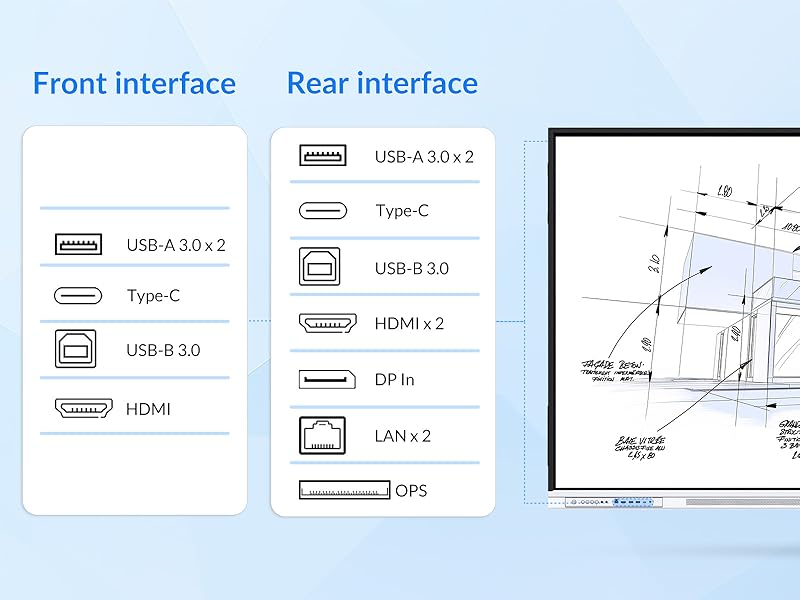 Extensive I/O Ports
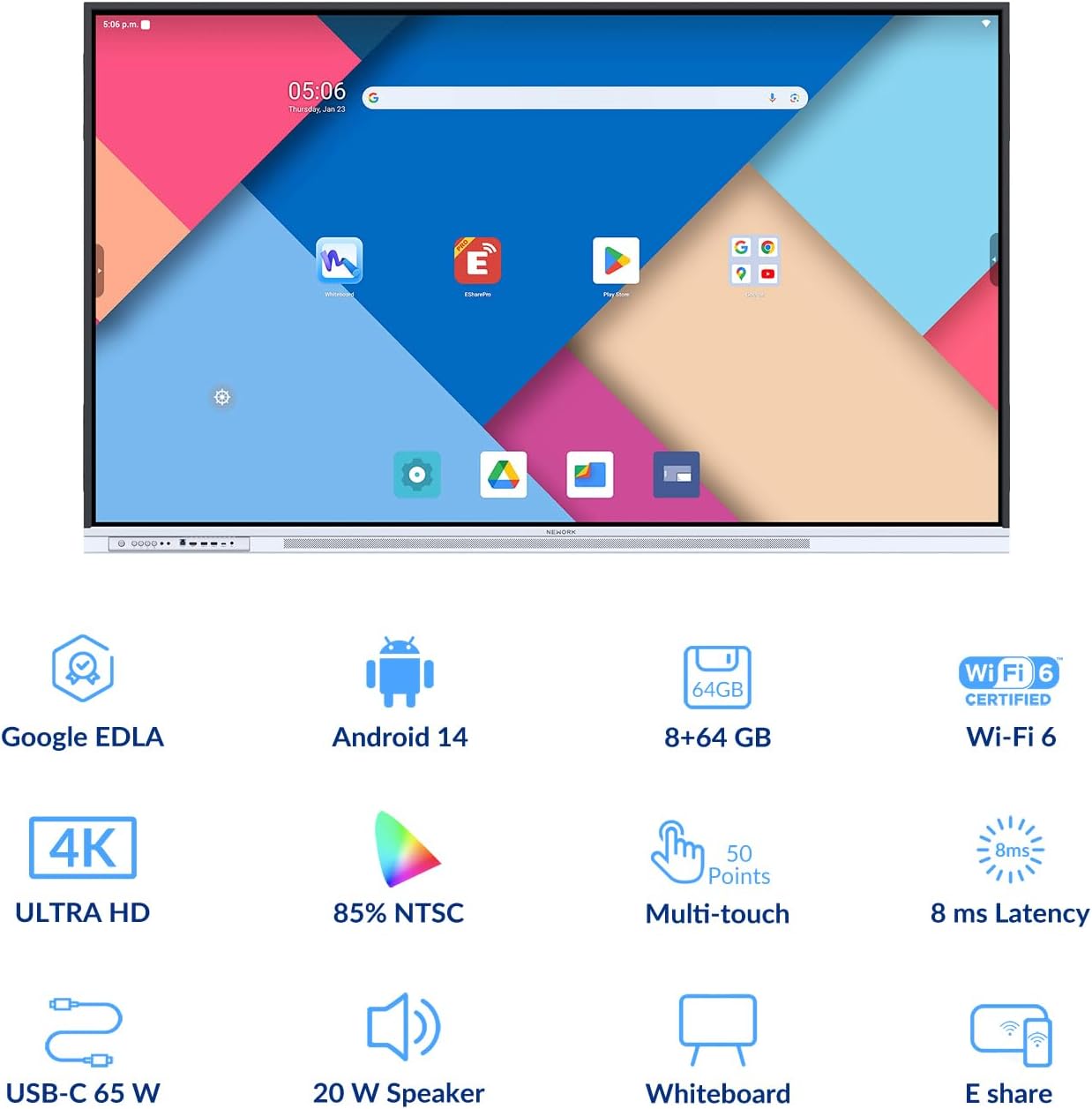
This smart board features a full-function USB-C port with 65-watt power delivery, supporting video, data, and touch HID—all through a single cable. With both front and rear I/O ports, teachers and users can easily connect their devices.
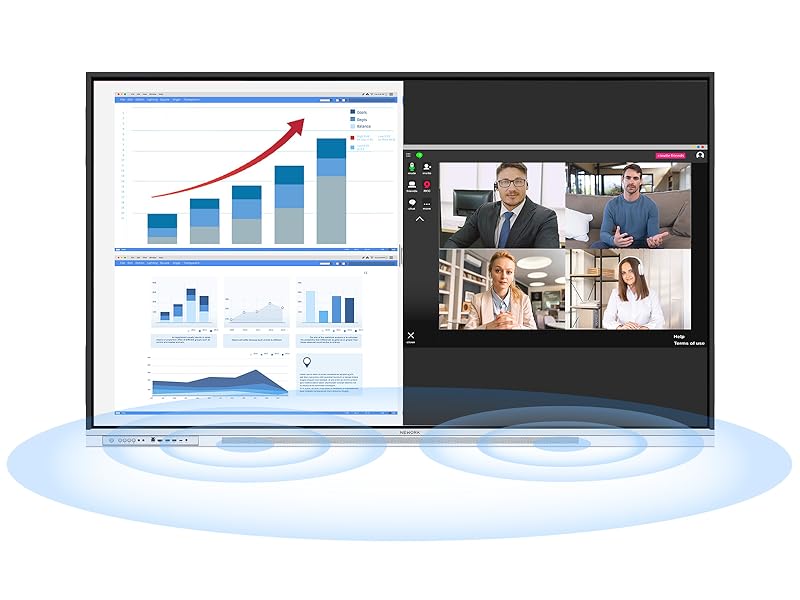 Natural Sound
Great visuals needs great sound. A front projecting dual 20-watt high-fidelity speakers, makes every word and music note crisp and clear, every video is immersive, and every lesson is engaging. Your voice carries with clarity and impact.
Diversified Usage Scenarios K-12
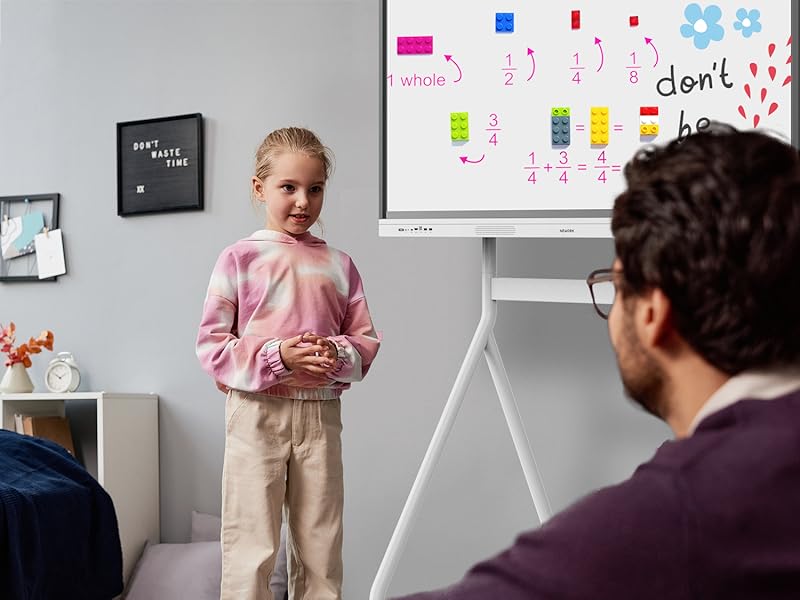
“Since I started using the NEWORK smart board in my third-grade classroom, I’ve noticed a huge shift in my students’ attention and participation. The interactive whiteboard tools let me bring lessons to life—whether it’s annotating text, showing videos, or letting students work out math problems on the board. It’s so easy to use, and the screen is super responsive. Honestly, I can’t imagine going back to a regular whiteboard.”
— Ms. Laura M., Elementary School Teacher, Texas
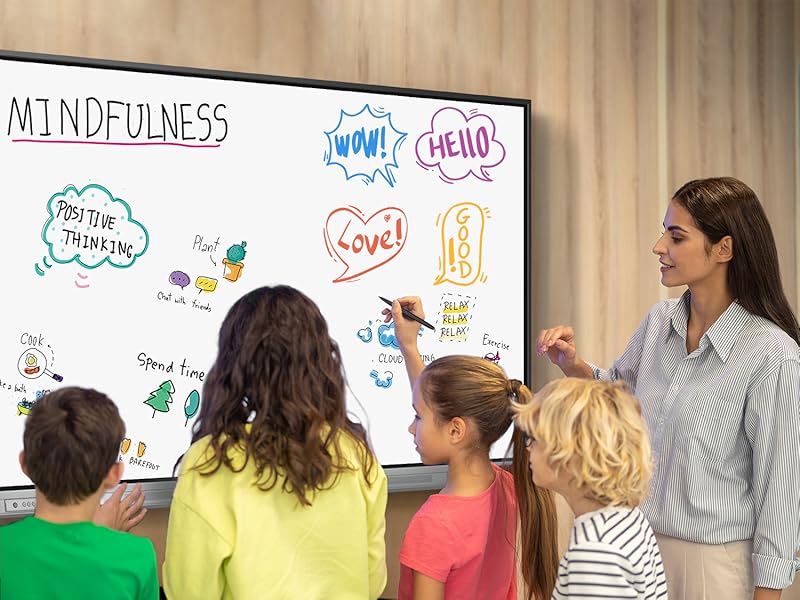 Higher Education
“As a physics professor, I rely heavily on diagrams, simulations, and real-time collaboration. The NEWORK board’s 4K resolution and multi-device screen sharing make a real difference—it allows me to display detailed visuals without losing clarity. The USB-C connection is a game changer for plugging in my laptop and getting started right away. My students have told me they feel more connected and engaged in class.”
— Dr. Andrew B., University Professor, California
 Home Learning
“With two kids doing hybrid learning, the NEWORK smart board has been a lifesaver. I can pull up educational apps, help them with math problems right on the screen, and even use the whiteboard to explain tricky science concepts. It’s intuitive and looks great in our learning space. My kids actually ask to use it—and I feel more confident supporting their education.”
— Jessica R., Mom of 2, Florida
 Brainstorming
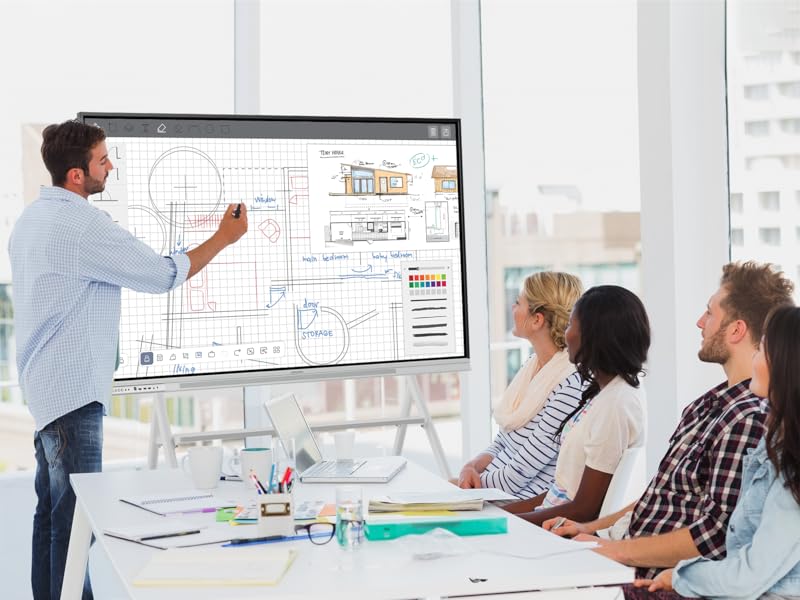
“We use the NEWORK smart board for team ideation—it’s fast, responsive, and makes it easy to capture and organize ideas. Everyone can contribute on the spot, and we love how quick it is to save and share notes after each session.”
— Emily K., Creative Director, Chicago
 Meeting
“The NEWORK board has streamlined our remote meetings. Screen sharing is simple, annotations are clear, and it brings our team together no matter where we are.”
— Sarah N., Operations Lead, Seattle
Does this smart board support video conferencing?
Yes, it does. You can download popular conferencing apps like Zoom or Microsoft Teams directly from the Google Play Store. You can also connect a camera and microphone using the built-in USB and HDMI ports.
Are software updates provided regularly?
Yes. This digital whiteboard is Google EDLA-certified, which means it receives regular system updates and enhanced privacy protection, ensuring long-term reliability and performance.
How do I connect my laptop for screen sharing?
You can connect your laptop using the full-featured USB-C port, HDMI, or USB-A. Wireless screen sharing is also available via Eshare, supporting up to 16 devices sharing at the same time.
What are the advantages of Google EDLA certification compared to an open app ecosystem?
Google EDLA certification provides secure, direct access to Google services and the Google Play Store with regular updates, offering greater stability and data protection than open app ecosystems with unverified apps.
Google Certification: The NewBoard 65E is a Google EDLA-certified smart board that provides full access to Google Play Store, Google Workspace, and the Google Education Suite. Enjoy enterprise-grade privacy protection and regular OTA updates.
Android 14 OS: This digital whiteboard runs on the latest Android 14 OS with 8 GB RAM and 64 GB ROM, enabling smooth multitasking without lag —ideal for both teaching and business environments.
Immersive 4K Display: The 65-inch UHD display with a 178° wide viewing angle and 85% NTSC color gamut, keeps the screen clean and easy to read —perfect for classrooms and meeting rooms.
Natural Writing: With 50-point multi-touch capability, up to 10 users can write simultaneously —perfect for collaborative learning, brainstorming, and interactive presentations.
Wireless Screen Sharing: Easily cast content wirelessly from smartphones, tablets, and laptops —with support for up to 16 devices at once—perfect for digital classrooms and hybrid workspaces.
8 reviews for 65 Inch 4K Smart Board – Google EDLA-Certified Interactive Whiteboard, Android 14, 50-Point Touch, Wireless Casting – Digital Whiteboard for Classrooms & Hybrid Offices (Board Only)
Add a review

$1,899.99
R. Patel –
The kids in my dental office love it!!
I wanted a smart board for kids to use in the waiting room at my dental office and I’m so glad I ended up buying this one on Amazon. Their description and what they provided are beyond all the other smart board companies out there. Easy to install and set up. Customer service has been great as well.Great screen and picture quality. Getting more for the money on this smart board for sure.So many possibilities and uses with this smart board. Kids love it!!
Christopher –
Great electronic blackboard
I purchased this for our 2026 business plans presenting to our wholesaler network my be concerned was the monitor blackboard had to have a four lug nut bolt which is fairly standard to connect to the stand that we already had. Also, the shipping box had to be strong because that’s what I’m transporting it in. Just checked both boxes and more! I will use the standard chipping box to transport and it fits our stand. The image was extremely sharp and set up was a real breeze. I very much like the audible sound when touching or “clicking” the back board. The image of sharp and quality. And there’s more inputs than I know what to do with. It shipped with everything you need including connection cords if needed! I would highly recommend if you’re looking for a electronic blackboardI hope this review and photos are helpful.
Amazon Customer –
Highly recommended
Would highly recommend this. We bought this as a smart board for our children to use. It is literally plug and play out of the box. Had an issue with plugging in the wi fi antenna which a quick call to customer service resolved itself in minutes. Has a nice sharp display and works seamlessly with your Google account. Ported all Google apps, Zoom etc to this.
Shane Driver –
Love it
This is a perfect edition to our classroom. The board is bright and very responsive. The wireless sharing has integrated beautifully with our existing presentation systems.
Grace Christian School –
Great choice for the money!
Good choice for the price, for sure!
HUY LE –
4K Smart Board
I installed it in my university seminar room five weeks ago, just in time for an intensive summer course that mixes in-person students with classmates joining from three time zones away. From the very first session, the board shifted the dynamic from one-directional broadcasting to genuine dialogue. Instead of projecting slides while remote learners stared passively at a camera feed, I now stand beside the panel, annotate live with the included pen or even my fingertip, and watch the digital ink appear simultaneously for everyone—on the glass in front of me and on the laptops of students calling in from home. Their raised virtual hands show up as unobtrusive icons, and I can invite them to co-author right on the canvas. That simple interaction erased the invisible wall that used to separate the physical classroom from the Zoom gallery. The 4K resolution does more than provide visual flair; it lets me display densely detailed engineering schematics without the compressed fuzziness I fought against on older HD projectors. Lines remain razor-sharp even when I zoom in, so students no longer ask me to repeat dimension labels or component numbers. Brightness and contrast have held steady under fluorescent ceiling lights, and the panel’s coated surface discourages glare, meaning I can position the board anywhere in the room instead of chasing the one wall that avoids reflections.
B. Bernous –
Outstanding smart board with great sensitivity, picture, and sound quality.
Outstanding Smart Board for Conference and Educational UseWe recently purchased the NEWORK 55 Inch Smart Board from Amazon for our conference room and didactic presentations, and it has exceeded all expectations. The sleek, modern design instantly elevated the aesthetics of our space, while the picture quality is crisp and vibrant—ideal for both detailed charts and video content.The touch sensitivity is incredibly responsive, making interaction seamless and intuitive during collaborative meetings and lectures. We particularly appreciate the full integration of Google functionalities, which allows for effortless access to Google Workspace apps, browsing, and presentations.This smart board has become an indispensable part of our professional environment. Highly recommended for any office, clinic, or educational setting seeking a high-performing and aesthetically pleasing smart board.I have to add that they also have great support team that haven been very helpful and available to us.
Sully Christian School –
Great Board for the price! Happy with purchase!
Still getting acquainted with this smart board, but so far we are loving it at school! Teachers are excited to use in their classrooms! Picture quality is awesome, the smart board is easy enough to use, works just like a really big tablet! The 75″ was a good size for us. We felt that the price for this smart board was much more reasonable that a lot of other ones on the market, allowing us to order more than originally planned.